Artificial intelligence in 3D CAD design has evolved beyond a novel feature into an everyday engineering necessity. With the rollout of Dassault Systèmes’ SOLIDWORKS AI Virtual Companions — AURA, LEO, and MARIE — design teams can now automate repetitive tasks, orchestrate complex enterprise knowledge, and bridge advanced computational science directly within their design environment.
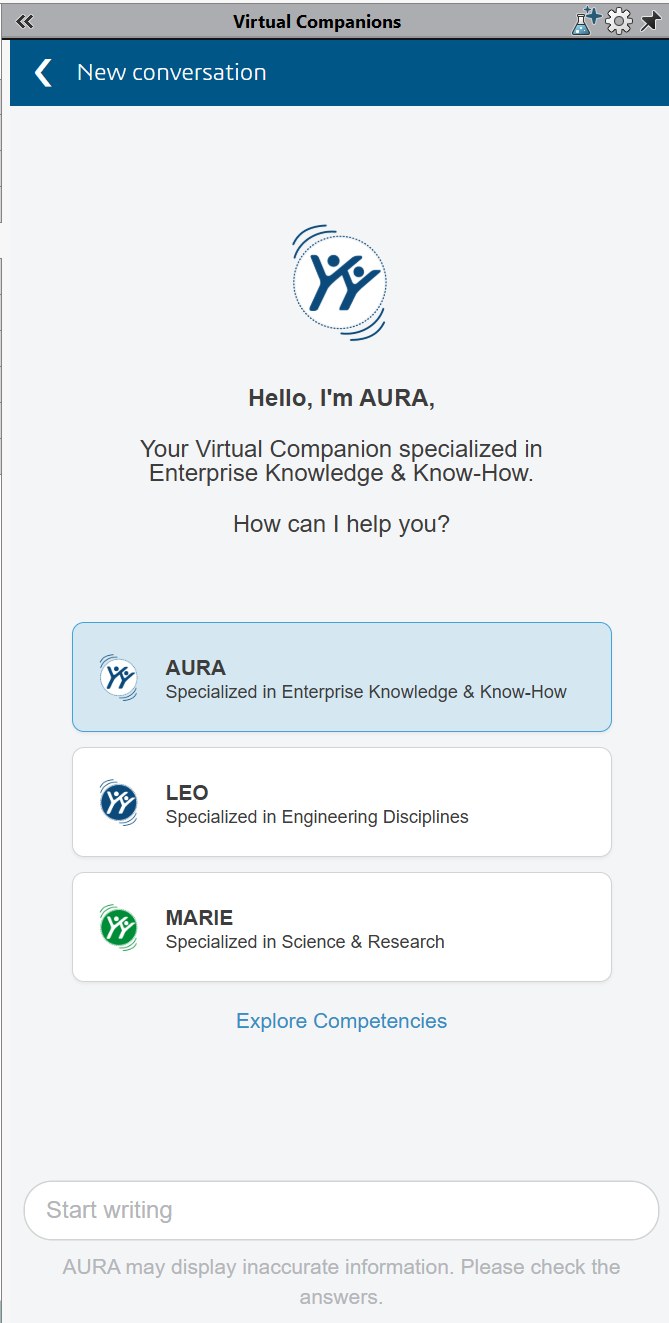
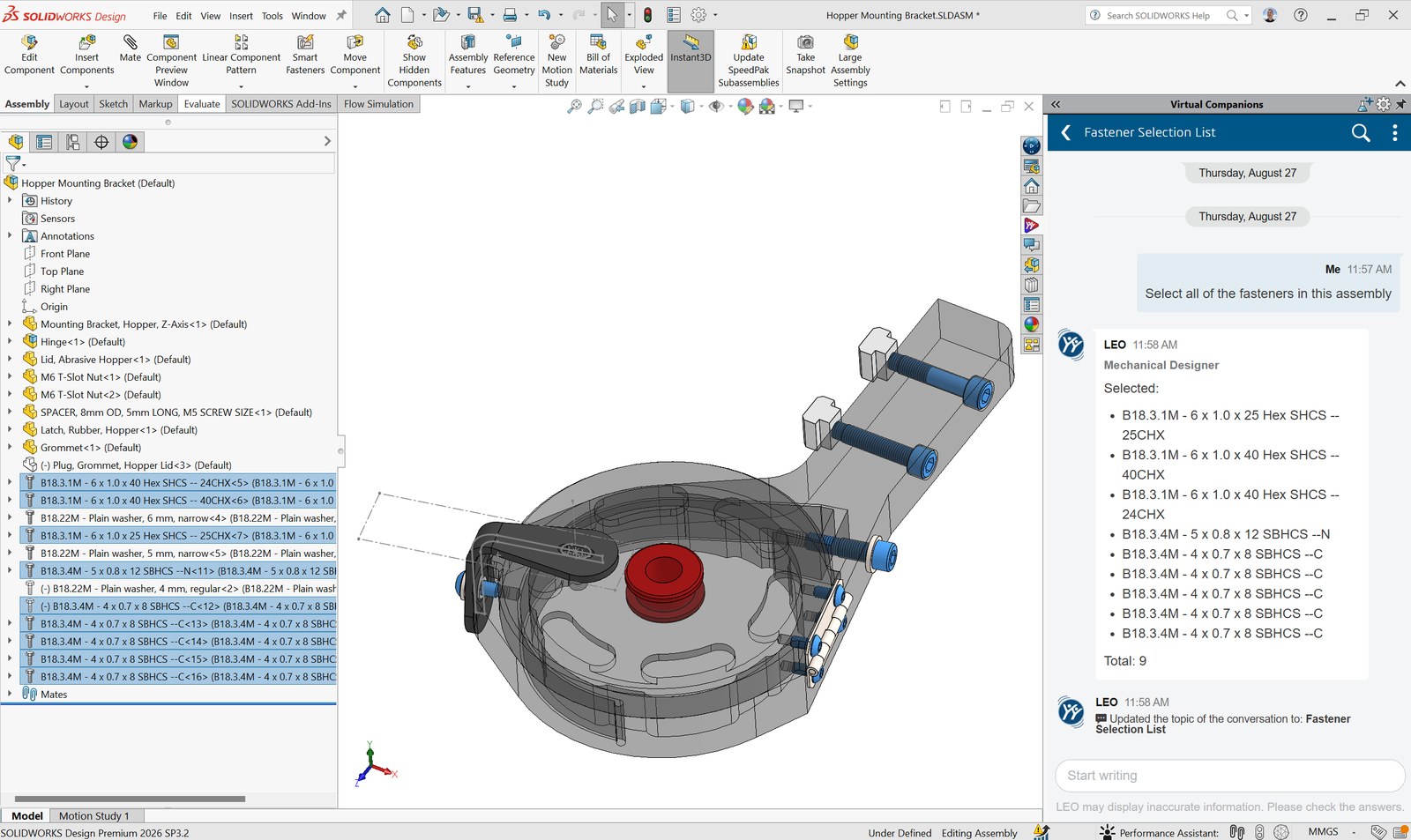
In just a few short months since these capabilities were unveiled, we here at Hawk Ridge Systems have already gotten our hands on the new AI agents and put them to the test. We’ve gotten SOLIDWORKS to identify, select, and make changes to common components like bolts, washers, and linkages. We’ve had it create exploded views and assembly instructions for a finished product. And we’ve had it automatically generate complex drawings based on the drafting standards and practices that we specify.
To power these AI capabilities, Dassault Systèmes has instituted a credit-based consumption model governed by what they are calling Blue Tokens. While the new model means that usage of these AI capabilities does come with an incremental cost, understanding the token allocation and spend can go a long way toward maximizing the value your teams get.
The Mechanics of the Blue Token Economy
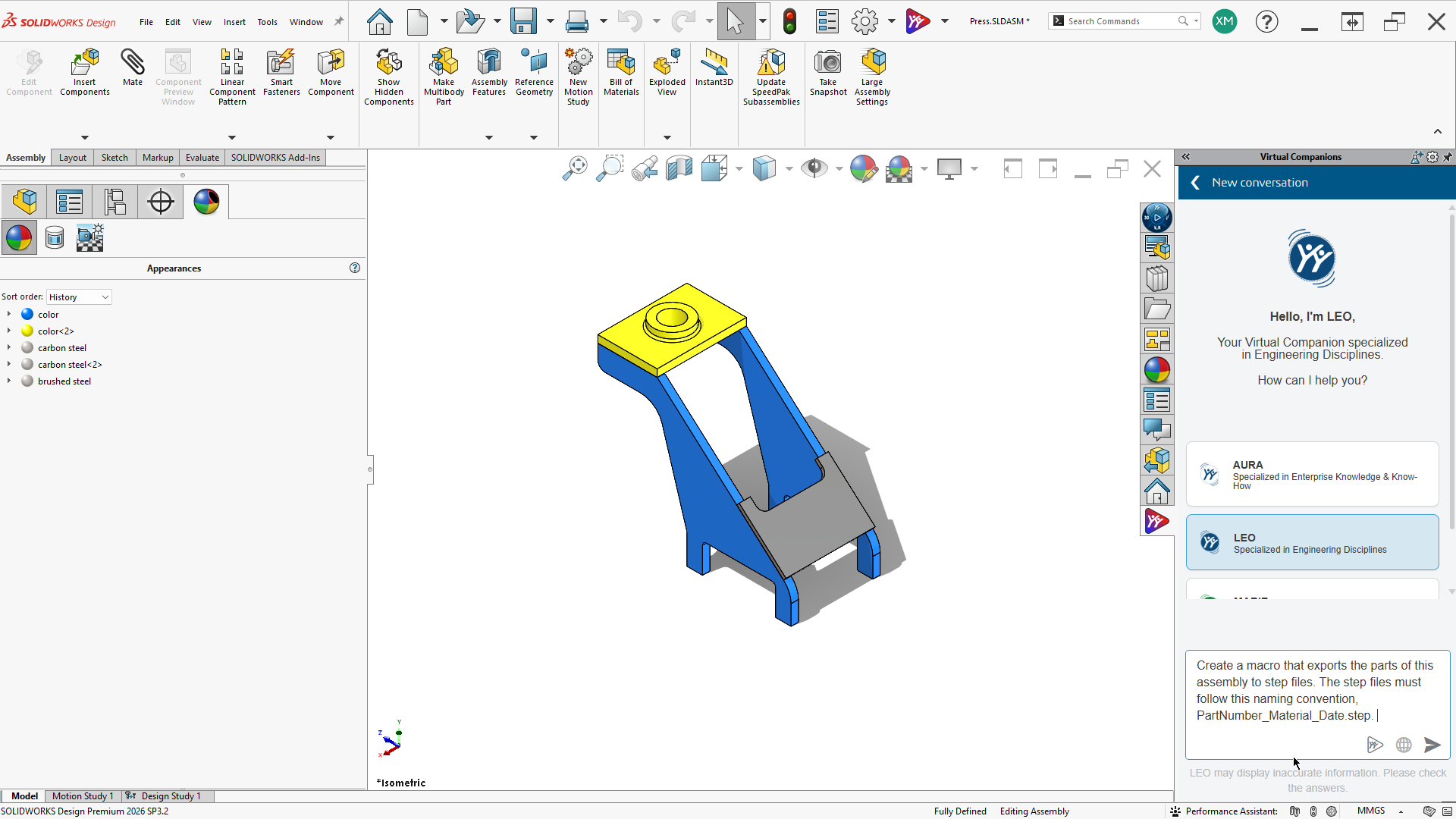
Every SOLIDWORKS license on active subscription now includes Cloud Services, and the AI companions come with it at no additional license cost. From the moment you activate your 3DEXPERIENCE tenant and install the Design with SOLIDWORKS app, you’ll have AURA and LEO running directly in your SOLIDWORKS task pane, ready to help you speed up your work (you’ll need SOLIDWORKS Design 2026 SP3.0 or later).
To get users started with their first prompts, Dassault Systèmes has also granted companies a free introductory block of 2,100 Blue Tokens per license — 2,000 for each SOLIDWORKS Design or Design with Cloud Services license, plus 100 for each 3DSwymer license. These Blue Tokens are pooled together in each company’s 3DEXPERIENCE tenant, allowing your entire organization to draw from the same reserve so that anyone can make use of them when needed. Note that this is a one-time grant rather than a recurring allowance — once it’s spent, it doesn’t refresh.
In the spirit of encouraging widespread experimentation, the token model has, for now, been set at a heavily discounted rate where no single AI prompt or task will consume more than 20 Blue Tokens, regardless of compute load or query complexity. As AI capabilities expand and models mature to handle deeper generative engineering, Dassault plans to gradually ramp up token consumption over time to reflect the growing value being delivered to customers. Because costs are capped today, now is the strategic window for teams to establish efficient prompting standards, build internal workflows, and discover high-value automation cases.
Triaging Your Virtual Companions: AURA, LEO, and MARIE
Even with the reduced spend, there are practices every engineer can follow to get the most value out of the system. The token costs of these AI capabilities are calculated for each prompt, so to optimize token spending, avoid asking the wrong companion to perform a specialized task. Each companion is fine-tuned for distinct operational domains within the product development lifecycle, and while the platform is often smart enough to switch to the right agent, that incurs additional token cost.
AURA handles enterprise knowledge and process orchestration. It excels at querying internal engineering standards, summarizing technical design change notes, searching company repositories, and navigating SOLIDWORKS menu structures — for example, “What’s the difference between a sketch fillet and a feature fillet?” Getting quick answers on how to drive SOLIDWORKS yourself is a great way to maximize value; since AURA in most cases is simply providing text guidance and/or Dassault Systèmes sources, these prompts should for the most part cost only one token each.
LEO, on the other hand, is for the most part able to operate SOLIDWORKS and other tools on your behalf, which as you can imagine is more computationally expensive. It handles mechanical CAD modeling, feature creation, assembly optimization, and can even create detailed drawings from scratch. LEO provides the highest immediate hours-saved return, and while these prompts may cost up to 20 tokens each, using it in the right situation to prevent repetitive modeling, file conversion, or drawing setup could yield a massive net return on engineering time.
MARIE, set to be released sometime next year, will rely on computational science, materials expertise, chemical formulations, and compliance. It will evaluate candidate materials under thermal or mechanical stress, verify regulatory compliance, and select specialized formulations. While MARIE is expected to have less of a direct connection to SOLIDWORKS, companies that take advantage of its research capabilities will likely be able to save some design re-work cycles down the road, making the AI token usage pay off significantly.
Strategic Practices for Maximum Token Efficiency
Vague, multi-turn conversations burn tokens quickly. Instead of asking LEO to build an assembly step-by-step across five separate prompts that could cost up to 100 tokens, gather all specifications upfront — using AURA if necessary — and execute the generation in a single, well-structured prompt. For example, rather than issuing separate prompts to create a bracket, add clearance holes, change material, and apply fillets, combine these into a single instruction stating the baseplate dimensions, hole spacing, fillet sizes, and material assignment to cap the cost at 20 tokens.
Reserve LEO’s token budget strictly for simple yet repetitive SOLIDWORKS tasks that you know will save time, while relying on AURA or native UI tools for knowledge and informational checks. Take advantage of the current 20-token prompt cap to get a better sense of which prompts return the most value, such as converting massive, non-native STEP assemblies into parametric SOLIDWORKS models, before consumption rates ramp up.
Monitoring Usage and Buying More Tokens
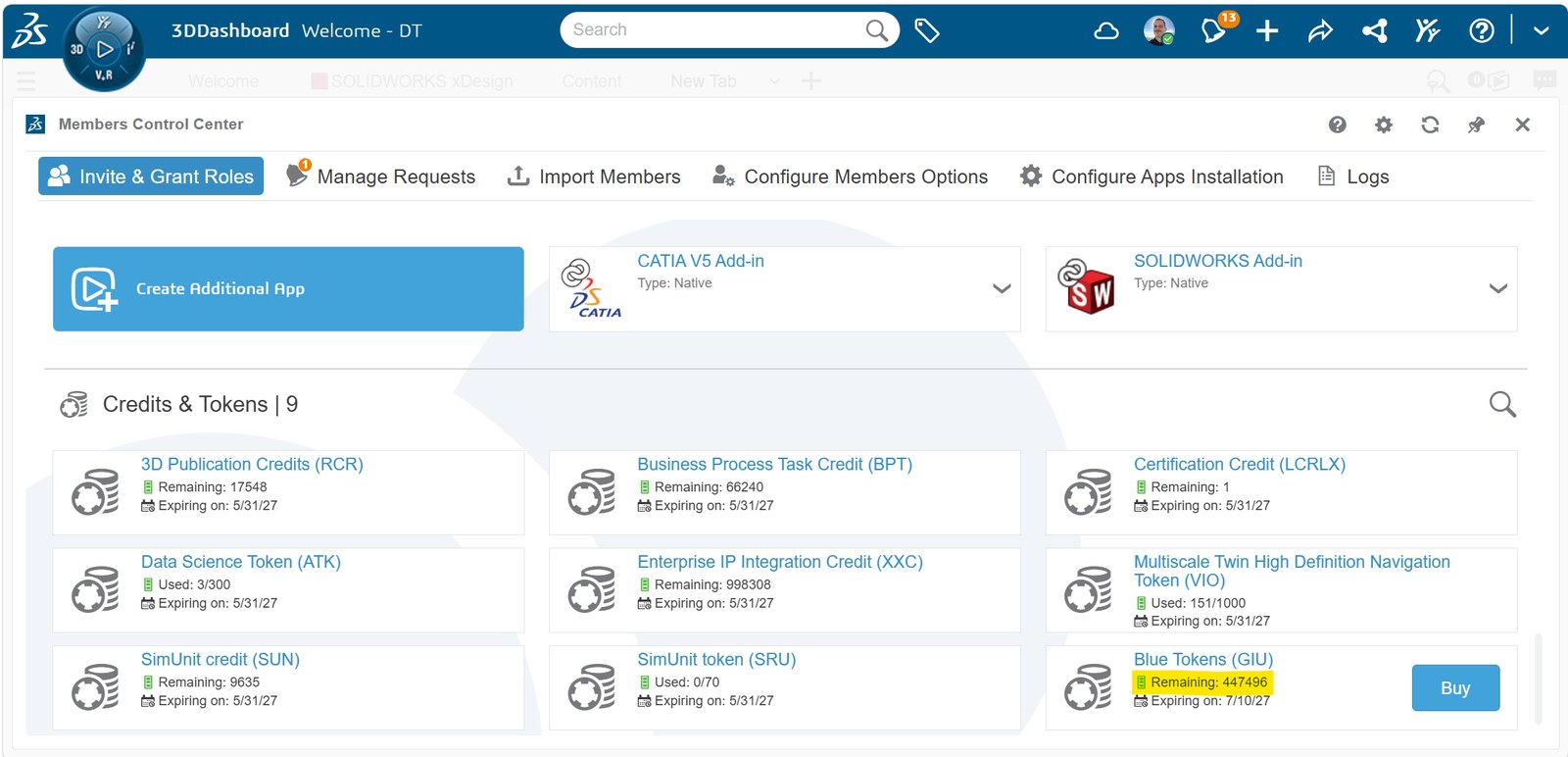
Since tokens are pooled across your tenant, it’s a good idea to have your 3DEXPERIENCE administrator keep an eye on usage — this is easily done by clicking the Compass and navigating to the Members Control Center app. While there aren’t currently tools to monitor or limit usage by individual Members or Groups, that is something Dassault Systèmes has highlighted as a future project. For now, if the pool of free tokens starts to run low, extra packs of 25,000 tokens can be purchased ($1,250/year) to ensure high-volume workflows continue uninterrupted.
By aligning your queries with the right AI companion and taking advantage of the current 20-token prompt cap, your team can build seamless AI habits that dramatically accelerate development cycles. If you’d like help putting AURA and LEO to work in your own automation workflows, contact us at Hawk Ridge Systems today. Thanks for reading!