The Engineer’s Companion
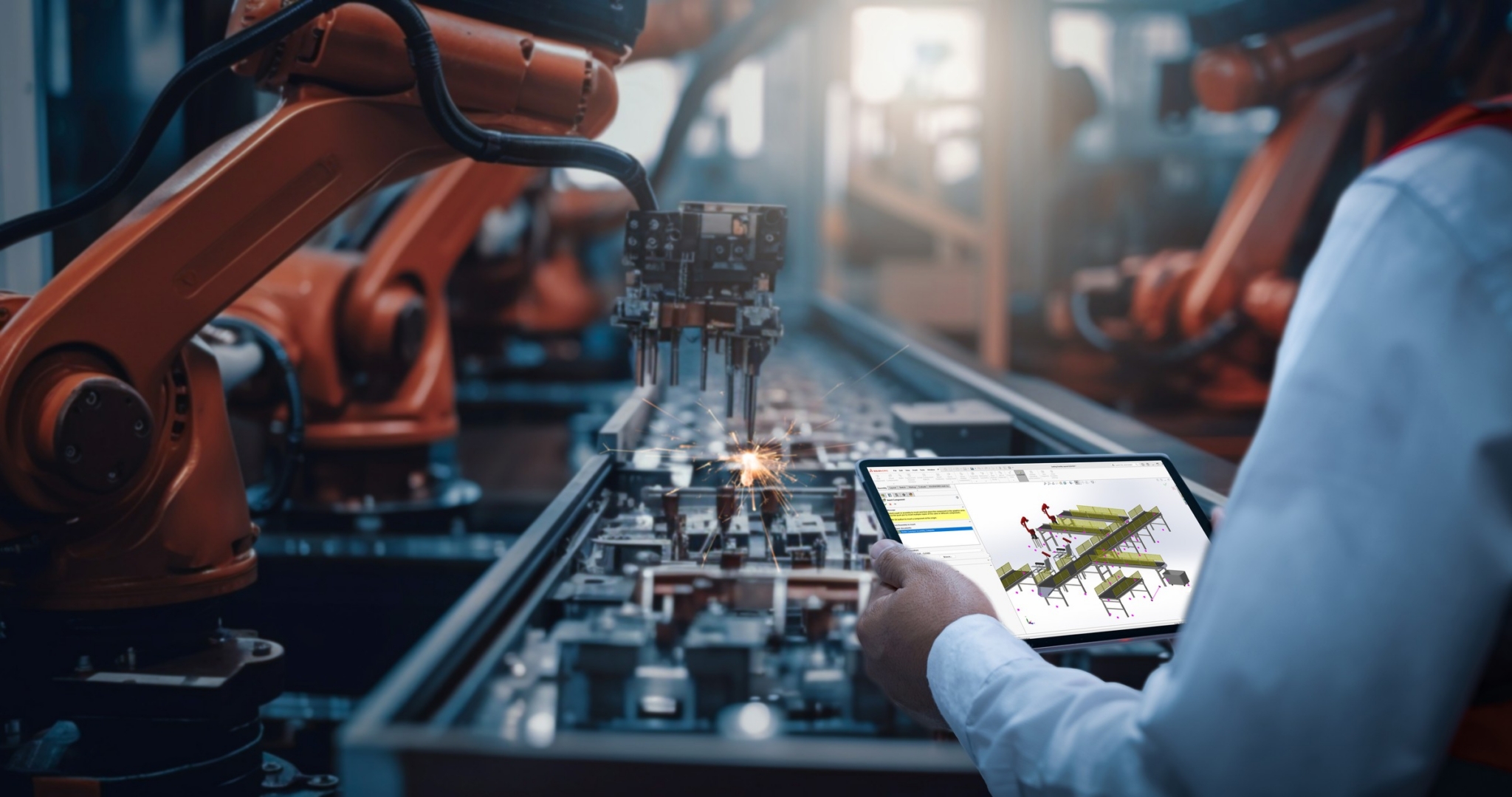
We asked our engineering leaders at Hawk Ridge Systems where AI is adding the most value and how it’s helping in real-world, everyday workflows in 2026.
A single use-case keeps showing up at the top of the value list: AI as a companion to the engineer.
Not a replacement. An accelerant — one that helps people interpret documentation, troubleshoot errors, write code and technical docs, validate outputs, and get higher-quality projects to the finish line, much faster.
Why Human-in-the-Loop AI Beats Full Autonomy in Manufacturing
The conversation around AI in manufacturing often focuses on autonomous engineering. In reality, most manufacturers are finding the greatest value in AI that works alongside engineers, not AI that replaces them.
“Where it’s [AI/LLMs/automation] delivering real value today: Helping people interpret documentation, troubleshoot errors, write code and technical docs, validate outputs, and accelerate learning.”
— Expert Insights on Automation, Hawk Ridge Systems (Vol. I, 2026)
Each of those five tasks (documentation, troubleshooting, technical writing, validation, and learning) can eat up enormous chunks of time.
And when human engineers and subject matter experts stay in the loop in AI-assisted workflows, the failure modes are bounded.
5 Practical AI Use-Cases for Engineers and Manufacturers: Documentation, Troubleshooting, Code, Validation, and Training
Here’s what those five recurring high-value opportunities for AI-as-companion look like when they are put into practice:
#1 Finding the Right Information & Interpreting It
One of the biggest productivity drains in engineering isn’t solving problems; it’s finding information. Engineers routinely search through QMS procedures, AS9100 documentation, ISO standards, internal SOPs, design standards, engineering specifications, customer requirements, supplier documentation, CAD help files, and legacy project documentation looking for the one section that answers their question. AI assistants excel at locating and summarizing that information, allowing engineers to spend less time searching and more time designing.
Mechanical Engineer and SOLIDWORKS expert, Ryan Navarro, shared several prompts in his D2M presentation, “AI in Engineering: Past, Present, and Future.” The same session covers text extraction from scans and digitizing fan-curve plots into CSV tables, if you want more variants.
Here’s the full MIL-STD PDF. Reference it and tell me where to look for requirements on aircraft-mounted equipment subject to shock and vibration. Cite the section numbers.
Why this works: It gives the AI a specific document (a 1,089-page document that would take a little while to read) to search and asks for pointers, not answers — the engineer still reads the actual standard, so a wrong pointer costs seconds, not a design review.
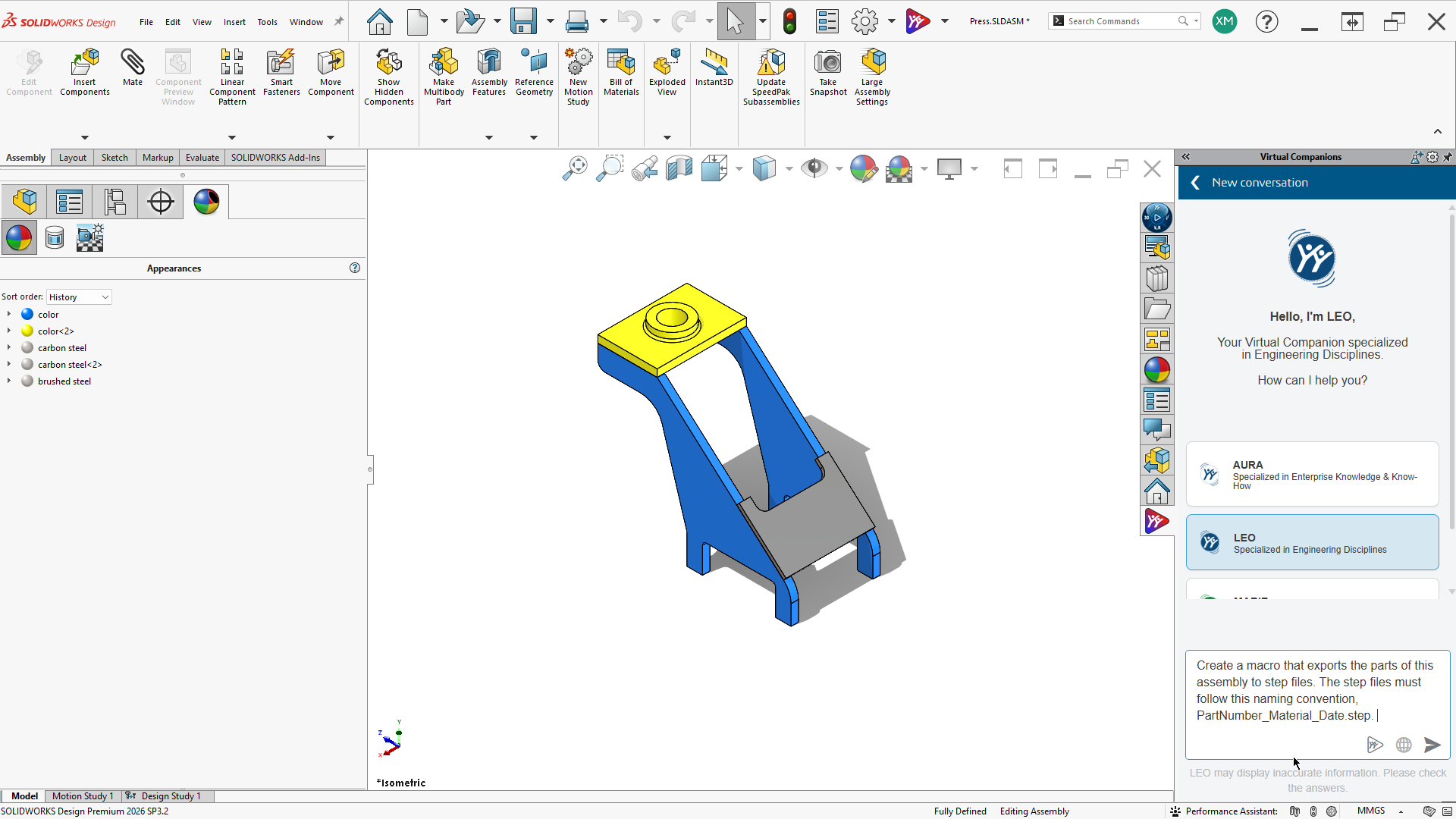
Helpful Tip: With SOLIDWORKS AI assistants, AURA and LEO, you can now use AURA to answer queries like “How can I do something,” and LEO as the agent that will do it for you.
#2 Troubleshooting Errors
From CAM toolpath errors to SOLIDWORKS rebuild failures to DriveWorks rule conflicts, error messages are notoriously cryptic. AI is a fast first responder — not always right, but a useful sparring partner. AURA AI in SOLIDWORKS, because it’s pulling answers from a reputable, subject-matter-expert-backed knowledge repository, can get you more granular and more helpful information when troubleshooting.
Scott Woods, Senior Technical Product Manager and 3DEXPERIENCE Expert, shares several useful best practices for getting the most out of design and engineering AI-assisted workflows in his AURA Best Practices Guide and his session at the annual D2M conference, “Beyond the Hype: What’s New with AI in Design.”
I’m getting this rebuild error in my SOLIDWORKS assembly… walk me through resolving it — then tell me what most often causes this and how to avoid it.
or
Here’s the rebuild error text. It appeared after I edited the sketch driving this swept boss. Give me the three most likely causes in order, and how to test each.
Why this works: It includes what changed last — the context the error message leaves out — and asks for ranked hypotheses with tests.
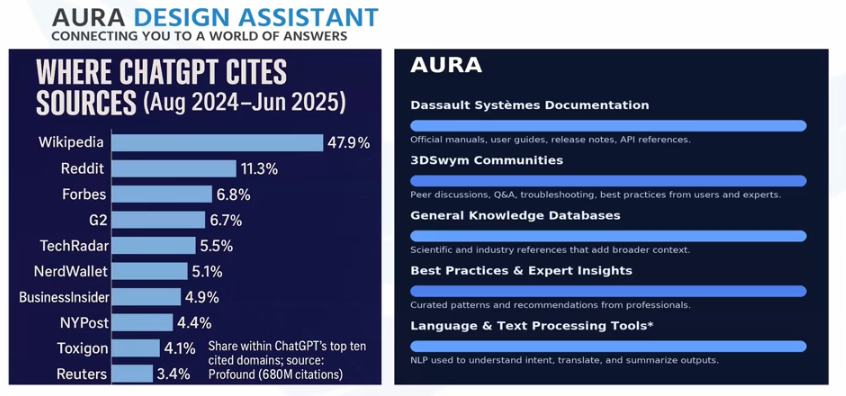
Note: Source data matters. AURA is grounded in trusted engineering resources, including SOLIDWORKS documentation, technical knowledge bases, 3DSwym communities, and official engineering content. By focusing on trusted engineering sources instead of unverified public internet content, AURA helps engineers quickly find accurate, relevant answers with confidence.
#3 Writing Code and Technical Docs
You can use AI to help with macros, post-processor edits, design rules, build instructions, and change notes. AI doesn’t ship the code: it drafts it based on requirements and the engineer reviews. The example below uses a CAMWorks post processor.
Here’s the output block from my CAMWorks post for a Haas VF-2. I need it to add a header with the programmer’s name and date and bring the table to front-center at end of program. Draft the edit and explain each change — I’ll dry-run it without stock before cutting anything.
Why this works: It names the machine (G-code dialects differ), asks for an explained change rather than a black box, and the verification step is planned before the AI answers, not after.
#4 Validating Outputs
Checking a parts list against a BOM, spot-checking a generated quote, or sanity-checking a rule’s edge cases. AI’s pattern-matching is well-suited to quality control/quality assurance.
This topology study assumed a 500 N load on the bracket face, 6061-T6, target factor of safety of 2. Here are the results. What should I check before trusting this — and where would you expect this design to fail first?
Why this works: It states the assumptions so the AI has something to validate against, and it invites skepticism — “Where would this fail?” gets a more honest answer than “Does this look good?”
#5 Accelerating Learning
New-hire ramp-up is one of the most under-discussed manufacturing pain points. AI as a patient, always-on Q&A partner shortens the path from hired to productive.
Using only the uploaded SOP documents, walk me through how we release a drawing revision. If the answer isn’t in these documents, say so — don’t pull from external sources.
Why this works: Grounding the AI in company docs plus an explicit refusal instruction means a new hire gets your process, not the internet’s — and “I don’t know” becomes a signal to ask a human.
The unifying principle: Every one of these uses keeps a human in the loop, with clear ownership of the final answer.
Prompt Engineering and Output Validation: The New Core Engineering Skills
We’re making a quiet (but important) point about workforce implications:
“Build fluency in your team now. Prompt engineering and output validation are becoming core skills.”
— Expert Insights on Automation, Hawk Ridge Systems (Vol. I, 2026)
Prompt engineering and output validation — together.
Knowing how to ask is half the skill. Knowing how to check the answer is the other half. The teams that get this right are training their engineers in both halves at once, the same way they once trained machinists to set up a fixture and inspect the first article.
Capturing Institutional Knowledge: Connecting Knowledge Bases to AI Workflows
It would be a mistake to talk about AI in 2026 without acknowledging the bigger, and much older challenge it sits inside: migrating tacit, expert knowledge into a usable asset. Every company’s most valuable (and fragile) asset is its institutional knowledge, or intellectual capital. Many organizations already maintain knowledge bases to preserve and leverage it. An important grounding step is connecting those libraries to your enterprise LLM workflows, so the AI can actually reference them reliably as source materials. That combination is game-changing.
“Talent shortages are accelerating automation adoption — and for good reason. Retiring machinists and engineers take institutional knowledge with them. Tools like DriveWorks (design automation) and CAMWorks (CAM automation) capture that expertise in rules and templates, lower the skill floor for newer hires, and let your senior team focus on truly custom and innovative work.”
— Expert Insights on Automation, Hawk Ridge Systems (Vol. I, 2026)
And a knowledge base repository that is consistently updated with inputs from the team means when an employee leaves for a new role at a new company, that knowledge isn’t lost forever.
This is where AI-as-companion, intellectual capital, and rules-based automation converge.
How to Start with AI in Manufacturing: A 5-Step Playbook
If you’re an engineering or operations leader weighing where to put AI investment in the next two quarters, the Hawk Ridge synthesis points to a clear sequence:
- Start small. Pick one repetitive, high-frequency task — a documentation lookup, an error-message interpretation, a code-drafting use-case — and ship it. Expect ROI in 1–4 months when scope is tight.
- Automate the workflows that already work. “Automating a broken process just scales the problem.” AI is a force multiplier in both directions.
- Train both halves of the skill. Prompt engineering and output validation. Together.
- Build visibility in from day one. Make it easy for engineers to see what the AI did and why.
- Build out your KB (Knowledge Base): Consolidate company information assets in a knowledge base that gets auto-updated with new information and regularly source subject-matter-expert input for topics not covered or documented yet. The knowledge base (KB) can be used for new hire training, AI/automation workflows, and much more.
The Bottom Line: Start Small, Keep Humans at the Core of the Process
The top AI use-case in 2026 is AI as a companion to the engineer. The value shows up in five everyday workflows: interpreting documentation, troubleshooting errors, drafting code and technical docs, validating outputs, and accelerating learning.
What makes it work is equally clear: keep a human in the loop with ownership of the final answer, train prompt engineering and output validation together, and ground your AI in a well-maintained knowledge base so it draws on your expertise, not the internet’s.
So, start now — and start small. Pick one high-frequency task from the playbook above and put an AI companion to work on it this quarter. Then talk to the team that’s already done this on real shop floors: contact Hawk Ridge Systems to map out where AI and automation will deliver ROI fastest in your workflows, explore the Expert Insights on Automation report, or check out additional resources below. Your competitors’ engineers are already prompting. Make sure yours are validating, too.
Sources & Resources:
- Expert Insights on Automation, Hawk Ridge Systems (Vol. I, 2026)
- AI in Engineering: Past, Present, and Future — Ryan Navarro, D2M session (video)
- Beyond the Hype: What’s New with AI in Design — Scott Woods, D2M session (video)
- Beyond the Hype: What’s New with AI in Design (blog + free guide download)
- AURA Best Practices Guide (PDF)
- Practical Applications of AI & LLMs in Engineering — SolidProfessor (companion article)
- Frequently Asked Questions Regarding CAM Post Processors — Tim Fulton (blog)
- Digging Into the UPG to Write Post Processors with CAMWorks — Daniel Lyon (blog)
- Getting Started with the SOLIDWORKS API, Part 1 (blog)
- An Engineer’s View: How AI Fits Into the SOLIDWORKS Workflow (webinar)
- AURA AI in SOLIDWORKS, According to Engineers (webinar recap blog)