Curious about the practical ways AI is currently integrated into the SOLIDWORKS ecosystem and what engineers can realistically use today?
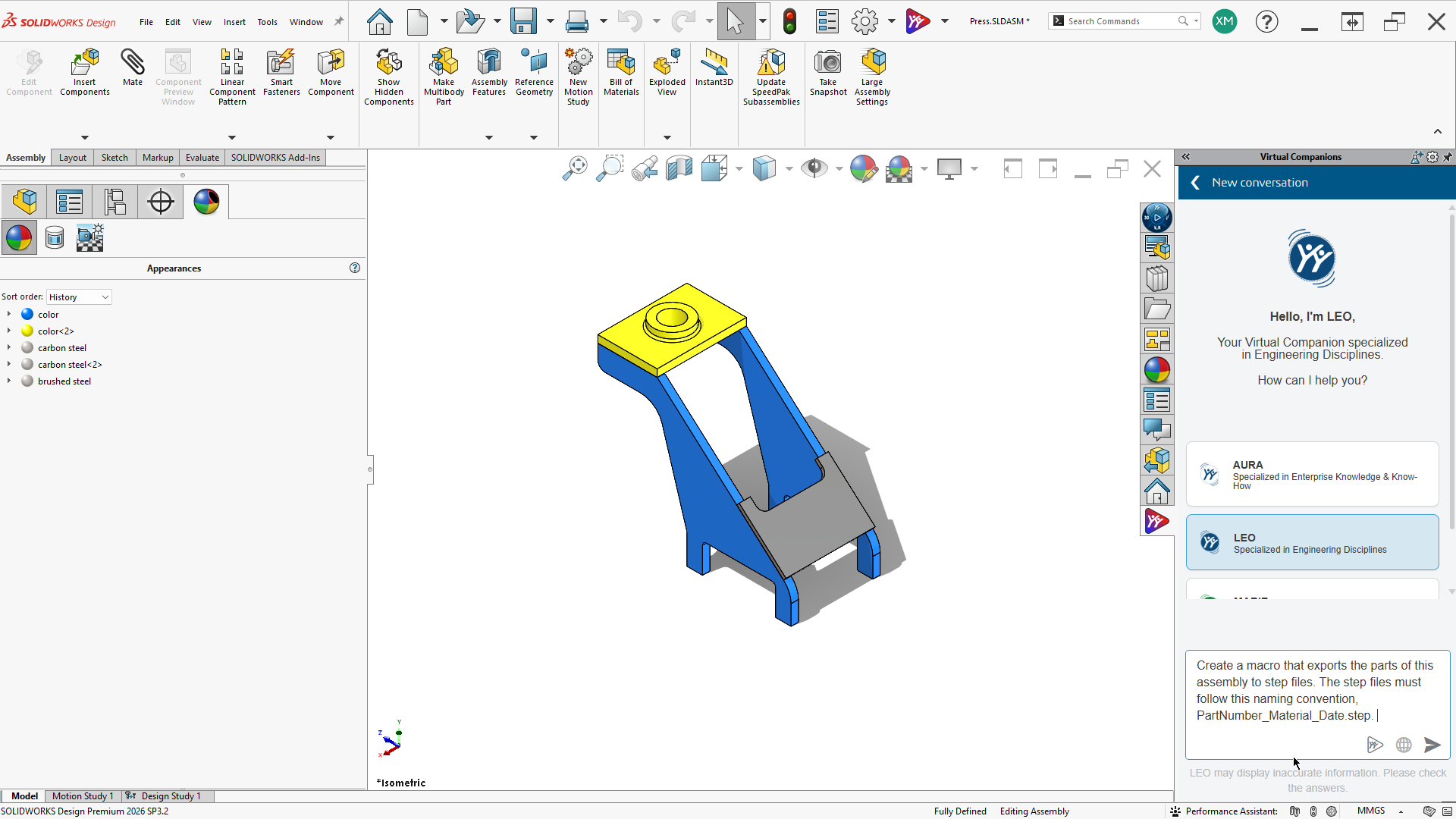
Two of our engineers right here at Hawk Ridge Systems dig into how to get the most out of the built-in AI assistant in SOLIDWORKS (AURA) and complement your workflows with enterprise-grade LLMs. This wasn’t/isn’t a prompt-engineering class — just two engineers showing practical AI & SOLIDWORKS workflows. Check out the full webinar, “An Engineers View: How AI Fits into the SOLIDWORKS Workflow” or read the highlights:
Real AI/SOLIDWORKS Workflows – GPT + SOLIDWORKS + xDesign: Prosthetic Leg Design Example
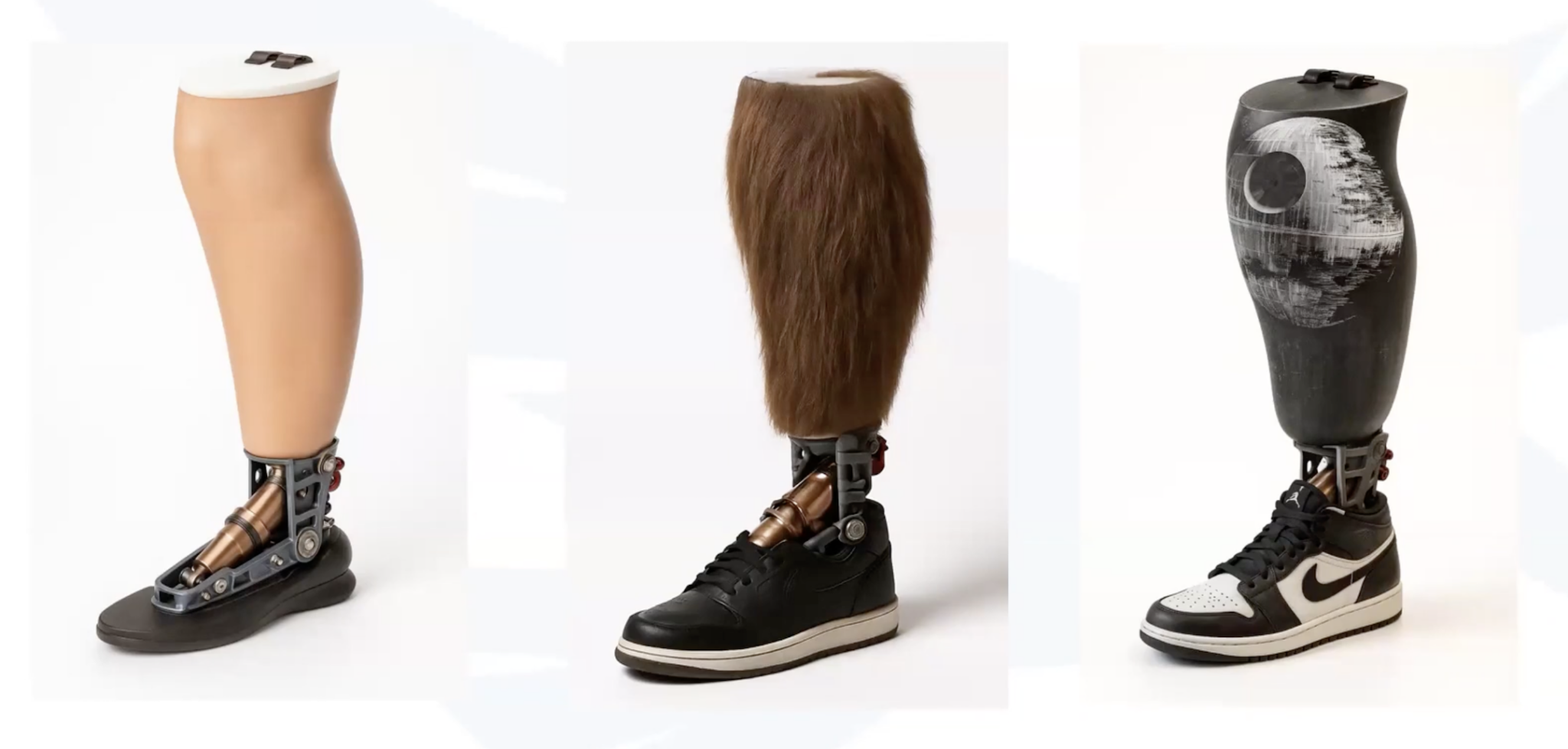
In one example, engineers Scott Woods and Joseph McDiarmid show how to leverage ChatGPT, SOLIDWORKS, and xDesign with xShape to organically sculpt a cover for a prosthetic leg (Moto Knee) while accommodating the mechanics.
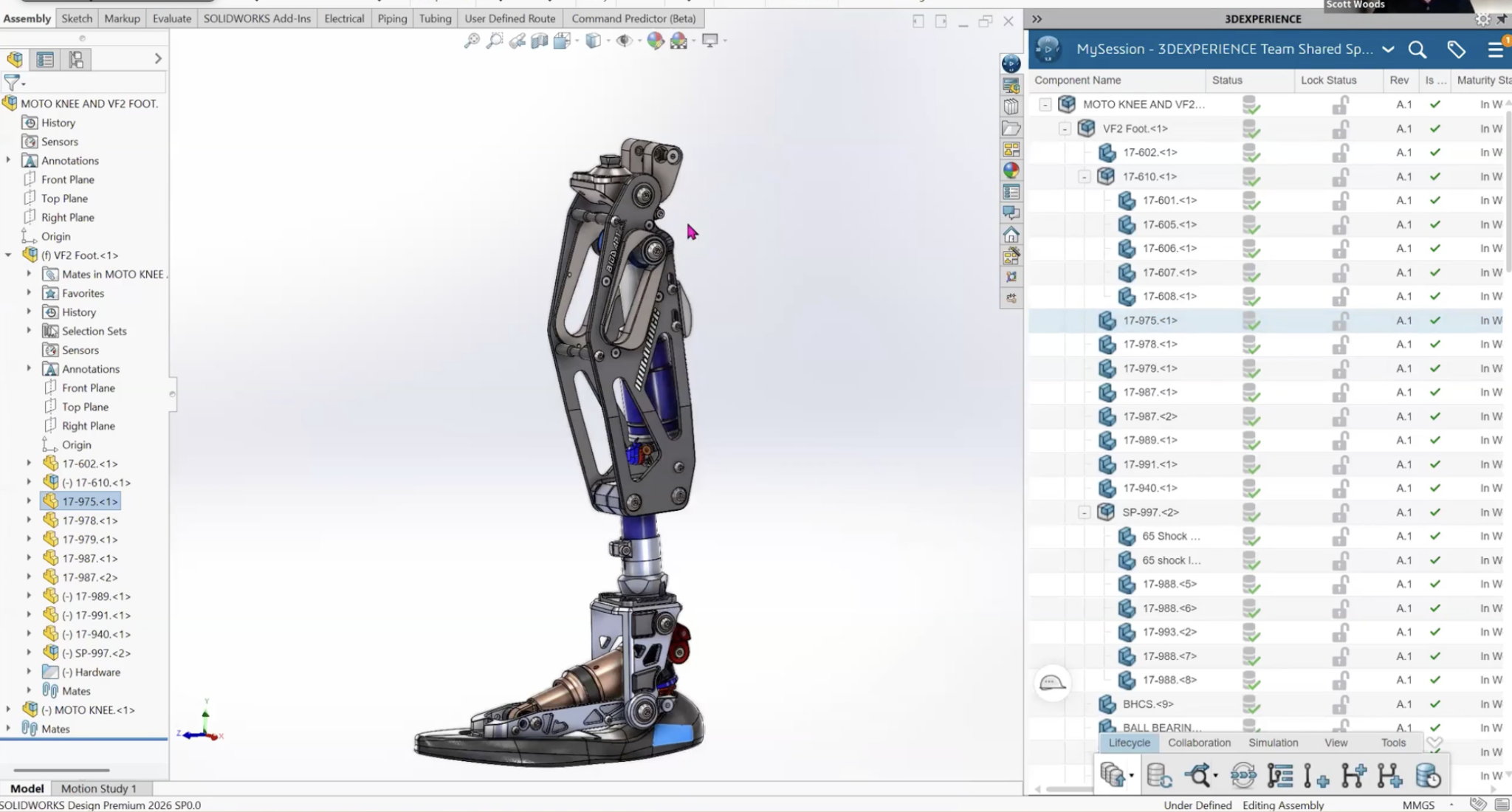
- Started in SOLIDWORKS for mechanical design.
- Used ChatGPT to quickly generate realistic renderings for customer feedback.
- Imported point cloud data and used xDesign with xShape to create a cover that matches the scanned leg while accommodating the mechanics.
- Brought the final shape back into SOLIDWORKS for detailing, simulation, and manufacturing prep.
Why AURA AI Assistant is Different Than Mainstream LLMs and Other AI Assistants
Aura Design Assistant (Beta AI in SOLIDWORKS) is a controlled, reliable AI chatbot limited to official SOLIDWORKS help files and user forums – not trained on the entire internet (sorry, not sorry Reddit and Wikipedia!)
Unlike other sources, it’s not prone to hallucination and doesn’t pull from generally publicly available data from the web (often from unreliable sources). In-App assistance through AURA AI gives you accurate, quick, and trustworthy answers to SOLIDWORKS-specific questions.
AI and Automation Features to Leverage TODAY
The top AI-Related Features in SOLIDWORKS right now, according to engineers:
- Automatic Hardware Mates: AI intelligently mates fasteners/hardware to holes.
- Automatic Drawings (It’s in Beta and requires Cloud Services): Generates basic drawing views, dimensions, and sections automatically. It uses your default drawing template; supports DIMxpert GD&T if predefined. NOTE: It is NOT perfect yet, but excellent for batch-starting hundreds of drawings (then clean up manually).
- Topology Optimization in Simulation: This feature is “AI-adjacent.” It generates optimized shapes that inform the final design.
AI & SOLIDWORKS: The Bottom Line
AI in SOLIDWORKS today is practical but still maturing — focused on productivity gains (faster mating, drawing starts, organic modeling, reliable help). Many features are “AI-adjacent” (intelligent automation) rather than fully generative AI, but who knows what the future will look like considering how much AI has evolved in the past few years alone. The future looks bright with ongoing heavy investment in AI across the platform.
Recommendation: Leverage controlled tools (Aura, Automatic Drawings) for reliability and general LLMs (OpenAI GPT-5, Google Gemini 2.5/3 Pro, Anthropic Claude 4/4.5, xAI Grok 4) for creative/rapid ideation. Use paid/enterprise versions of general-purpose LLMs for proprietary data to protect IP.
More Resources from Hawk Ridge Systems on AI & SOLIDWORKS
- Beyond the Hype: What’s New with AI in Design: Quick Guide to Aura AI and our AURA Best Practices Guide from Our Engineering Team
Covers how you can use AURA AI today in SOLIDWORKS and includes a free, no-form fill download for AURA AI Best Practices
- Ryan Navarro’s Presentation at the Design to Manufacturing 2026 Conference: The Evolution and Future of AI in Engineering: What Engineers Need to Know
Covers 7 Practical AI Applications Engineers Can Use Today like interpreting simulation results and parsing standards documentation.
Want to talk more about AI, Engineering, and Design? Get in touch with Hawk Ridge Systems.