Eleven sessions. One theme. Zero filler.
On October 29, Hawk Ridge Systems hosted D2M 2026 Evolve, the seventh annual Design to Manufacturing Virtual Conference. The recordings are in, and they’re packed: SOLIDWORKS 2027 AI companions that do real work inside your model, a truck part designed inside a 3D scan, CAM software that learns how your shop programs, a quoting workflow that writes its own documents, and a fan-built WALL-E that steals the show.
That’s a lot of video. So we built this guide to help you choose the D2M 2026 Evolve sessions that fit your role. Start with the role-based picks below, then jump to any session for what it covers, who it’s for, and the problem it helps you solve. Every session has a full recap on the D2M 2026 Evolve event page, too.
Start with the morning general session. It sets up the whole day in under an hour.
Chapters
- 0:00 – Welcome and agenda with host Joe McDermott
- 1:47 – Dale Ford: acquisitions, alliances, and partners
- 7:50 – AI as a collaborative partner: you aren’t behind
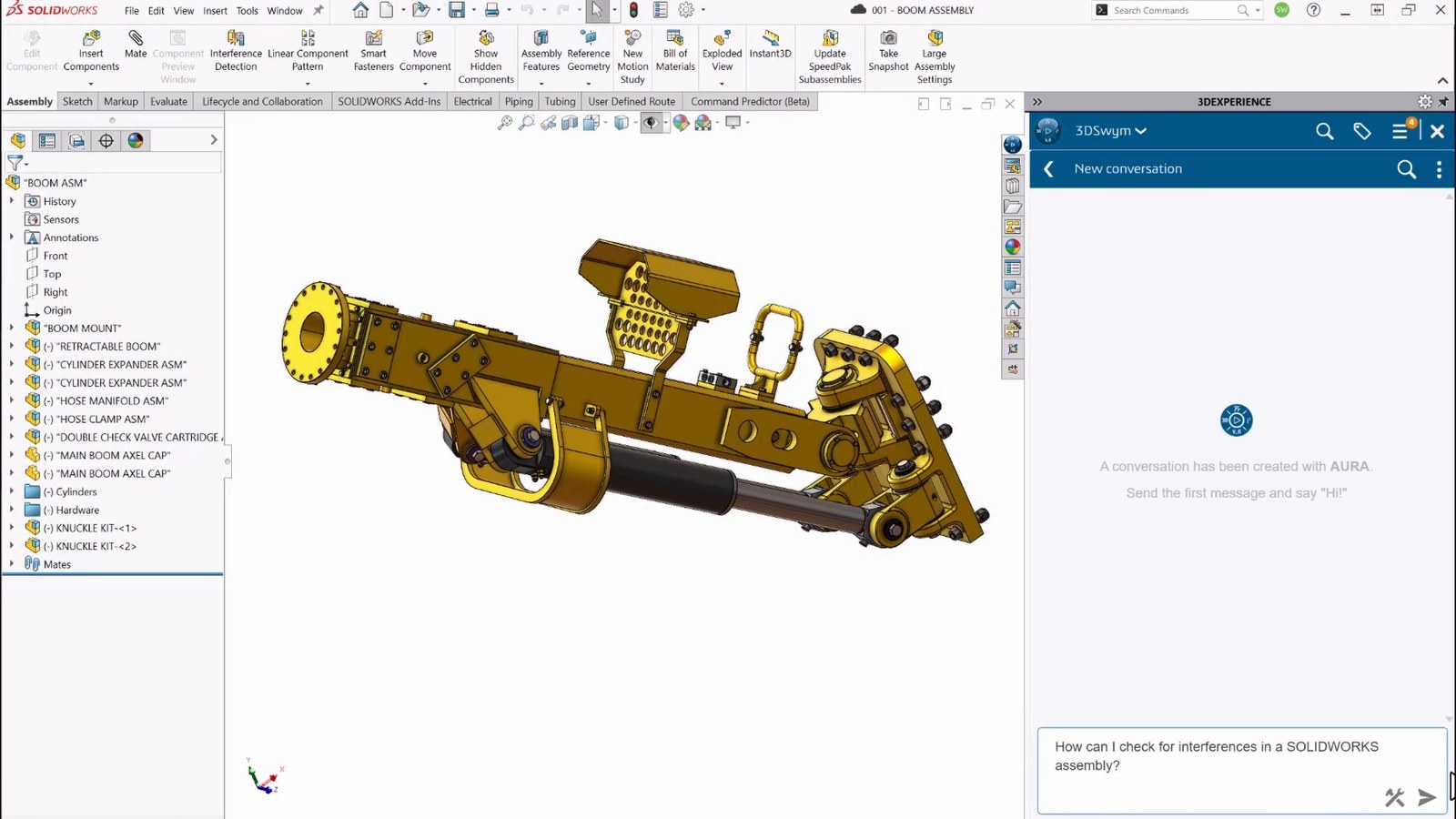
- 11:16 – Tim Newton previews SOLIDWORKS 2027: AURA and LEO
- 14:42 – Modeling: Pattern Assist, fillets, sheet metal, and weld beads
- 17:26 – SOLIDWORKS Electrical: line diagram to route
- 19:28 – Simulation: checking bonded joints
- 20:58 – PDM: single sign-on and smarter replication
- 21:59 – DriveWorks: repeatable design automation
- 23:29 – CAM: SOLIDWORKS CAM, CAMWorks, and the HCL award
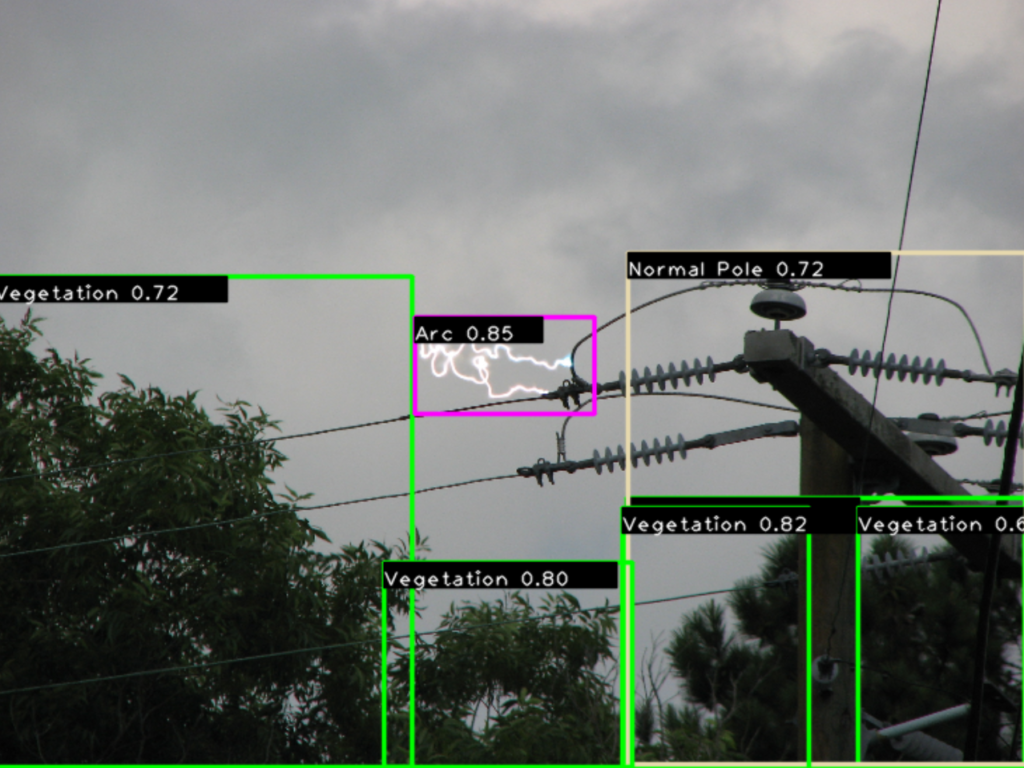
- 26:07 – Green Grid: AI monitoring for power lines
- 34:55 – Human in the loop: verifying alerts before they reach utilities
- 38:06 – How Green Grid started with SOLIDWORKS and Hawk Ridge Systems
- 45:26 – What’s next: sensor fusion and robotic response
- 48:07 – Wrap-up, prizes, and breakout sessions
Explore all sessions on demand
The Themes That Ran Through Every Session
Host Joe McDermott set the tone in the morning session, and nearly every breakout came back to it.
“But new doesn’t automatically mean better. What matters is figuring out which changes actually help us work better, solve problems differently, and move ideas forward.”
Joe McDermott
Four themes kept showing up:
- AI that does the work, not just the talking: LEO and AURA work inside SOLIDWORKS 2027, StartProto’s agents plan work across an ERP system, and both keep a person in the approval seat.
- One connected model: Scan data that drives CAD, one model that feeds every FEA and CFD study, and a schematic that drives the 3D wiring all point to the same idea: Connected data beats rework.
- Rules you can repeat: DriveWorks, CAMWorks TechDB, and SOLIDWORKS PDM workflows all capture how your best people work and run it the same way every time.
- People and skills: From the CAM skills gap to SolidProfessor’s new courses to a movie-robot builder who fails early on purpose, the day kept coming back to people.
Start Here: If You Only Watch 3
Short on time? Pick your role, and start with the three D2M 2026 Evolve sessions that matter most to you.
Design Engineers and CAD Power Users
- What’s New in SOLIDWORKS Design 2027 for the features to try first.
- Do You Want It Done Fast or Do You Want It Done Right? for simulation setups you can trust.
- Beyond Reverse Engineering for a scan-to-print workflow you can copy.
Manufacturing Leaders
- How CAMWorks Evolved to Solve Manufacturing Challenges for standardized programming as veterans retire.
- The Nightmare Before Wiring for shop-floor wiring instructions that update with the design.
- From Design to Production for AI agents across ERP, purchasing, and the shop floor.
Executives and CPQ Decision-Makers
- The morning general session for the AI and SOLIDWORKS 2027 big picture.
- Evolve Your Sales Process with DriveWorks CPQ for faster, accurate quotes.
- From Design to Production for a five-to-ten-year AI strategy that starts with connected data.
PDM and Data Management Owners
- From Madness to Majesty: A SOLIDWORKS PDM Story for vault guardrails, search, and workflows.
- The morning general session for SOLIDWORKS 2027 PDM single sign-on and smarter replication.
- From Design to Production for what a connected data model unlocks downstream.
D2M 2026 Evolve Morning Session
Presenters: Joe McDermott (host); Dale Ford, Chairman and CEO, Hawk Ridge Systems; Tim Newton; Chinmoy Saha and Jeff Pickles, Green Grid – Length: 49 minutes – Watch: the player at the top of this post (chapters are listed under it)
- Best for: Engineering managers and directors planning their team’s next steps.
- Why watch: If you’re trying to build an AI plan and a SOLIDWORKS 2027 upgrade plan without chasing hype, this is your briefing. Dale Ford explains why most companies are early on AI and why connected data, the digital thread, and PLM come first. Tim Newton then runs through SOLIDWORKS 2027 in about 15 minutes, from LEO and AURA to bonded joints in simulation and PDM single sign-on.
- Don’t miss: The reminder to check what you already own. SOLIDWORKS CAM Standard is included with any SOLIDWORKS license on active subscription, and Cloud Services is included with every new SOLIDWORKS subscription (Tim noted that if you bought your license after about July 2023, you probably already have it). Then stay for Green Grid’s AI-powered monitoring of power lines.
What’s New in SOLIDWORKS Design 2027
Presenter: Nick Keglovits, Applications Engineer, Hawk Ridge Systems – Length: 37 minutes
Watch the full session on the D2M 2026 Evolve event page.
- Best for: SOLIDWORKS power users and CAD admins, plus newer engineers.
- Why watch: You need to know what to roll out first in 2027 and what to lock down before someone breaks it. Nick shows the AI skills in LEO and AURA (appearances, design guidance, exploded views, nesting, and macros), stamps that span bends, background drawing updates, and locked sheet formats.
- Don’t miss: The title block lockdown, and Nick’s advice to keep watching the service packs for new features.
“You can completely lock down your title block without running the risk of anyone trying to go in and add their name or some other common mistake.”
Nick Keglovits
Do You Want It Done Fast or Do You Want It Done Right?
Presenters: Terence Woo, Product Manager for Finite Element Analysis, and Sean Marrs, Senior Applications Engineer, Hawk Ridge Systems – Length: 54 minutes
Watch the full session on the D2M 2026 Evolve event page.
- Best for: SOLIDWORKS Simulation and Flow Simulation users, and R&D engineers on tight timelines.
- Why watch: Your simulations take too long, or you’re not sure you can trust the answers. Terence and Sean walk through a steel shock mount and a server-cooling CFD study, showing where a coarser mesh, symmetry, or a perforated plate saves hours and where a shortcut leads you astray.
- Don’t miss: The mesh convergence study, and why a fixed flow rate that matches a fan curve today can be dangerously wrong after the next design change.
“We don’t care that much about getting perfect answers. We care about making good decisions.”
Terence Woo
Beyond Reverse Engineering: Connecting Scan Data, CAD, Simulation & Additive Manufacturing
Presenters: Taylor Hoff and Donte Wesley, Senior Applications Engineers, Hawk Ridge Systems – Length: 33 minutes
Watch the full session on the D2M 2026 Evolve event page.
- Best for: R&D engineers and power users who design around parts with no drawings.
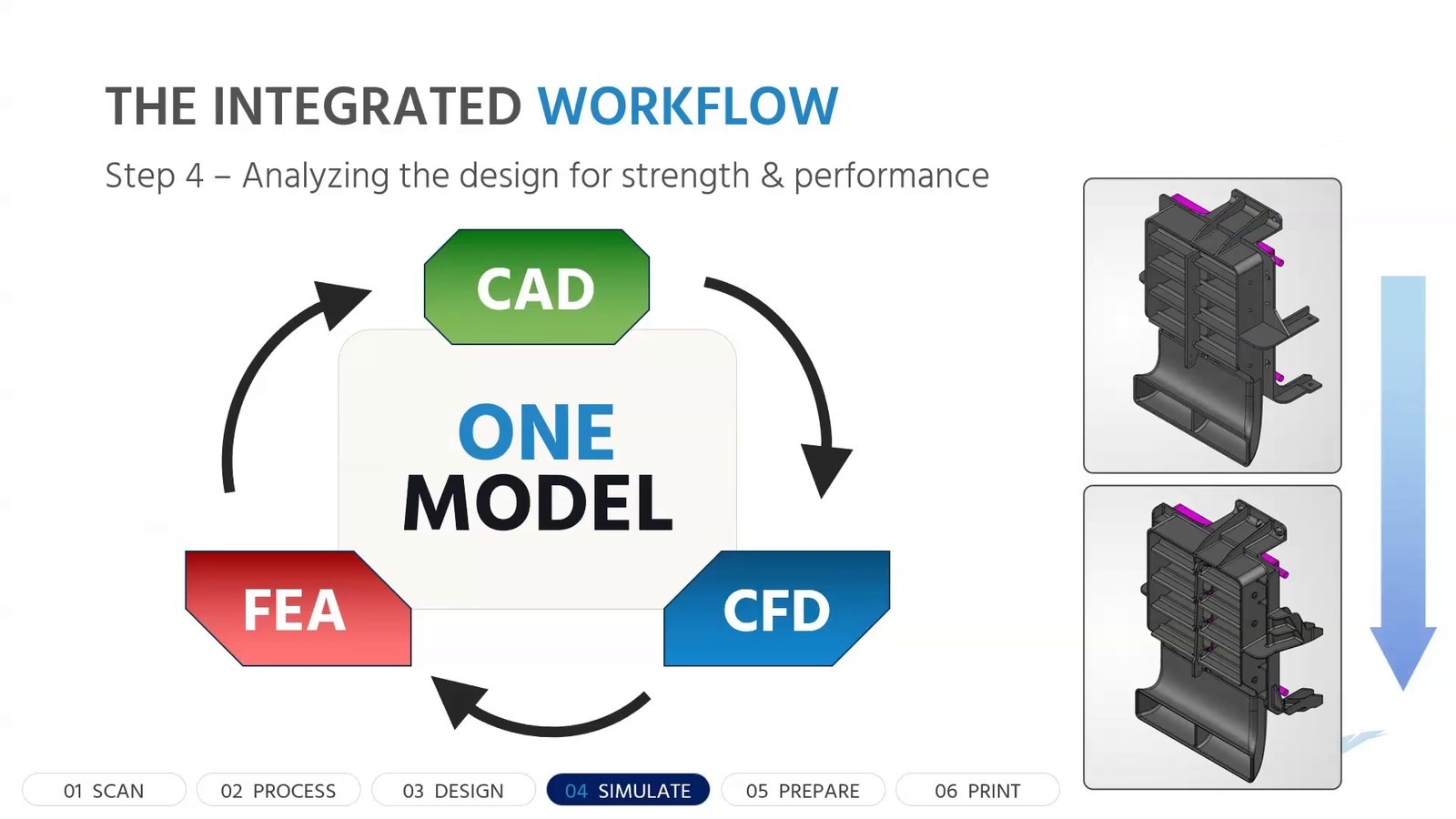
- Why watch: You need to design for a legacy system, a retrofit, or an obsolete part, and calipers and cardboard templates aren’t cutting it. Taylor and Donte follow one truck part through six steps: scan, process, design, simulate, prepare, and print. One printed body replaced several brackets, a multi-piece shroud, and numerous fasteners.
- Don’t miss: Step 4, where airflow and structural studies run on the same SOLIDWORKS model in a loop.
“The scan data does not become the part. It becomes the source of truth that the part is built from.”
Taylor Hoff
How CAMWorks Evolved to Solve Manufacturing Challenges
Presenter: Mark Pimentel, Senior CAM Applications Specialist, Hawk Ridge Systems – Length: 37 minutes
Watch the full session on the D2M 2026 Evolve event page.
- Best for: Manufacturing managers, shop owners, and CAM programmers.
- Why watch: Your most experienced programmers are retiring, and every new programmer does it a little differently. Mark shows how to teach CAMWorks your best facing strategy in the TechDB, reprogram a mold for two markets with configurations, and move a job between an old machine and a new one.
- Don’t miss: The training lineup for closing the skills gap, and how customized post processors and machine simulation protect spindle time. A packaging note: SOLIDWORKS CAM Standard comes with any SOLIDWORKS license on active subscription, and CAMWorks is the step up when you outgrow 2.5-axis work, with 3-axis, 5-axis, mill-turn, and Swiss programming inside SOLIDWORKS.
“Every shop has that old machine. That old reliable machine, you already know how to program for it.”
Mark Pimentel
The Nightmare Before Wiring: Connecting Electrical Design to Manufacturing
Presenters: Saran Haldar, Product Manager for Electrical Design, and Ben Taylor, Hawk Ridge Systems – Length: 30 minutes
Watch the full session on the D2M 2026 Evolve event page.
- Best for: Electrical designers who route panels and harnesses, and manufacturing managers who want every build to come out the same.
- Why watch: Your assemblers squint at 2D schematics and wire lists, rely on tribal knowledge, and route the same panel differently every time. Saran shows the SOLIDWORKS 2027 option that turns every routed wire into its own part, with tags, from-to, color, and gauge carried along. Ben then turns that panel into interactive SOLIDWORKS Composer instructions.
- Don’t miss: The full schematic-to-Composer workflow in a single demo. A packaging note: SOLIDWORKS Electrical Schematic is a stand-alone 2D tool, SOLIDWORKS Electrical 3D is the add-in that connects it to your SOLIDWORKS assemblies, and SOLIDWORKS Composer is a stand-alone product, so the people writing instructions don’t need SOLIDWORKS installed.
“So the whole process could take minutes instead of hours or days or even weeks in some cases.”
Ben Taylor
From Design to Production: Connecting the Digital Thread
Presenters: Tim Felbinger, CEO, StartProto; hosted by Ian of Hawk Ridge Systems – Length: 29 minutes
Watch the full session on the D2M 2026 Evolve event page.
- Best for: Engineering and manufacturing leaders, owners, and executives.
- Why watch: Your quoting, purchasing, and production planning still depend on people re-keying data between disconnected systems. Tim shows StartProto, an AI manufacturing OS that brings ERP, MRP, MES, QMS, and WMS together, where agents prepare the work in plan mode and people approve it. The SOLIDWORKS add-in carries routings, properties, and preview images into manufacturing.
- Don’t miss: The inbox-to-production-plan demo, and Tim’s reassurance to CAD users.
“Everything that can be done manually in the system can also be done by agents.”
Tim Felbinger
Evolve Your Sales Process with DriveWorks CPQ
Presenters: Adam Benson, Solution Architect, Hawk Ridge Systems; Steve Sagi, Territory Account Manager for North America, DriveWorks – Length: 31 minutes
Watch the full session on the D2M 2026 Evolve event page.
- Best for: Executives, operations directors, and sales leaders at companies selling configurable products.
- Why watch: Engineering has become the quoting bottleneck, and your pricing lives in a spreadsheet only one person understands. Adam configures a cupboard from start to finish, and DriveWorks generates the quote, BOM, model, and drawings. Then Steve shares wins from windows and doors to injection molding.
- Don’t miss: The packaging basics. DriveWorksXpress is included with every SOLIDWORKS license. The web-based configurator and automated quote-to-order workflow use DriveWorks Professional, which is sold as modules.
“DriveWorks is a rules-based system, which allows us to produce very consistent and repeatable results.”
Steve Sagi
From Madness to Majesty: A SOLIDWORKS PDM Story
Presenters: Brandon Adkins and Justin Becher, Hawk Ridge Systems, with a role-played customer from the fictional Y2K Manufacturing – Length: 36 minutes
Watch the full session on the D2M 2026 Evolve event page.
- Best for: PDM administrators, CAD admins, and engineering directors still managing files on a server share.
- Why watch: Anyone can create folders anywhere, revisions live in file names, and a search of the shared server can run for minutes and find nothing. Brandon and Justin turn that mess into a story, then show permissions, data cards, fast search, and revision workflows that happen by process, not by memory.
- Don’t miss: The new PDM features, including split file and folder permissions, workflow archiving, and SSO. A packaging note: SOLIDWORKS PDM Standard is included with SOLIDWORKS Professional and SOLIDWORKS Premium, and SOLIDWORKS PDM Professional adds capabilities like Web2 browser access.
“The world is saved, it’s all because we got our file heap cleaned up and into a vault.”
Danny Pixel, Y2K Manufacturing (role-play)
From CAD to Character: The Making of Real-Life Movie Robots
Presenters: David Ferreira, Potentium Design; hosted by Michael Dymond, A3D Manufacturing – Length: 45 minutes
Watch the full session on the D2M 2026 Evolve event page.
- Best for: R&D engineers, designers, early-career engineers, and makers.
- Why watch: You’re moving from prototype to production-grade parts and need to decide what to print in-house and what to send out. David explains how he uses SOLIDWORKS, simulation, and risk assessment to choose between FDM, DMLS, MJF, and CNC. He also builds robots that survive the road.
- Don’t miss: The WALL-E story, live CAD sessions on Discord, and the case for building the first one fast.
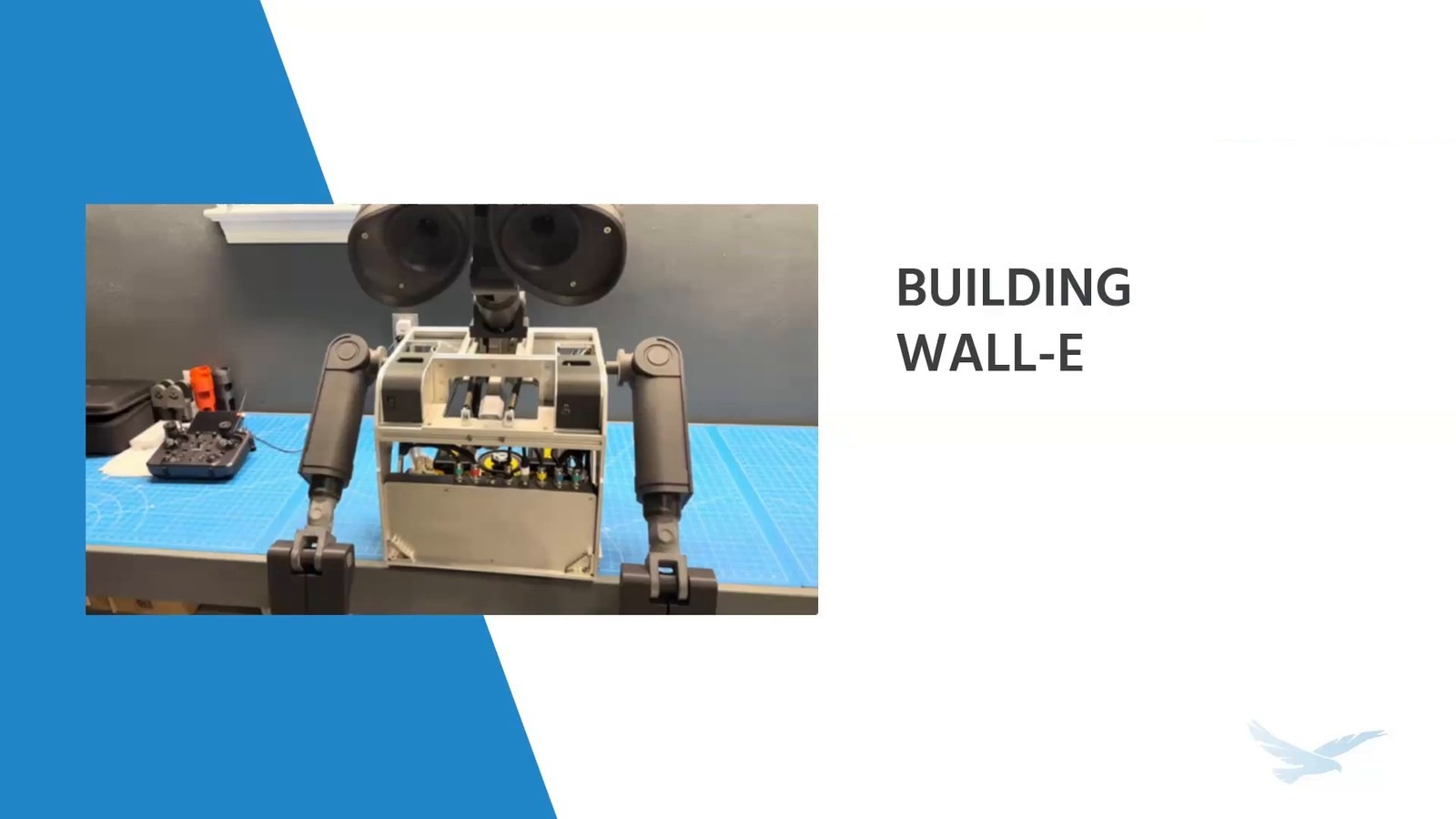
“I think it’s very important to build something and fail right away.”
David Ferreira
D2M 2026 Evolve Afternoon Session
Presenters: Joe McDermott (host), Hawk Ridge Systems; Rachel Jones, Content Solutions Architect, SolidProfessor – Length: 22 minutes
Watch the full session on the D2M 2026 Evolve event page.
- Best for: Early-career engineers, and engineering managers who onboard new hires.
- Why watch: You need consistent training and certification paths, and you can’t keep relying on one or two senior engineers to teach every new hire. Rachel shows SolidProfessor’s new GD&T series, large assembly performance course, CSWP sheet metal exam prep, and a 3DEXPERIENCE migration prep course. She also covers SolidProfessor Live and an LCMS for teaching your own standards.
- Don’t miss: The note that Hawk Ridge Systems customers with an Elite subscription get unlimited instructor-led training. If you’ve renewed since July, you already have it; others get it at their next renewal.
“The best part about being an engineer is that we never stop learning or growing.”
Rachel Jones
Key Takeaways
- Start with the general session: It frames AI, SOLIDWORKS 2027, and the digital thread in under an hour.
- AI is practical now: LEO, AURA, and StartProto’s agents already take on real tasks, and people still approve the work.
- Connected data is the foundation: Scans, models, schematics, and BOMs pay off most when one source feeds the next step.
- Capture your best practices: DriveWorks rules, CAMWorks TechDB, and PDM workflows turn tribal knowledge into repeatable process.
- Check what you already own: SOLIDWORKS CAM Standard comes with any SOLIDWORKS license on active subscription, Cloud Services comes with every new SOLIDWORKS subscription, DriveWorksXpress comes with every SOLIDWORKS license, and SOLIDWORKS PDM Standard comes with SOLIDWORKS Professional and SOLIDWORKS Premium.
- Invest in people: Training, certification, and a fail-early mindset keep teams evolving with their tools.
Find every session recording and recap on the D2M 2026 Evolve event page.
Ready to Evolve Your Workflow?
Watched a few D2M 2026 Evolve sessions and spotted your team’s bottleneck? Whether it’s quoting, CAM programming, wiring documentation, file chaos, or simulation run time, Hawk Ridge Systems has probably solved something similar before. Explore SOLIDWORKS, SOLIDWORKS Simulation, SOLIDWORKS PDM, electrical design, CAMWorks, DriveWorks, and StartProto. Then take the next step.
Contact Hawk Ridge Systems to talk through your workflow with our team.
WALL-E is a trademark of its owner. The robots discussed are fan-built replicas, and this post is not affiliated with or endorsed by that trademark owner.