Headlines about automation and AI in manufacturing make it sound like every shop floor is already a fully autonomous, AI-driven wonderland, or worse — AI is coming for your job today.
Neither of these accurately reflects what’s actually happening.
We wanted to find out:
What do people on the manufacturing and engineering front lines actually think and feel about AI and automation?
We sat down with three of our subject-matter experts — David Kelly (DriveWorks Specialist), Doug Maatman (CAM Specialist), and Chris Miller (PDM / Data Enterprise Support Manager) — and combined their hard-won lessons from real implementations with the latest on automation and AI in SOLIDWORKS and the 3DEXPERIENCE platform.
Here are the five things any manufacturer can act on right now:
1. Start Small. Solve One Problem Really, Really Well
The single most common reason automation projects stall or fail? Scope creep. Trying to automate too much, too soon, almost always erodes trust before the project can deliver its first win.
“Start small. Pick one problem and solve it really well.” — Doug Maatman
Pick a high-frequency, repetitive task — quoting, drawing creation, hardware mates, post-processor edits — and ship a minimum-viable automation. With a tight scope, our team consistently sees meaningful ROI in 1–4 months for CAM workflows and 3–4 months for a typical DriveWorks implementation. The phased approach is the cheat code: prove value fast, then expand.
2. Automate The Workflows That Already Work — Not the Disasters
Counterintuitive, but it’s the pattern we see again and again: the best ROI comes from well-understood, “good enough” workflows — not the broken ones.
“Automating an inefficient process doesn’t fix it — it scales the problem.” — Doug Maatman
Before you automate, redesign or fully document the workflow. Lean processes are predictable, which makes them automatable. Disasters are unpredictable, which makes them automation traps. Tools like CAMWorks and DriveWorks work best when they’re capturing rules and patterns that humans-in-the-loop have already validated.
3. Build Trust from Day One with Visibility and Transparency
Automation only creates value if the team trusts it. The biggest predictor of long-term adoption isn’t the technology — it’s whether end users can see what the automation is doing.
“Automation only creates value if people trust that it behaves as expected.” — David Kelly
Bake transparency in from the start: preview runs, dashboards, notifications, and clear communication. Pair that with rigorous validation and regression testing — Kelly calls testing “non-negotiable” — and you remove the two things that most often kill an automation rollout. As Chris Miller puts it, “Start small — grow big.”
4. Use AI As a Companion — And Start Adopting the Agentic Tools That Are Already Shipping
This is where the conversation has shifted most dramatically in the past year. For most small-to-mid-size shops, the idea of AI as a magical autonomous engineer is still hype. But practical, productive AI tools are already inside the software you use every day are not hype, and neither is the next wave of agentic AI. They’re both…kind of a big deal.
Where AI Is Delivering Real Value Right Now
In day-to-day engineering work, AI is most useful as a companion. Our engineers use general-purpose (but enterprise-grade tier) LLMs for things like:
- Interpreting documentation and standards
- Diagnosing errors and unexpected system behavior
- Drafting technical writing, emails, and clear communications
- Helping write and explain code
- Generating quick renderings and ideation visuals (e.g., a recent prosthetic-leg cover workflow combined ChatGPT renderings with xDesign and xShape for organic surfacing)
Best practice: Use paid / enterprise versions of general-purpose LLMs whenever proprietary data is involved to protect your IP and follow company guidelines.
Meet AURA — Your In-app SOLIDWORKS AI Assistant
AURA is the conversational AI assistant developed by Dassault Systèmes and built directly into SOLIDWORKS and the broader 3DEXPERIENCE platform. It’s available to all 3DEXPERIENCE commercial users through the 3DSwym app.
What makes AURA different from a general purpose/public LLM is exactly what makes it trustworthy for engineering work:
- Narrow, trusted sources only. AURA draws from Dassault Systèmes documentation, the 3DSwym community, and Dassault Systèmes Direct. It does not crawl the open web — no Reddit, no Wikipedia, no random forum hallucinations.
- Every answer cites its sources. AURA ends each reply with a “Sources” line linking to the exact documentation pages or community threads it used. You can audit, verify, and dive deeper.
- Built for data privacy. AURA does not access personal or user-specific data. Your interactions stay confidential.
- It’s a help-me button for the whole Dassault Systèmes stack. Works across SOLIDWORKS, CATIA, ENOVIA, and 3DEXPERIENCE.
How to Maximize your AURA (from our AURA Best Practices Guide):
- State your goal in one sentence — start with “I need to…”
- Add one line of context — what app you’re in, whether you’re in Part / Assembly / Drawing mode, and the geometry involved
- Ask for what you want back — step-by-step instructions, multiple approaches, or a pitfall check
+Pair AURA with the other AI and “AI-adjacent” features already shipping in SOLIDWORKS:
- Mate Assistance / Automatic Hardware Mates — AI intelligently detects hole patterns and applies the correct mates without pre-defined references
- Automatic Drawings (Beta, requires Cloud Services) — generates orthographic views, dimensions, hole callouts, and annotations automatically. Not perfect yet, but excellent for batch-starting hundreds of drawings
- Command Predictor — uses machine learning to anticipate your next command based on your design patterns
- Selective Filtering — preview a large assembly in a browser, then open only the components you actually need (a huge time-saver on factory-layout-scale assemblies)
- Topology Optimization in SOLIDWORKS Simulation — AI-adjacent geometry generation that informs your final design
And Now, The Agentic Leap: LEO
At 3DEXPERIENCE World 2026, Dassault Systèmes unveiled LEO — the true engineer’s agentic AI assistant. Where AURA tells you how to do something, LEO actually does it. As SOLIDWORKS CEO Manish Kumar put it: “AI is the multiplier. You are the value.”
LEO is physics-aware, standards-aware, and built on Dassault’s partnership with NVIDIA for “physical AI” — meaning it reasons with the laws of physics and causality, not just pattern-matching on text. Real capabilities being released today:
- Reverse engineer a BREP body or 2D drawing into a full parametric model
- Generate a manufacturable part from a sketch input
- Produce clean, standard-compliant drawings by filtering through title blocks and identifying dimensions automatically
- Set up SIMULIA Abaqus FEA simulations from a simple prompt — or trigger them automatically when a design changes
- Predict simulation results using surrogate models trained on prior validated cases, giving early insight without waiting for a full solver run
- Flag stress concentrations and likely failure points before you ever run an analysis
- Create issues and change actions in 3DEXPERIENCE to streamline approvals
The demo that stopped the room: Kumar typed a single prompt — “I need to design a SOLIDWORKS model for a steel structure frame to support a water tank… considering all types of load situations including load due to winds in Massachusetts, USA.” LEO returned a complete assembly with 3D sketches, Structure System features, a Linear Static simulation, and a full report on weight, height, footprint, and Factor of Safety.
Total processing time: under 5 minutes.
LEO’s assembly structure creation and the automatic BREP-to-features conversion in SOLIDWORKS xDesign are already shipping in SOLIDWORKS 2026 SP1, accessible from the SOLIDWORKS Labs tab in the Task Pane. If you’ve installed the latest SP1, you can start using them today.
What To Do This Quarter:
- Turn on AURA for your engineering team and standardize the “I need to… / one line of context / ask for steps” prompting pattern
- Pilot LEO in SOLIDWORKS Labs on a low-risk reverse-engineering task or a parametric model from sketch
- Stand up an internal AI working group (as many manufacturers are now doing) to identify validated use cases and train your team on prompt engineering, output validation, and IP-safe LLM usage
5. Codify Your Experts’ Knowledge Before It Walks Out the Door
Talent shortages are accelerating automation adoption — and for good reason. Retiring machinists and senior engineers take institutional knowledge with them. Newer hires often don’t have deep CAM or CAD expertise yet.
The play here is twofold:
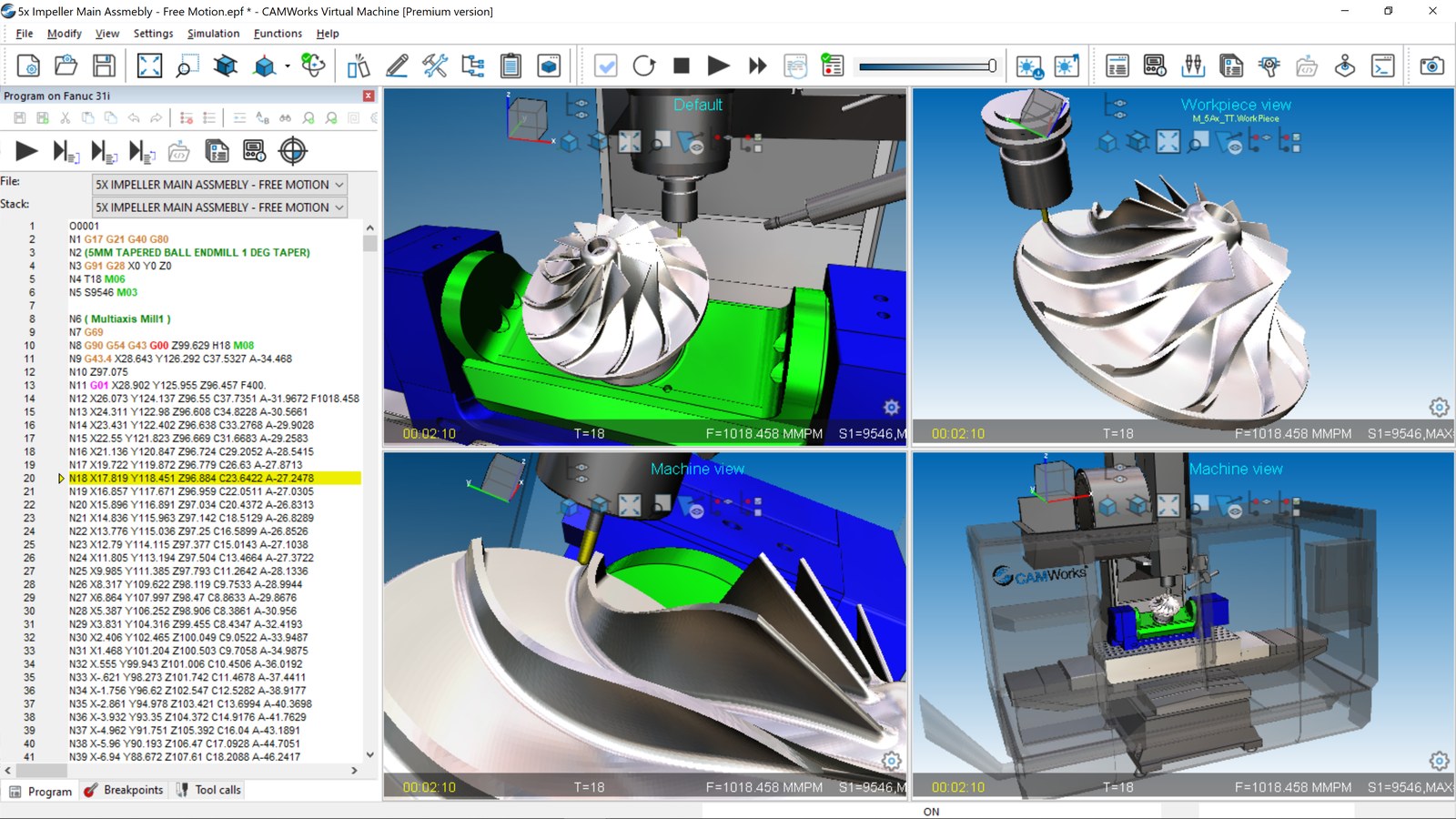
Lower the skill floor with rules-based automation. DriveWorks captures design logic for standard and configured products, letting non-engineers (or even customers, via online configurators) generate compliant designs. CAMWorks captures experienced machinists’ knowledge in Technology Database rules so newer programmers can produce consistent, optimized toolpaths.
Raise the ceiling with AI-augmented tooling. AURA, LEO, and enterprise LLMs let your senior team move faster on the high-judgment work — innovation, optimization, truly custom designs — while the repetitive work runs itself.
“Standardized products are being automated, reducing resource requirements for simple work so we can increase focus on complex and new product design.” — Chris Miller
One of our clients started with a single standardized DriveWorks product, hit ROI in a couple of months, and has since expanded automation across multiple product lines — shifting their engineering focus almost entirely to new and complex designs.
Key Takeaways for Manufacturers
“Manufacturers don’t need more technology; they need a clear vision for how automation, AI, and people work together.” — David Kelly
Start with one well-understood problem. Build trust through transparency. Treat AI — including agentic tools like LEO — as a multiplier on the people you already have. And capture the expertise of your senior team before it’s gone.
The manufacturers who win in 2026 won’t be the ones with the biggest tech budgets. They’ll be the ones with the discipline to start small, the curiosity to adopt agentic AI early, and the focus to keep their people at the center.
Next Steps
Whether you’re scoping your first automation project, evaluating AURA and LEO for your engineering team, or need to assess AI and workflow automation readiness, our experts can help you build a practical, phased plan. Here’s how you get started: Connect with a Hawk Ridge Systems engineer.
Sources
- Expert Insights on Automation – Hot Takes from Hawk Ridge Systems, Vol. I (2026) — David Kelly, Doug Maatman, Chris Miller
- AURA Best Practices Guide — Scott Woods, Hawk Ridge Systems
- Beyond the Hype: What’s New with AI in Design — Scott Woods, November 2025
- What’s Here Today: The AI Buzz in SOLIDWORKS CAD & 3DEXPERIENCE — Scott Woods, August 2025
- How AI Fits into the SOLIDWORKS Workflow: An Engineer’s Practical Guide — Hawk Ridge Systems, December 2025
- 3DEXPERIENCE World 2026: SOLIDWORKS Goes All-in on AI — Damon Tordini, February 2026
- Future-Proof Your Engineering & Manufacturing Workforce Checklist — Hawk Ridge Systems