How much it really costs: Anywhere from about $200 all the way past $500,000, depending on technology, build volume, materials, and support.
Vendor list prices move often — new packages, promotions, and product generations. Every figure below is a starting-at list price, not a locked quote. Confirm current pricing with Hawk Ridge Systems before you budget.
Ballpark starting ranges:
- Hobby / consumer desktop: starting at ~$200, typically $200–$3,000 (capable enclosed and multi-material machines now sit at the top of this band)
- Professional desktop: starting at ~$3,000–$25,000
- Benchtop production: starting at ~$20,000–$70,000
- Industrial and metal: starting at ~$45,000 and commonly $100,000–$500,000+ once wash, sinter, and post-processing cells are included
Most engineering and manufacturing teams buy in the professional desktop and benchtop production tiers — typically starting around $5,000–$25,000 for daily-use SLA or composite FDM, and starting around $20,000–$70,000 for enclosed production composites or benchtop SLS packages.
This guide covers starting-at 2026 prices by category for printers in the Hawk Ridge Systems portfolio. We cover what drives the differences in pricing and how our application engineers build a cost-per-part and ROI model before making a recommendation.
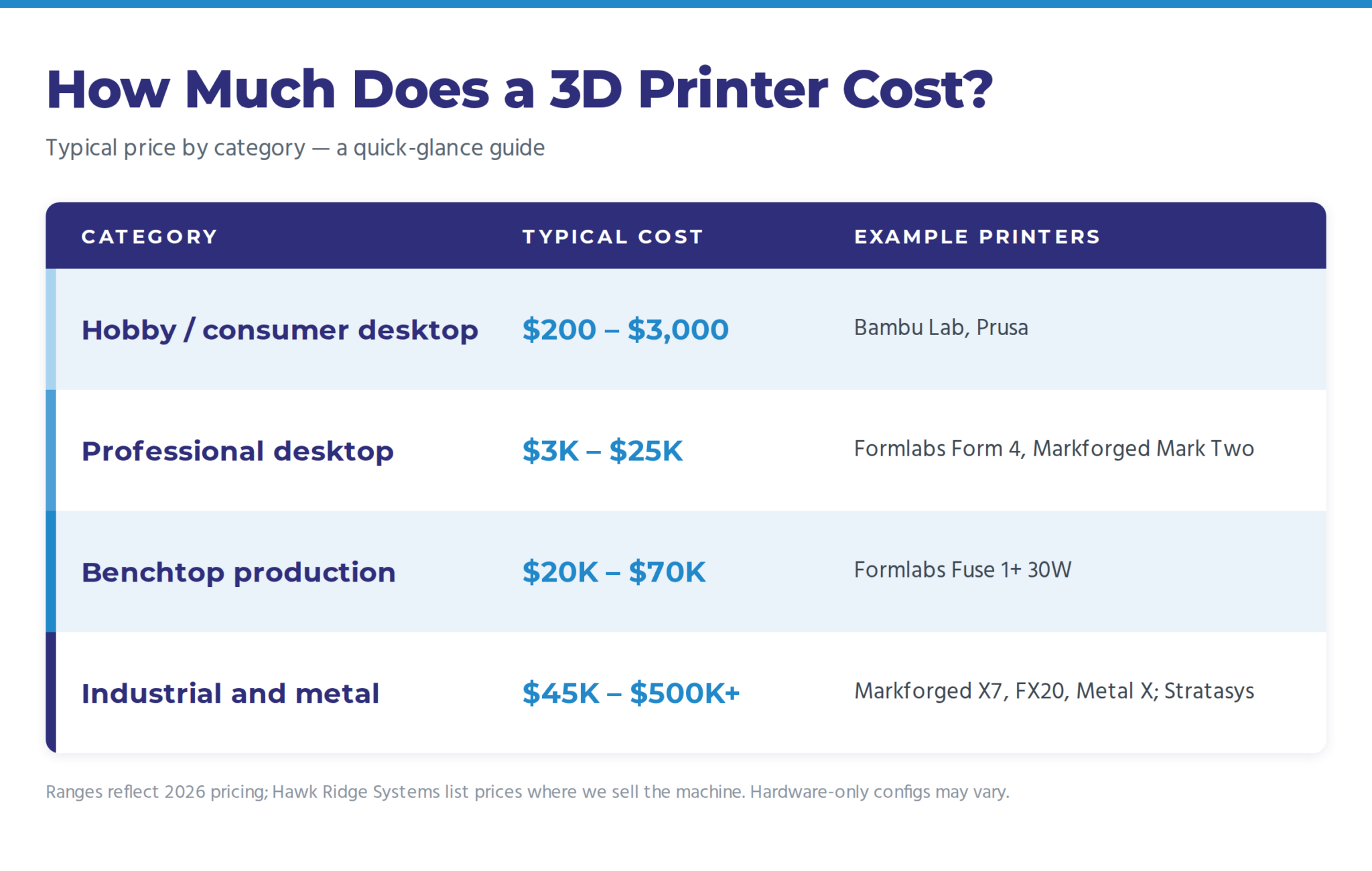 3D printer prices in the Hawk Ridge Systems portfolio for 2026 span from around $200 hobby desktops to $500K-plus industrial and metal systems.
What Actually Drives 3D Printer Cost?
Four factors explain almost every gap between a few-hundred-dollar printer and a few-hundred-thousand-dollar cell:
- Technology. Filament extrusion (FDM/FFF) is the cheapest to build; resin (SLA/DLP) adds optical systems; powder bed fusion (SLS) adds lasers plus precise thermal control; metal systems add wash and sinter stations — that engineering is what you’re paying for as you move up the tiers.
- Build volume. Bigger chambers cost disproportionately more because thermal uniformity gets harder as volume grows.
- Materials capability. A printer that only runs PLA is cheap. A printer certified for flame-retardant, ESD-safe, or aerospace lot-traceable materials (like Markforged Onyx FR-A) carries hardware and qualification costs to match.
- Software, service, and quality systems. Industrial machines include build-management software, fleet monitoring, in-process inspection (for example, laser micrometers on Markforged industrial units), and support contracts. Desktop hobby machines mostly don’t.
Desktop Printers (starting at ~$200–$3,000): What You Get and Give Up
We’ll be honest: Hawk Ridge Systems doesn’t sell in this consumer tier, and for a hobbyist or a first prototype, a sub-$1,500 desktop FDM printer is still a genuine good buy. Modern consumer machines print PLA and PETG reliably and are the right way to learn the technology.
That ceiling has moved. High-speed enclosed consumer platforms — multi-material combos, larger beds, optional laser or cutting modules — now run well past $1,500 and into the low-to-mid $2,000s. They remain consumer products: community support, limited engineering-material certification, and no industrial service contract.
What you give up versus a professional machine is repeatability, qualified materials range, and support. Expect open-loop or lightly closed process control, limited engineering materials (nylon and composites are difficult without enclosed chambers and hardened drive systems), no dimensional inspection, and forum-level support. For a business, the hidden cost is operator time spent babysitting prints — which is exactly the line item the ROI math below will expose.
Professional Printers (starting at ~$3,000–$25,000): Real Numbers
This is the tier where most engineering teams buy, and where we can point to current starting-at list prices on the Hawk Ridge store. Packages (wash/cure stations, extra build platforms, service plans) move the number more than the printer SKU itself.
- Formlabs Form 4 Complete Package — starting at about $5,600. The Form 4 printer itself starts lower (basic packages typically start around $2,600–$3,500). SLA resin printing with fine detail and smooth surface finish; many jobs finish in about two hours. Standard 1L engineering resins start around $80–$150 (see Formlabs Grey V5).
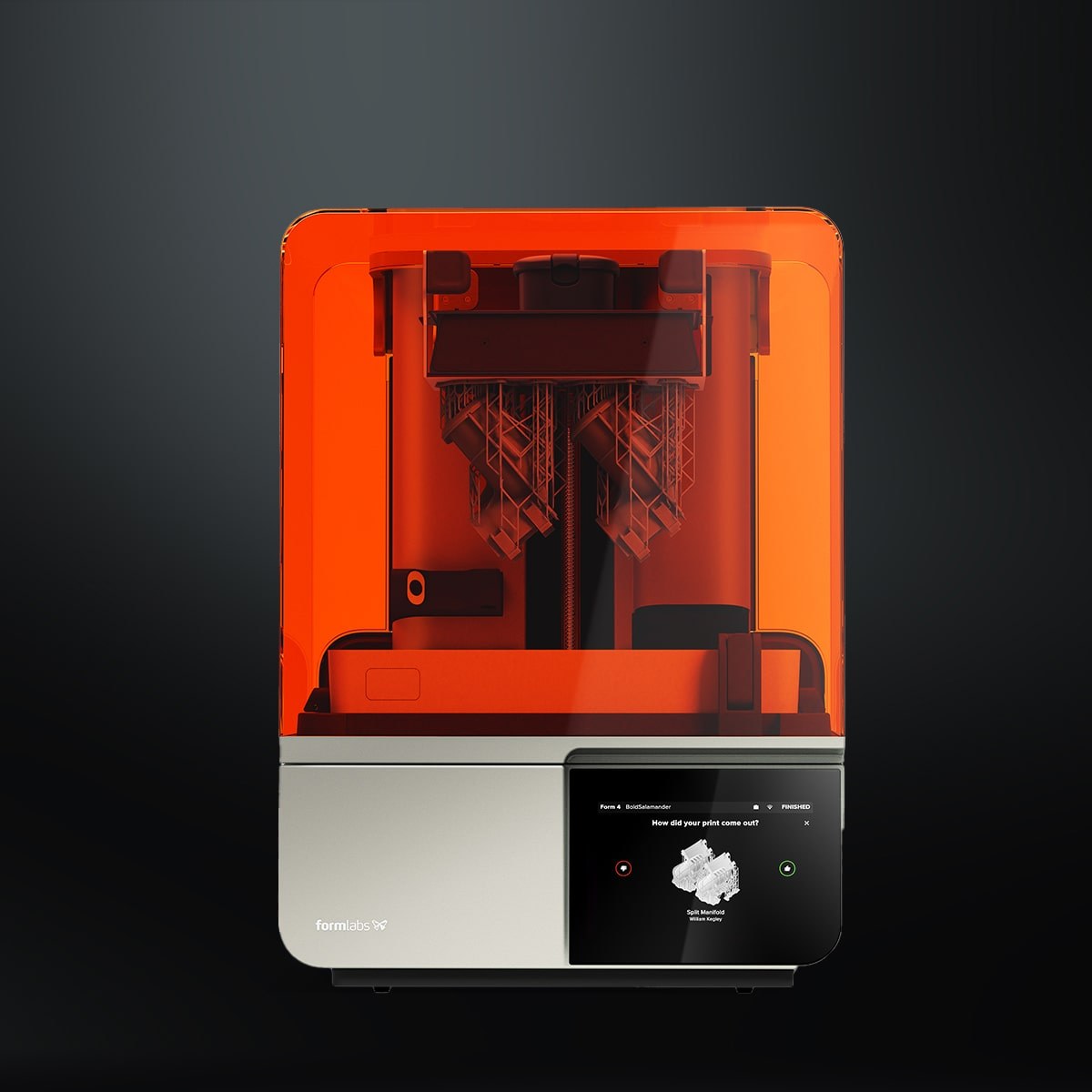 The Formlabs Form 4 is a professional-tier desktop SLA resin printer priced in the low tens of thousands.
- Markforged Onyx Pro — starting at $8,990. Prints Onyx (chopped-carbon-fiber nylon) plus continuous fiberglass reinforcement.
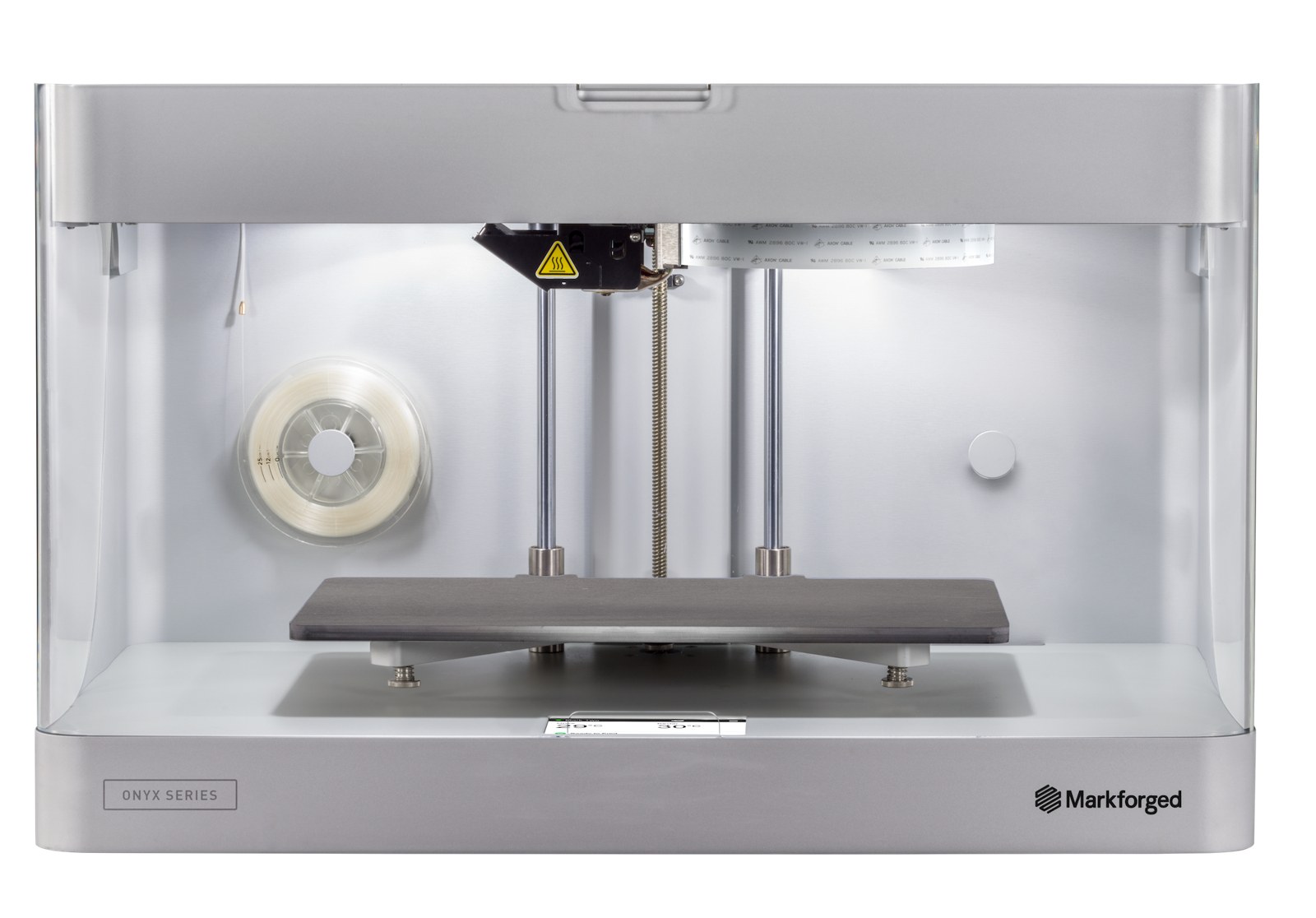 The Markforged Onyx Pro is a desktop 3D printer that prints with Onyx filament at the professional price tier.
- Markforged Mark Two — starting at $15,990. Adds continuous carbon fiber, Kevlar®, and HSHT fiberglass — the desktop machine that replaces machined aluminum parts for many fixtures.
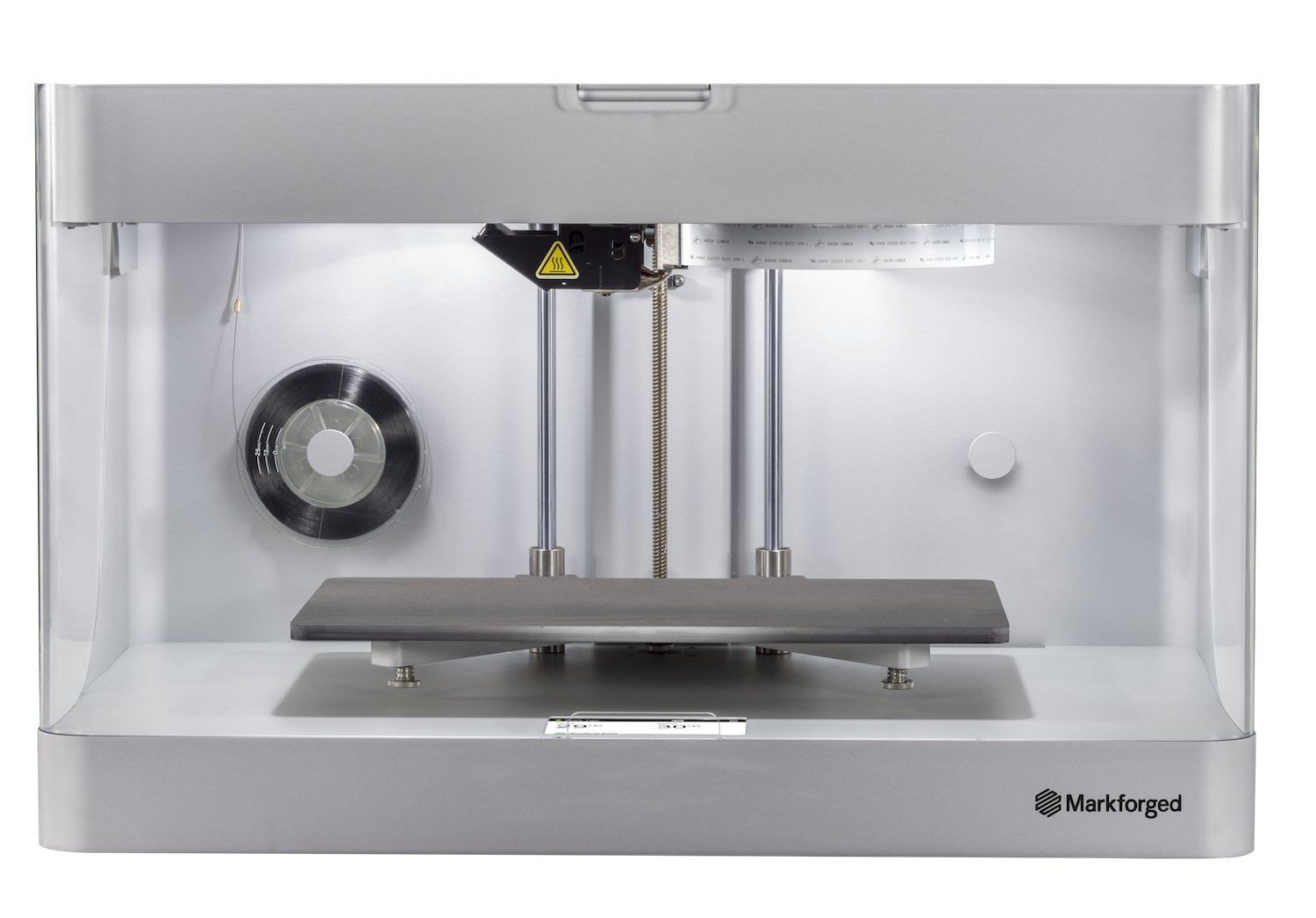 The Markforged Mark Two prints continuous fiber composites in the professional price tier.
- Formlabs Form 4L — starting around $7,000 for a basic large-format package (printer, tank, mixer, build platform, and finish kit); complete wash/cure packages typically start around $20,000 (Complete package includes Form Wash L, Form Cure L, resin pump, flex platform, service plan). Large-format SLA.
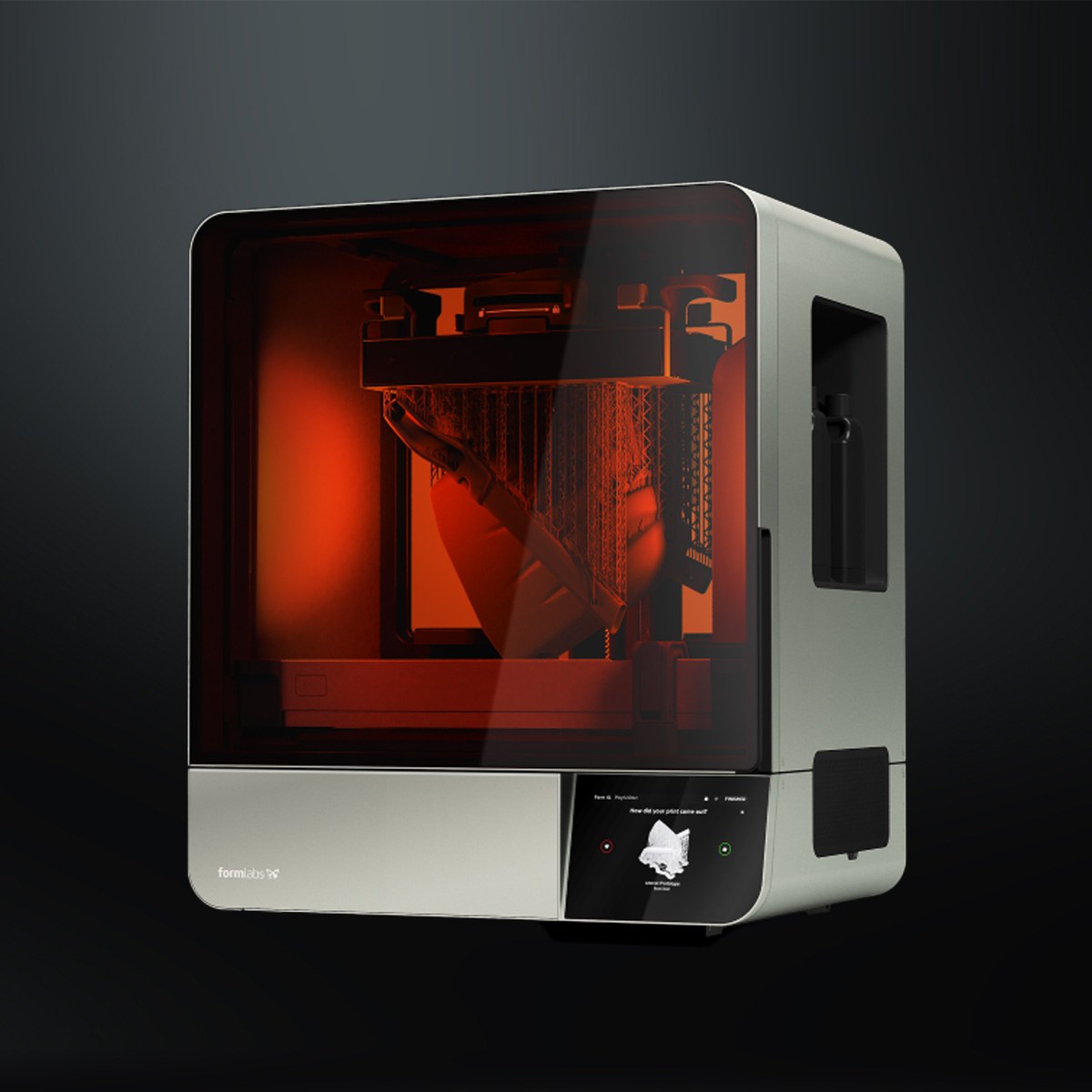 The Formlabs Form 4L is a large-format SLA printer priced alongside other professional-tier systems.
- Formlabs Fuse 1+ 30W Complete Package — starting at $24,649. Benchtop SLS (nylon powder, no support structures). Complete cells that add the Fuse Sift powder-recovery station and blast/polish equipment run substantially higher (~$57,000).
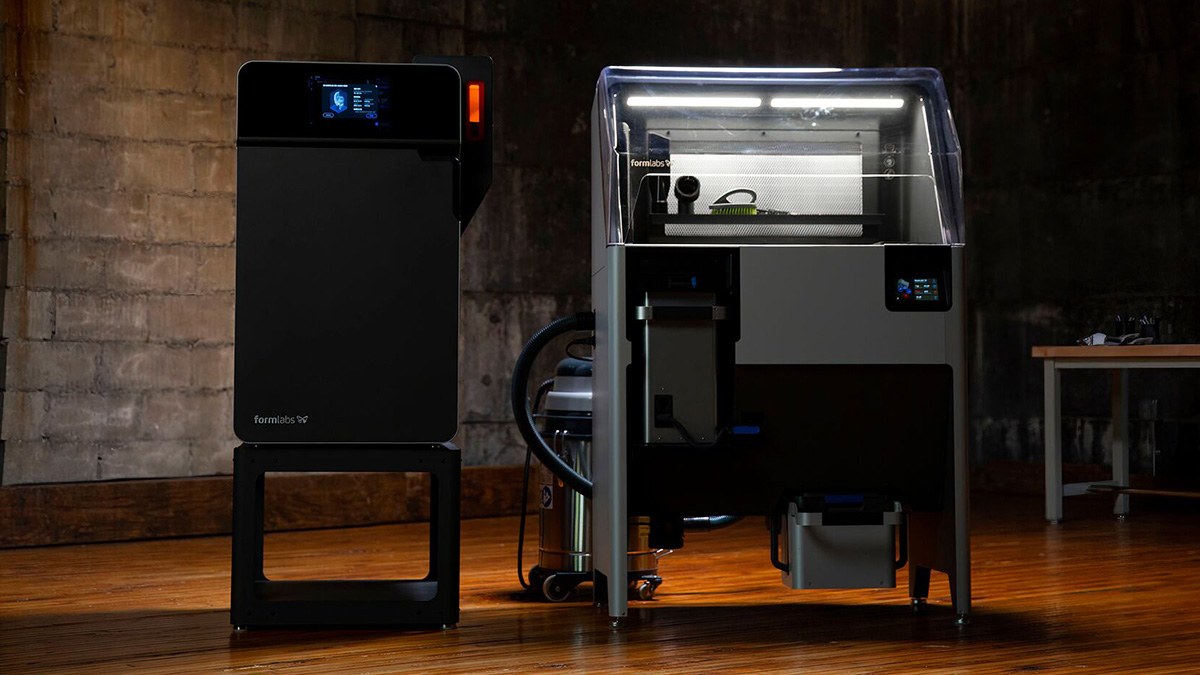 The Formlabs Fuse 1+ 30W SLS printer pairs with the Fuse Sift powder-recovery station at the professional price tier.
Factor in Material Costs Too
Consumables are a real line item at this tier. Treat these as starting-at figures that move with spool size and formulation:
- Markforged Onyx — starting at about $190 per 800cc spool
- Continuous carbon fiber — starting at about $450 per 150cc spool
- Formlabs Nylon 11 CF powder — starting at about $999 per unit
Budget materials as part of the purchase decision, not an afterthought.
Production and Industrial Systems (starting at ~$45,000–$500,000+)
Production platforms — Markforged FX10 / FX20 and Metal X cells, Stratasys SLA / P3 / SAF systems — are priced as capital equipment and quoted per configuration. Published starting points, when available, sit in the mid-to-high five figures; a complete metal print-wash-sinter cell commonly starts well into six figures once Wash-1, Sinter-1/2, and installation are included. Origin Two and other P3 configurations are quote-only.
- Markforged X3 / Markforged X7 — starting at $44,990 / $64,990. Industrial composite platforms with larger build volume, laser micrometer bed scanning, and (X7) in-process laser inspection.
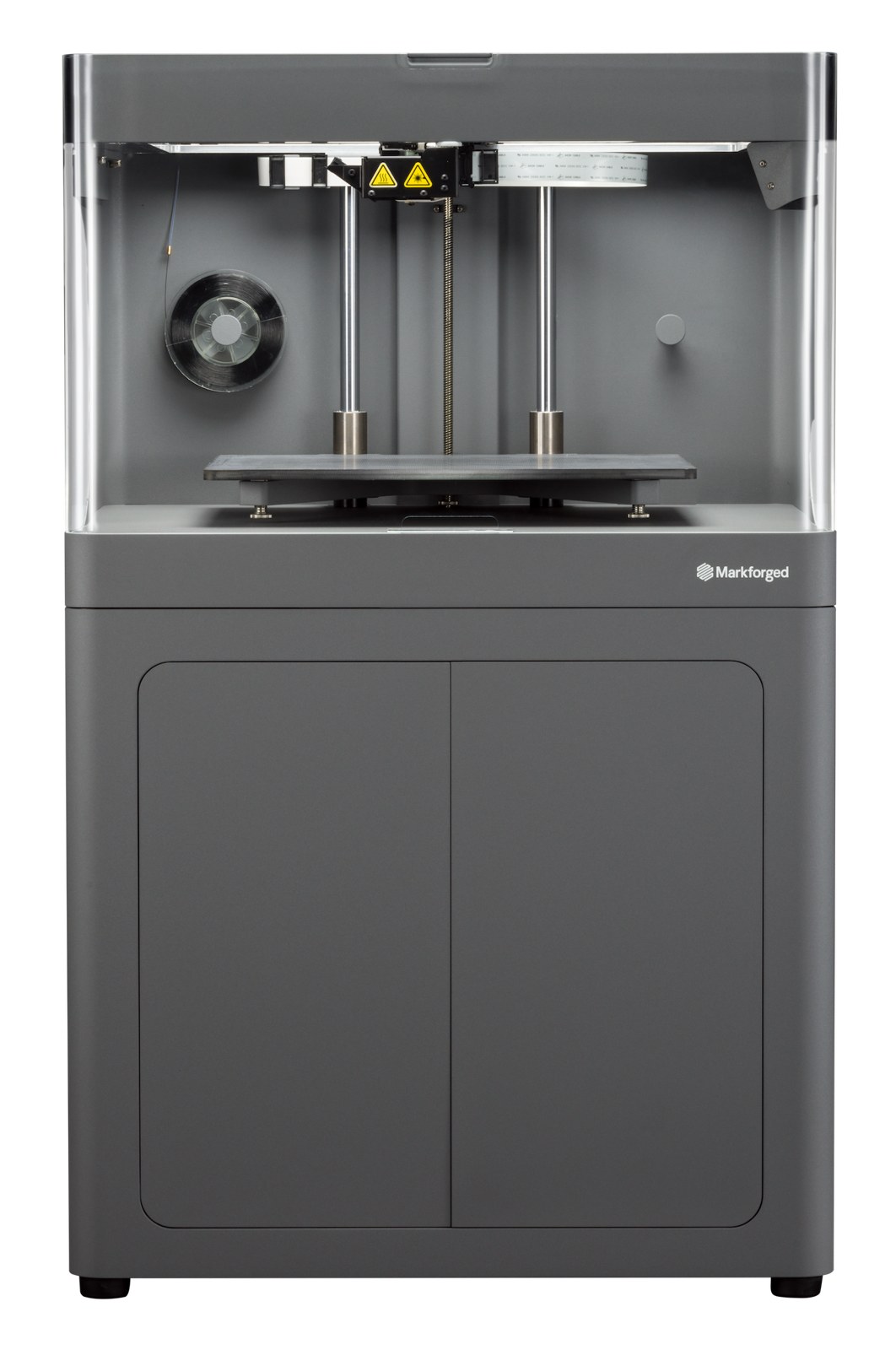 The Markforged X7 is an industrial composite printer priced as capital equipment, quoted per configuration.
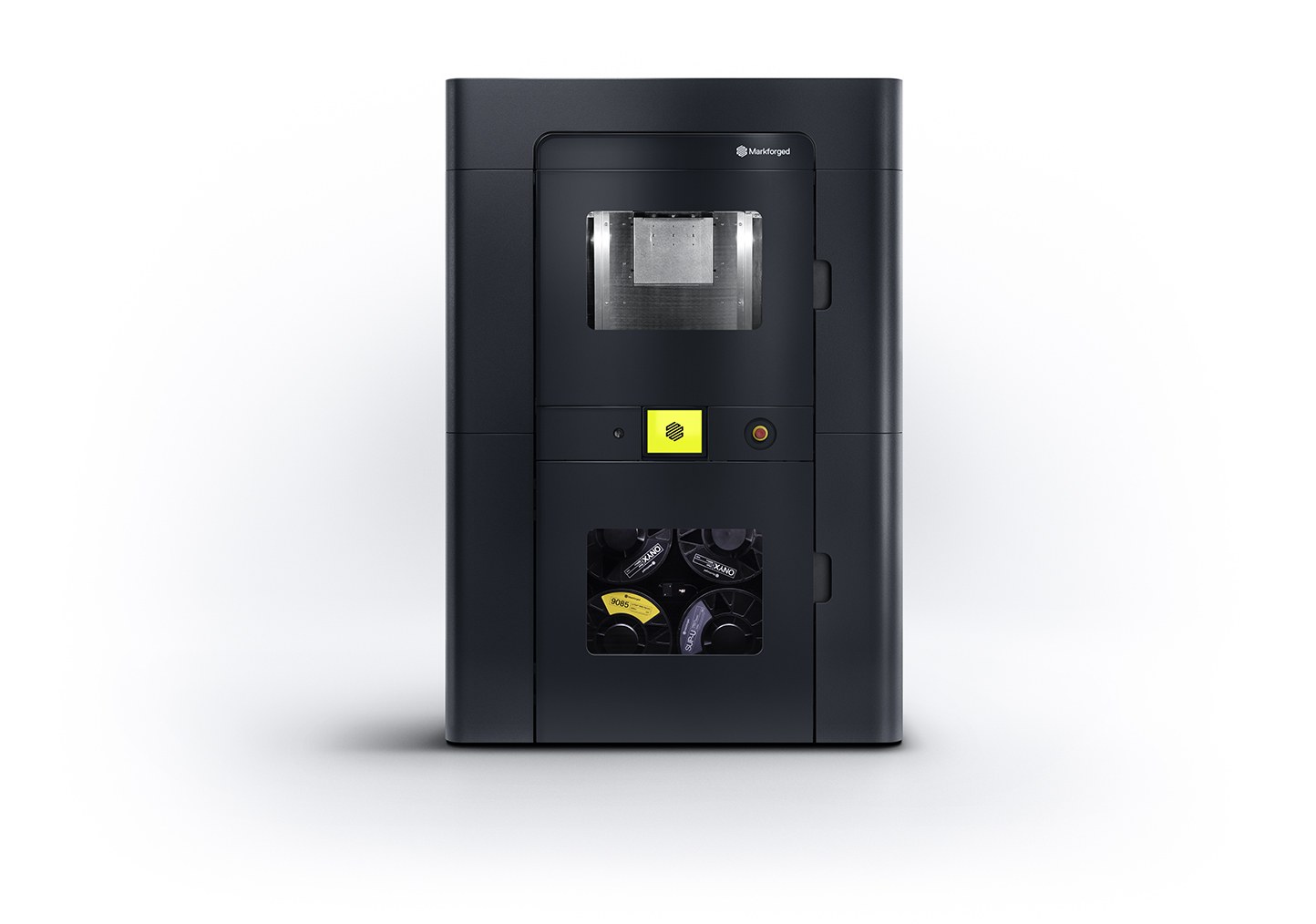 The Markforged FX20 production printer sits in the mid-to-high five-figure starting range for industrial systems.
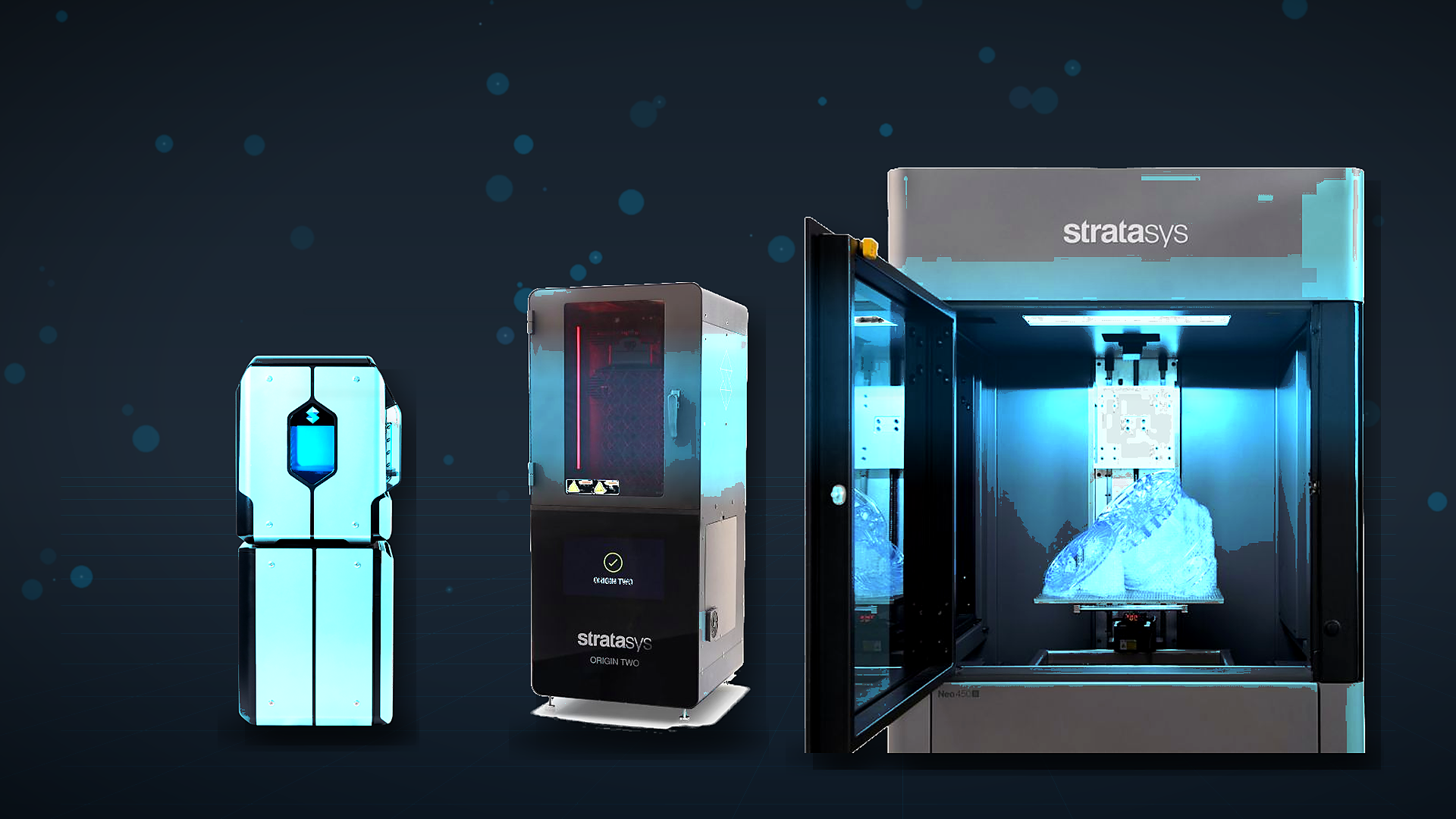
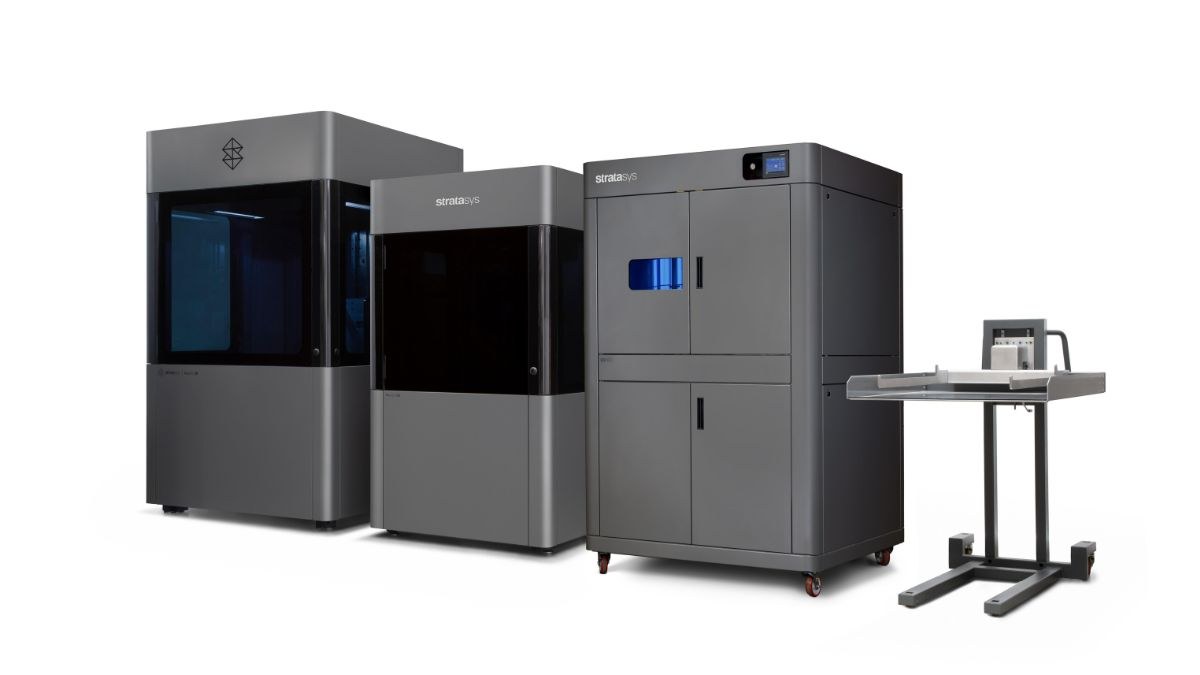 The Stratasys Neo800+ and Neo450 SLA printers, shown with a UV800 curing unit, are priced at the production and industrial tier.
What matters at this tier is what’s included, because it changes the real cost substantially:
- Installation and facilities planning. Powder systems need ventilation, compressed air for bead blasting, and Class II Div 2 vacuums.
- Training. Larger Markforged systems such as the FX20 and Metal X include onsite and online operator training with purchase, plus Markforged University self-paced courses under the Digital Forge support package.
- Support and spare parts. Industrial support plans cover break-fix parts and dedicated support teams — downtime is the most expensive consumable in production printing.
- Post-processing equipment. Depowdering and vapor-smoothing stations (AMT, DyeMansion) are often required for production-quality output and should be in the budget from day one.
The Real Math: Total Cost of Ownership and Cost per Part
Sticker price is the wrong number to optimize. Here’s the two-phase analysis straight out of our 3D Printer Buyer’s Guide, the same one our application engineers run with customers:
Phase 1 — variable cost: materials and consumables only.
Variable cost per part = material used × material price + consumables share
If that number beats your current per-part cost, move to phase 2.
Phase 2 — fixed cost: amortize hardware and operating costs over a defined period (typically five years) and load them into the part cost:
True cost per part = variable cost + (hardware + service + labor, amortized over 5 years) ÷ parts produced
Then add the two factors most spreadsheets miss: production speed (how many more parts, and how many weeks of lead time disappear when parts are made in-house?) and labor (can technicians stop babysitting outsourced orders and do higher-value work?).
Real examples from our webinars: a bracket that cost roughly $5 to print in-house was quoted at $20–$22 through a service bureau; a stamping fixture printed for about $15 versus roughly 10× that (and nearly 10× the hours) machined. On a bigger structural part, a CNC quote at a two-day turnaround came in around $600, versus roughly $500 for the same part printed in carbon-fiber-reinforced Onyx — and about half the CNC cost in fiberglass-reinforced Onyx.
Want the guided version? Use our 3D Printing ROI Calculator, or download the full 3D Printer Buyer’s Guide for the complete worksheet.
Buy vs. Outsource: A Break-Even Framework
The rule of thumb from the bureau-vs-print examples above: when the per-part delta is 3–4× and you print weekly, the machine typically stops being an expense and starts being a cost reduction. Run your actual parts through the ROI calculator together with printing-as-a-service quotes before deciding.
FAQ
How Much Does a 3D Printer Cost for a Small Business?
Most small engineering and manufacturing teams spend in a band starting around $5,000–$25,000. That covers professional SLA (Formlabs Form 4 Complete Package, starting at about $5,600), composite FDM with continuous fiber (Markforged Onyx Pro starting at $8,990 to Mark Two starting at $15,990), or benchtop SLS (Fuse 1+ 30W package, starting around $25,000) — machines built for daily, repeatable use with real support.
What Is the Cheapest Metal 3D Printer?
Metal FFF systems like the Markforged Metal X are the most accessible entry into metal printing — office-friendly, minimal PPE, using a print-wash-sinter workflow instead of loose metal powder and lasers. Full cells (printer + wash + sinter) are quote-only and typically start well into six figures once installation is included. Full powder-bed metal systems typically cost several times more.
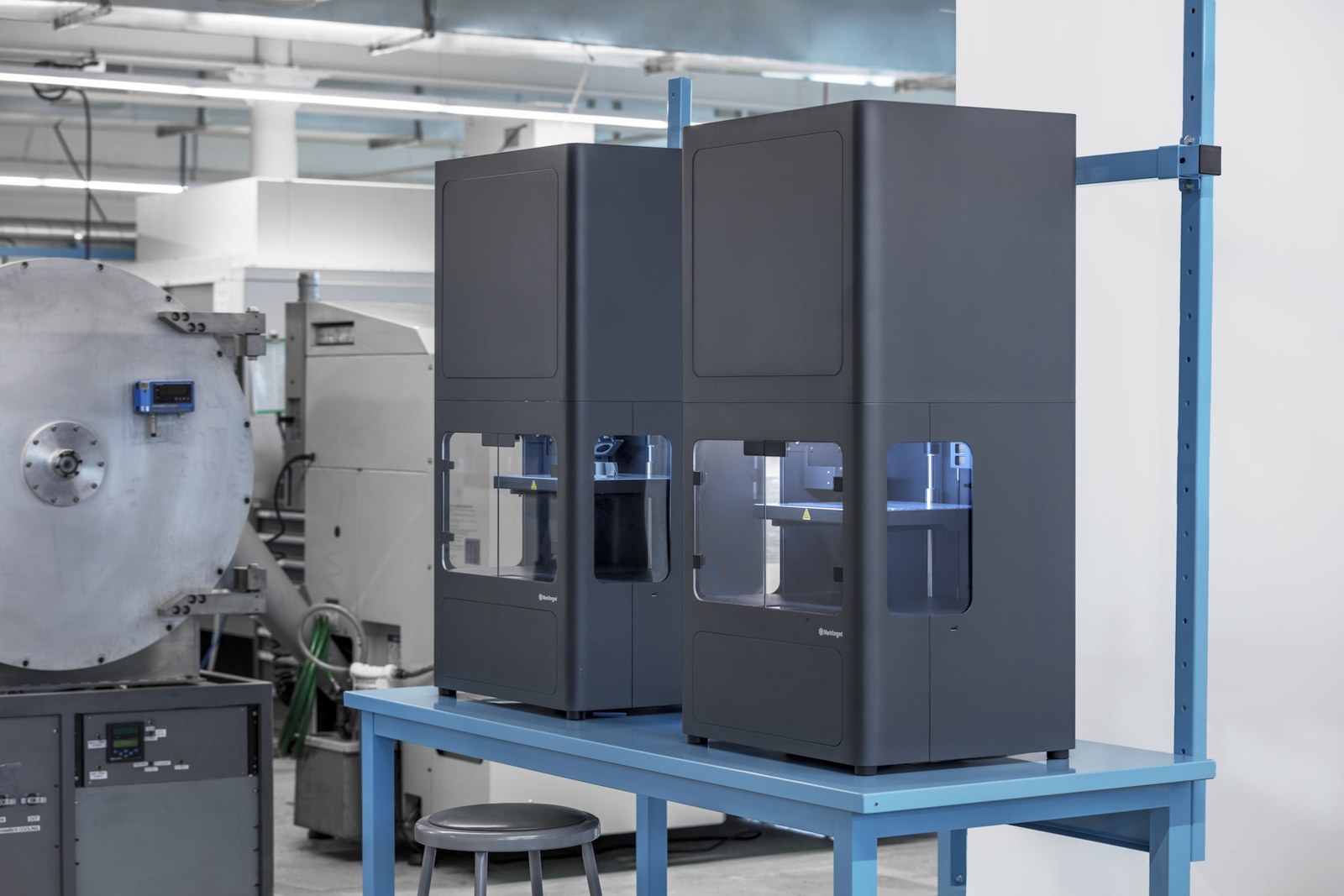 The Markforged Metal X uses a print-wash-sinter workflow, making it one of the most accessible entry points into metal 3D printing.
How Much Does It Cost to Run a 3D Printer per Hour?
It depends on material throughput more than electricity. As starting-at reference points, Markforged Onyx is about $190 per 800cc spool and continuous carbon fiber is about $450 per 150cc spool; a typical bracket consumes a few dollars to tens of dollars of material. Electricity is usually a small fraction of that. Ask an application engineer to model $/hour from your actual part files — published hourly rates go stale as fast as list prices.
Are Cheap 3D Printers Worth It?
For learning, hobby projects, and rough concept models — absolutely. For business use, the sticker price is misleading: operator time, failed prints, limited materials, and no service contract usually cost more than the price gap to a professional machine within the first year of regular use.
Do 3D Printer Prices Include Software?
Usually at the professional tier and above. Formlabs PreForm is free with Formlabs printers, and Markforged’s cloud Eiger software is included. Fleet management, offline/secure deployments, and in-process inspection add-ons may be licensed separately.
Ready to see the math on your parts? Contact Hawk Ridge Systems and our application engineers will run a cost-per-part and ROI analysis with your actual part files — or start by comparing technologies in our SLA vs. SLS breakdown.
Related Resources
More from Hawk Ridge Systems to help you scope, cost, and choose a 3D printer:
- How to Choose the Perfect 3D Printer in 3 Easy Steps — walks through pinpointing target applications, weighing filament vs. resin vs. powder, and setting ROI metrics before you buy.
- 3D Printing Cost Advantages Guide — downloadable guide to where additive actually saves money: prototyping, manufacturing aids, and end-use parts.
- How to Determine ROI With 3D Printing Equipment — a nine-step framework with break-even formulas and a worked $250K example for building the business case.
- 3D Printing & Scanning Financing Options — zero-down terms with 12 months of no payments, then the choice to pay monthly, buy out, or refinance.
- The 3 Best Production 3D Printers for Industrial Equipment — compares production platforms against the jigs, tooling, and spare parts each is built for.
- Getting Started With Industrial 3D Printers — what FFF, SLA, and SLS each demand in power, ventilation, software, and routine maintenance before the first print.
- Metal 3D Printing Reinvented: Turn Hype Into Value — how Metal FFF makes functional metal parts accessible for prototypes, custom tooling, and complex geometries.
- Markforged Metal X — specs for the office-friendly print-wash-sinter workflow, including metal materials and multi-day cycle times.
- Additive Manufacturing Post-Processing — washing, curing, depowdering, and automated vapor smoothing: the equipment budget beyond the printer itself.
- Farason Corporation: Custom Mechanical Gripper (Markforged) — a custom end-of-arm gripper printed in continuous carbon fiber on a Markforged X7.
- Brose: End-Use Car Parts on Formlabs SLS — a Tier 1 auto supplier brought a Fuse 1 in-house to make end-use car parts.
- Formlabs 3D Printers — browse the SLA and SLS lineup plus Fuse Blast post-processing.
- Stratasys 3D Printers — production-grade polymer systems by use case: SAF, full-color PolyJet, large-format Neo SLA, and P3 DLP.
- Markforged Printer Buyer’s Guide — gated guide comparing desktop and industrial Markforged models.