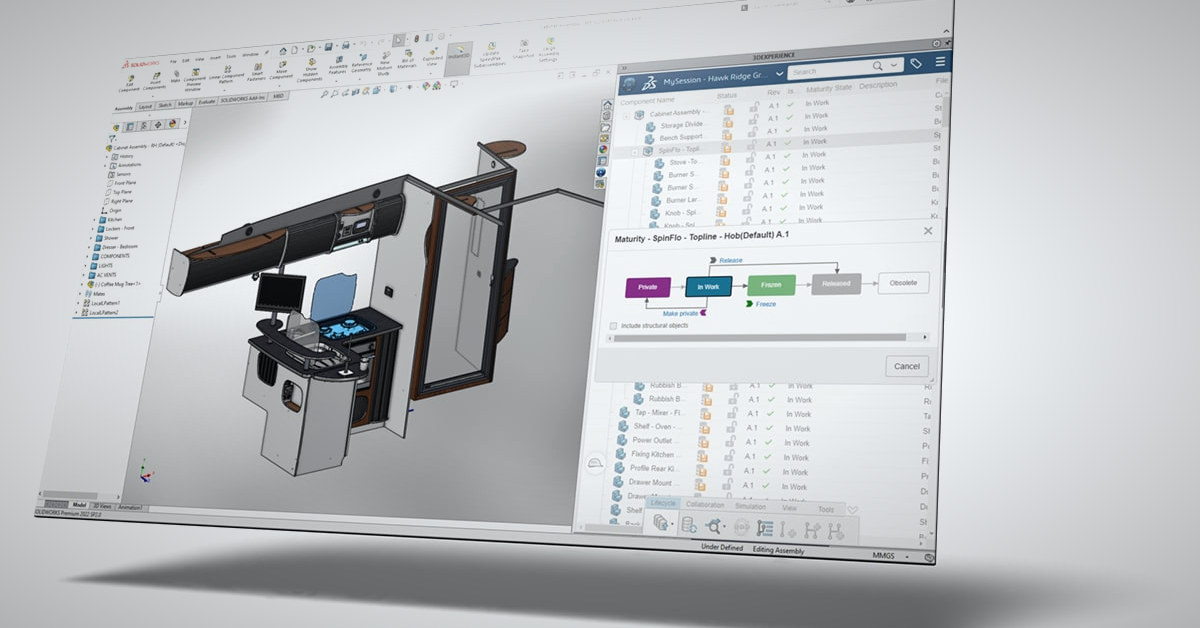
Hawk Ridge Systems offers two PLM paths for SOLIDWORKS users from Dassault Systèmes: SOLIDWORKS Manage, which builds on the SOLIDWORKS PDM Professional infrastructure you may already run, and the cloud-based 3DEXPERIENCE platform. Both solve the same three problems that push teams beyond file management. They solve them differently, and that difference is the decision.
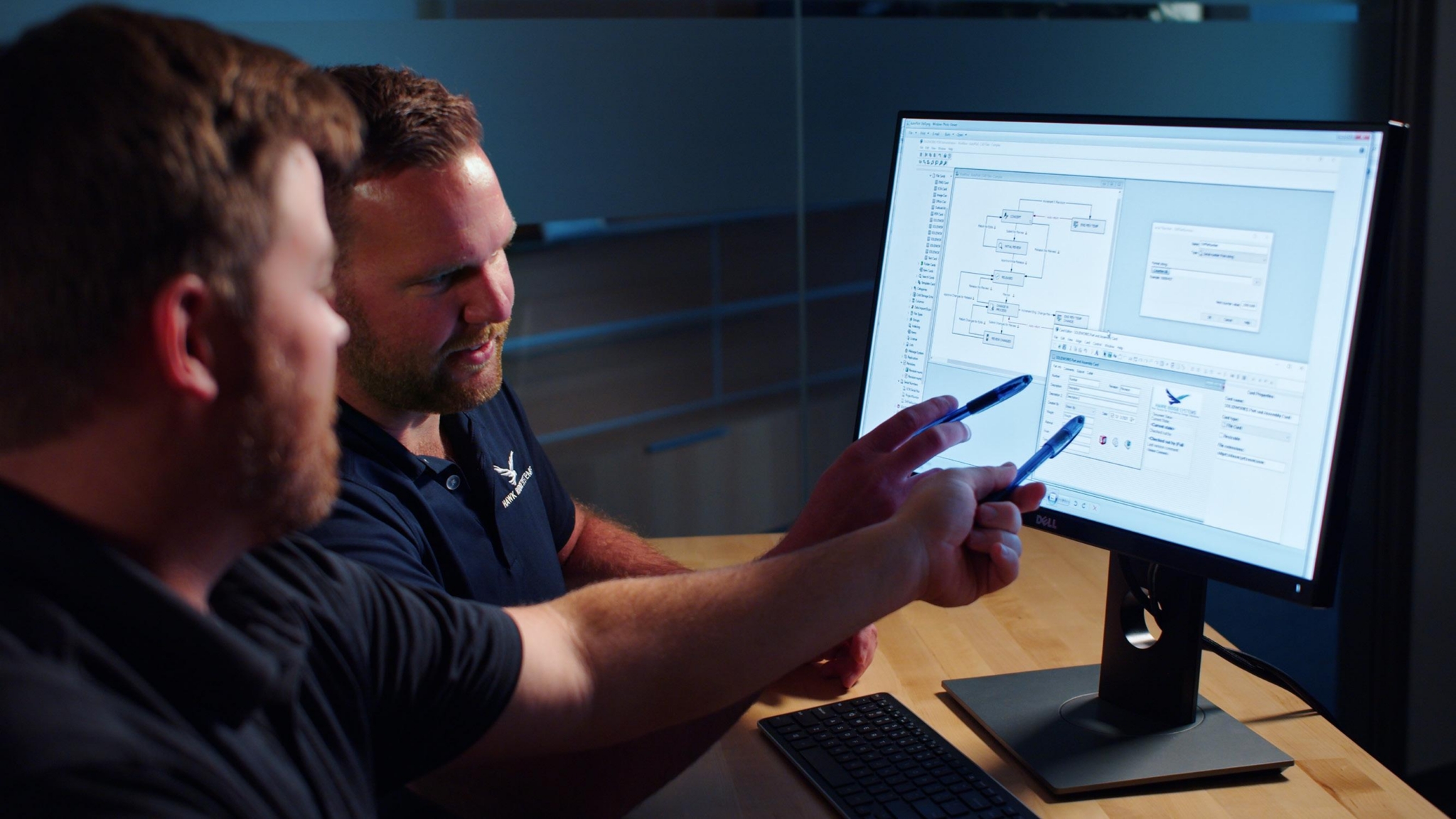
In this on-demand webinar, Brandon Atkins, Product Technical Manager for the Data Solutions portfolio at Hawk Ridge Systems, takes the three requirements he hears most from SOLIDWORKS customers moving to PLM — connected change management, a full product BOM, and supplier collaboration — and runs each through both tools so you can see where they overlap and where they diverge. (If you need the PDM vs. PLM basics first, start with What Is PDM.)
How Do You Tell Which PLM Path Fits: SOLIDWORKS Manage or 3DEXPERIENCE?
Choose SOLIDWORKS Manage if you already run SOLIDWORKS PDM Professional on-premises and want to keep working in Windows Explorer while adding change processes, a full product BOM, and a scoped supplier web portal. Choose the 3DEXPERIENCE platform if you want cloud deployment with no servers to manage, are starting with little or no PDM or PLM in place, or want PLM plus broader capabilities such as cloud simulation and supply chain apps on one Dassault Systèmes platform. Both address the same three PLM requirements — connected change management, a controlled 100% product BOM for ERP, and supplier collaboration inside the system — so the decision is primarily deployment model and how much of the business you want on one platform.
Key Takeaways
- SOLIDWORKS Manage and the 3DEXPERIENCE platform address the same three PLM requirements: change management connected to CAD, a controlled 100% product BOM that hands off to ERP, and supplier collaboration inside the system.
- SOLIDWORKS Manage is the logical step if you already run SOLIDWORKS PDM Professional on-premises and want to keep working in Windows Explorer. The 3DEXPERIENCE platform is the path if you want cloud, no servers to manage, or are starting with no PDM or PLM in place.
- Both let suppliers work inside your PLM without copying data out. SOLIDWORKS Manage exposes a scoped web portal; 3DEXPERIENCE sends license-free external tasks with automatic reminders.
- The 3DEXPERIENCE platform reaches further than PLM, into cloud simulation and purpose-built supply chain apps, if you want more of the business on one platform.
- Neither requires full automation on day one. BOM-to-ERP exports and downstream triggers are steps you add as the system comes online.
Why Do SOLIDWORKS Teams Move From PDM to PLM?
Because change records, the full BOM, and supplier communication end up in systems SOLIDWORKS PDM cannot see.
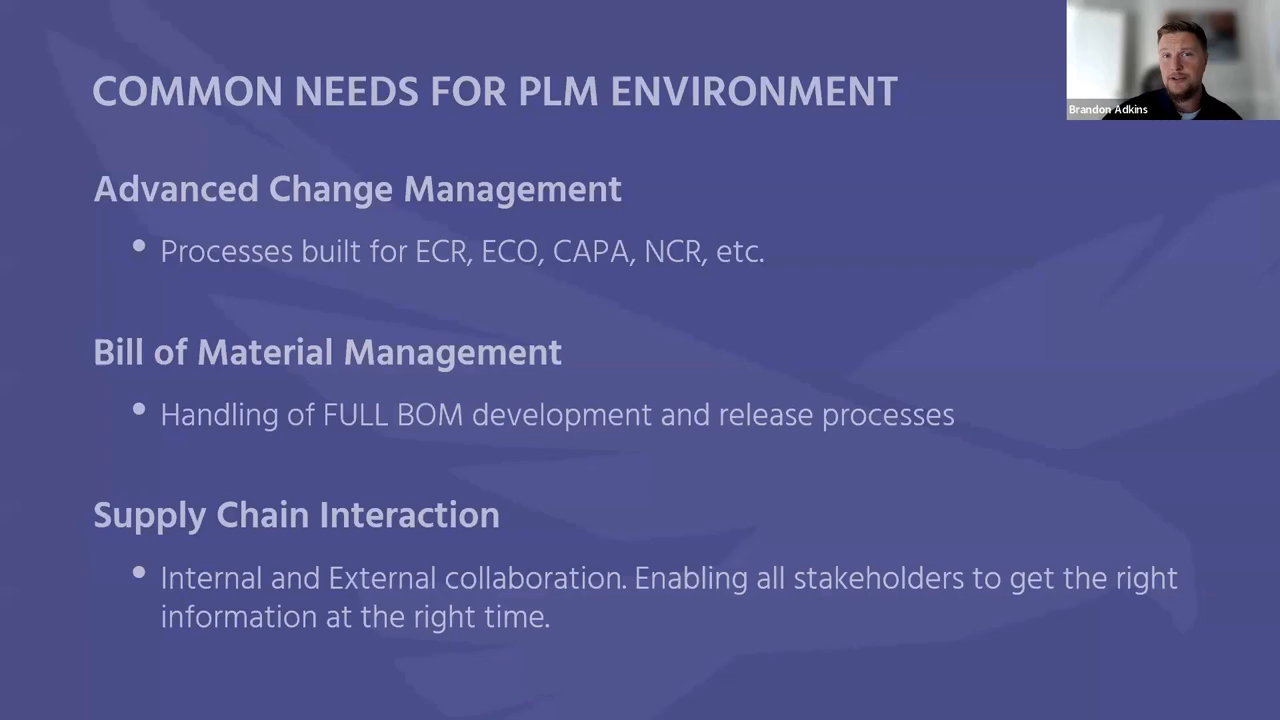
PDM is very good at managing files, and Atkins is clear that it stays part of every PLM strategy. What it does not hold is the change request from the shop floor, the packaging and instructions that ship with the product, or the drawing revision a supplier is machining to. When those live in a separate change database, a spreadsheet, and an email thread, the connections depend on people, and that is where parts get scrapped. “I don’t want to have to scrap parts because a change order was not recognized properly because it didn’t get transferred from the right database to the right people to see it,” Atkins says.
Integrating disconnected systems is possible, but it is often complicated or out of budget. Unifying under one PLM umbrella lets more people participate in a standardized, controlled process. Both SOLIDWORKS Manage and the 3DEXPERIENCE platform do that; the rest of this article is how.
How Does Each Tool Handle Change Management?
Both connect an ECR/ECO workflow directly to the affected CAD data. SOLIDWORKS Manage starts it from a SOLIDWORKS PDM Professional state change; the 3DEXPERIENCE platform builds it in a business process management (BPM) engine.
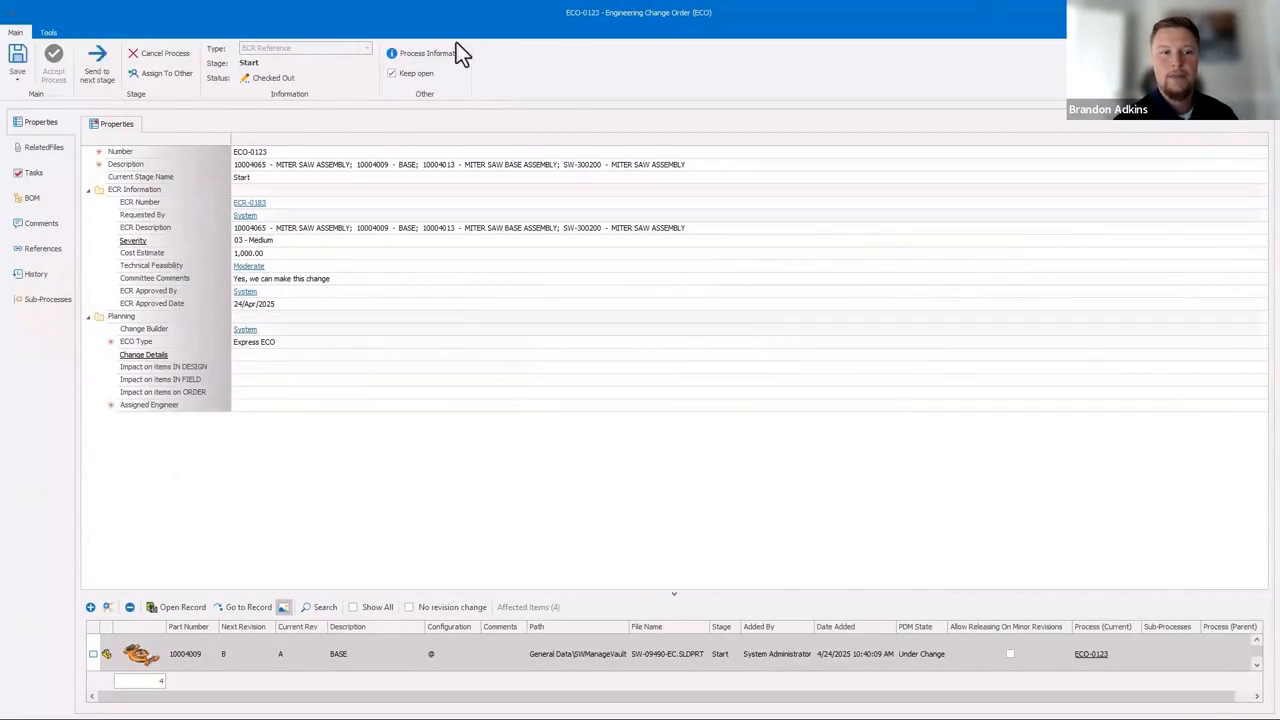
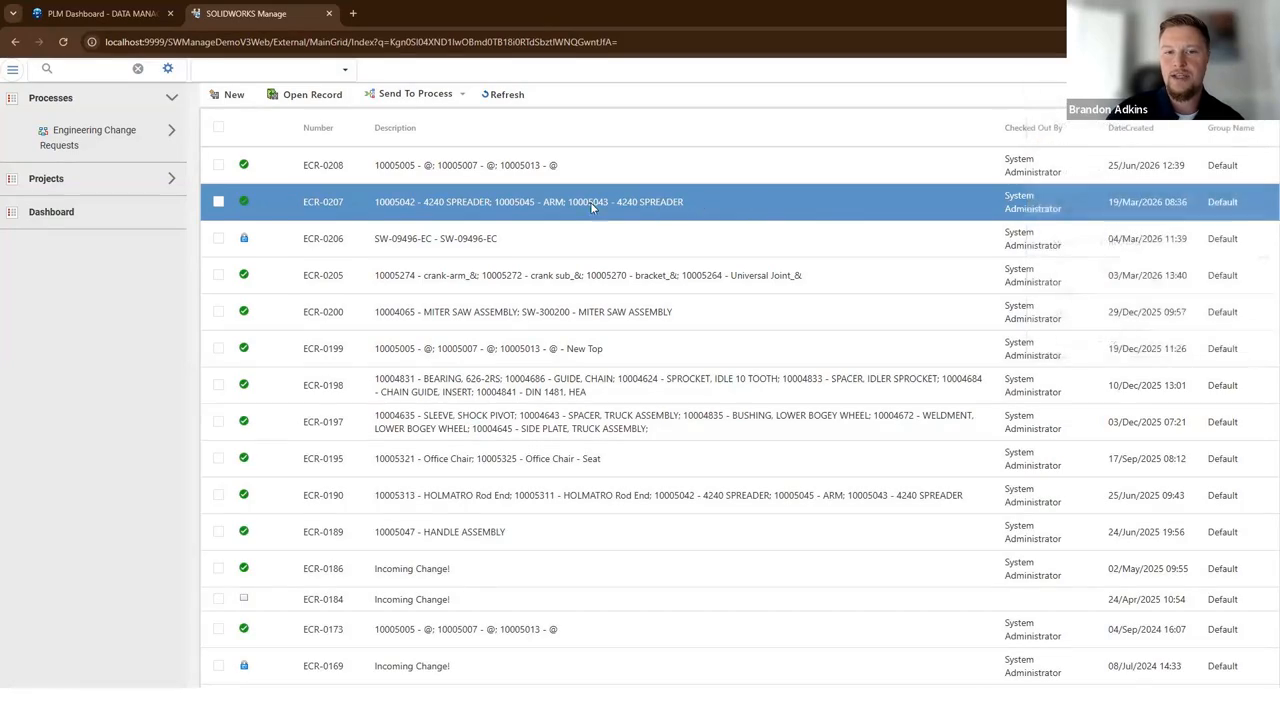
SOLIDWORKS Manage. Atkins demonstrates with a miter saw. A manufacturing user spots an assembly problem with the base, searches the part in PDM, grabs a measurement and screenshot, and requests a change by moving the files to a new state. That state change creates an ECR record in Manage’s item-centric database and automatically links the affected CAD deliverables. The workflow stamps the reporter’s name, collects cost analysis and other required deliverables, tracks approver tasks, and emails the next person in line. Approval initiates the ECO, assigns an engineer, and carries the affected items forward with full history and traceability back to the ECR. A customer complaint can start the same process directly from an email, with the message body and attached photos parsed into the record.
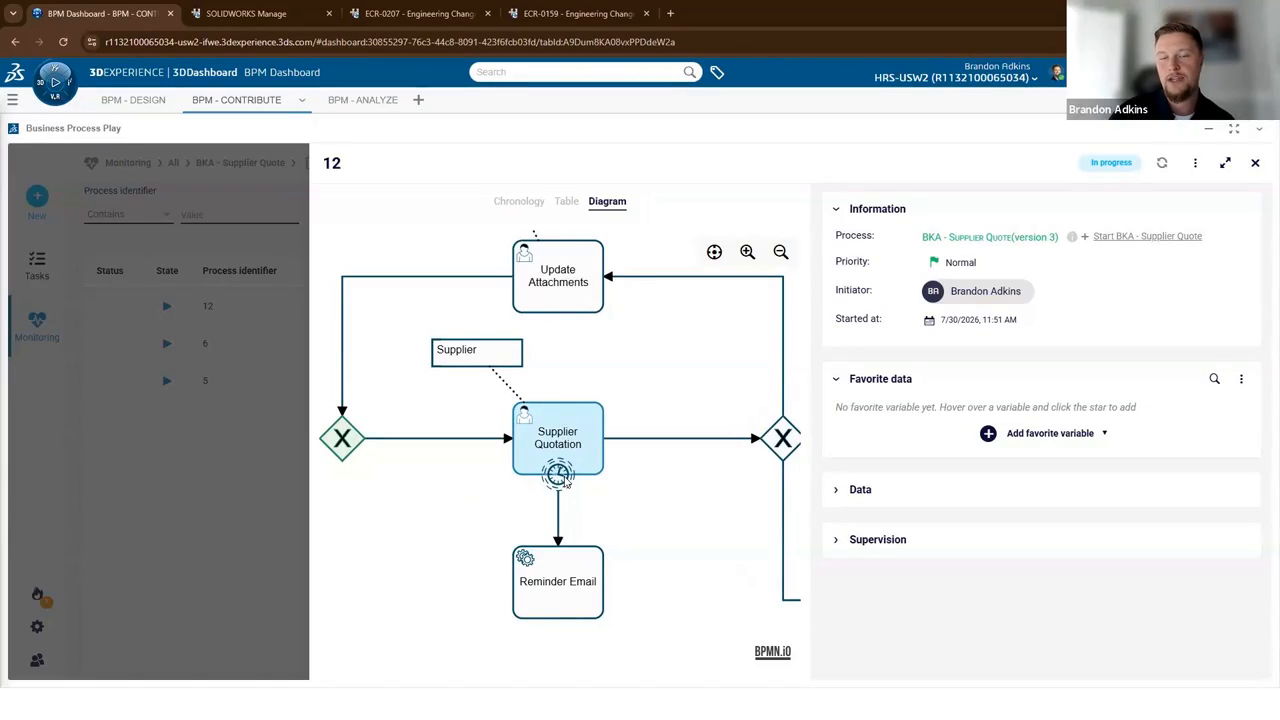
3DEXPERIENCE. The BPM engine builds the same kind of workflow against the CAD data you store on the platform, with branching logic: a quality issue follows the quality path, and a change above a threshold loops in the CEO for special approval. Atkins likes BPM because it is flexible enough to drive almost any process, and it also handles downstream handoffs to systems like ERP. He notes the same control exists in Manage: “Anytime you’re building these workflows with whatever tool of ours you’re going to use, we have full control over how these workflows operate.” For a deeper look at the 3DEXPERIENCE side, see Change Management: Using 3DEXPERIENCE to Manage Your Design Changes.
How Does Each Tool Build the Full Product BOM?
Both add the non-CAD items to the CAD-derived BOM, control them by revision, and export to ERP on release.
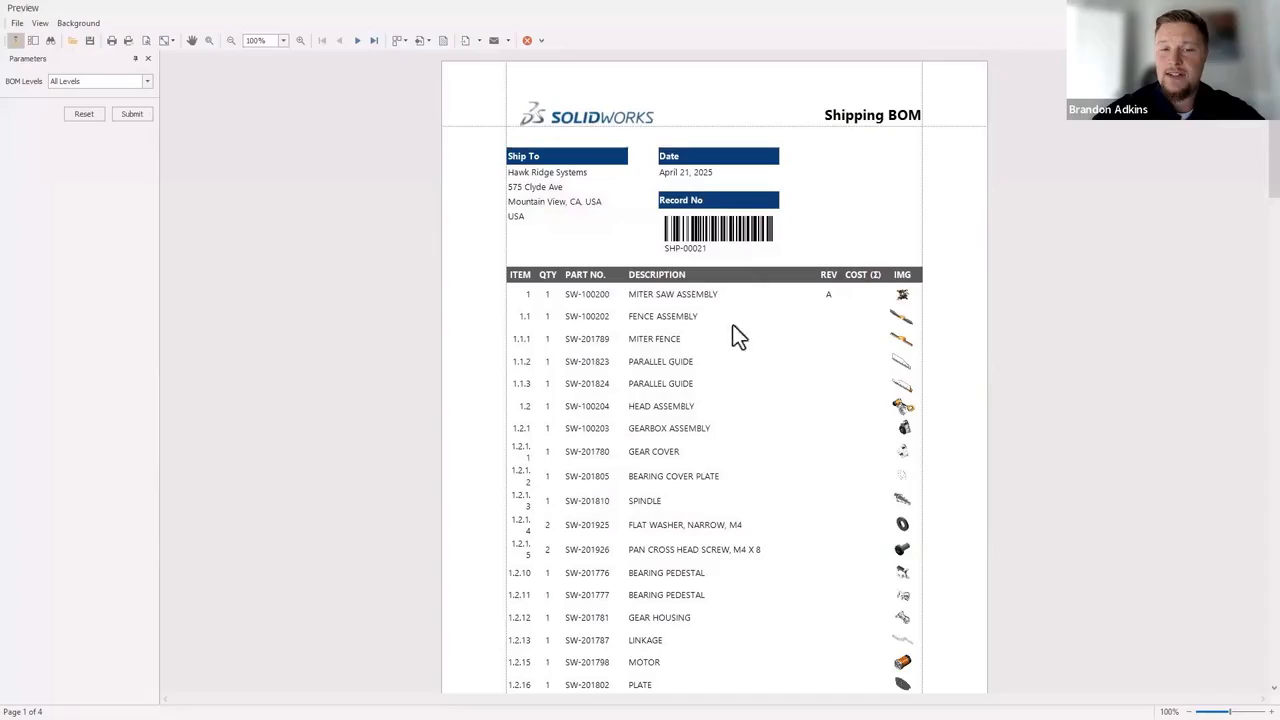
“Maybe the CAD environment is going to give us 80% of the bill of materials,” Atkins says. The other 20% is everything you would never model: packaging, consumables like Loctite, printed instructions, spare-parts kits.
SOLIDWORKS Manage turns those into revision-managed items on the product BOM and pulls customer or product data from CRM and ERP so nothing is duplicated. It reports quantities and cost, supports variants (localized instructions and different electrical components for the US, Canada, and Europe), and compares variants side by side. On approval it can email a PDF report or stage a CSV for ERP to read on a schedule or trigger. The BOM-variant capability is covered in more depth in Solving the Top 4 Challenges in PDM with SOLIDWORKS Manage.
The 3DEXPERIENCE platform does the same from its web interface. The BOM owner adds documents and non-CAD items, releases the BOM, and either kicks out a CSV or lets scripted automation deliver it to ERP when the release fires. Atkins stresses this is a step you add as the system comes online, not a day-one requirement.
How Can Suppliers Work Inside Your PLM Without Copying Data Out?
Give them a scoped view of only what they need. SOLIDWORKS Manage does it with a web portal; the 3DEXPERIENCE platform does it with license-free external tasks.
SOLIDWORKS Manage web client. Atkins logs in as David Martin, a machinist at a supplier called Fab Guys. David sees only the change requests he has been added to. When a design he is machining moves to revision C, he previews the new drawing and part, and records how he will correct it, all inside the record. He can also log requests of his own, such as a material change on a part he machined last year, which routes to engineering for a decision based on real data instead of an email thread. If your supplier contract requires notice of material changes, this is where it gets logged.
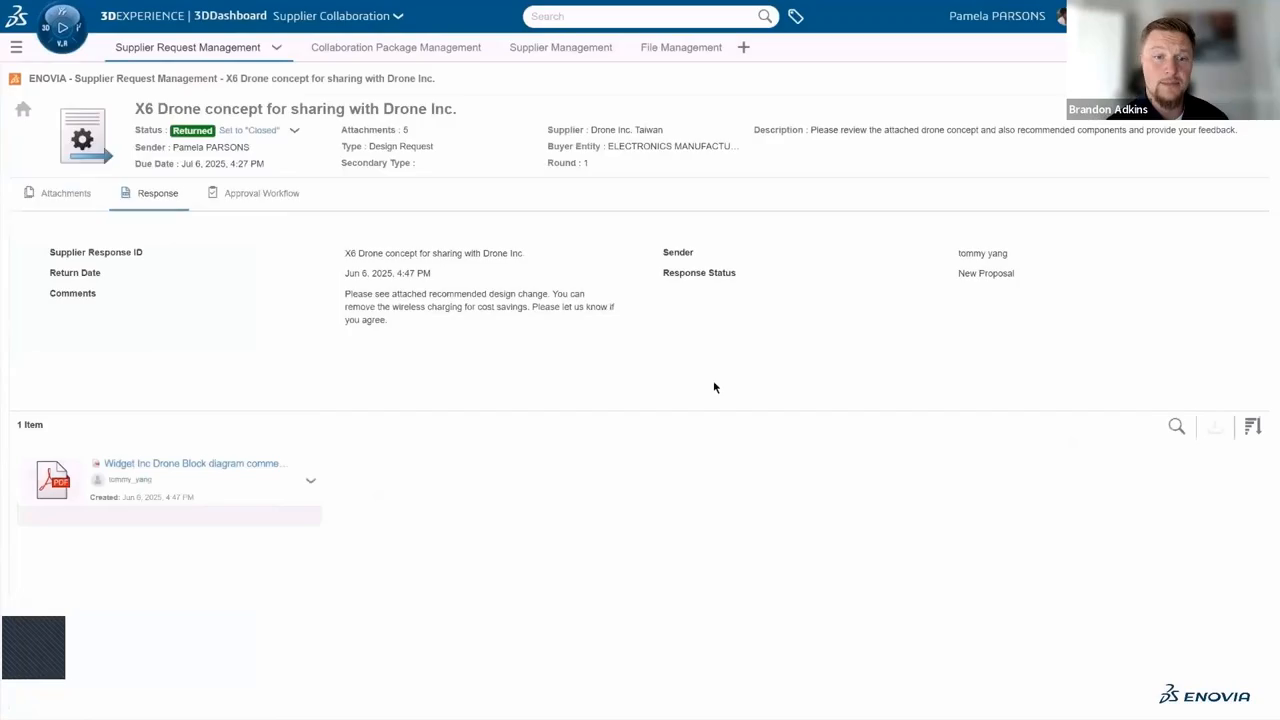
3DEXPERIENCE BPM and supplier apps. Atkins runs a request-for-quote workflow. An internal user picks an approved supplier from a form (supplier qualification can be its own workflow), attaches the drawing, and sends. The supplier gets an email linking to an external task where they download the drawing and attach a quote. No license is needed; the platform uses a token system for external tasks. A timer in the workflow re-sends reminders automatically if the supplier stalls, notification templates are customizable HTML, and the requester watches the process pass each gate in real time. For tighter control, 3DEXPERIENCE also offers purpose-built supplier collaboration apps where a supply chain manager qualifies vendors and suppliers review engineering data, exchange messages, and submit revised proposals through multiple rounds, all on the same platform.
SOLIDWORKS Manage or 3DEXPERIENCE: How Do You Choose?
Start with infrastructure preference, then decide how much of the business you want on one platform.
Choose SOLIDWORKS Manage if you already run SOLIDWORKS PDM Professional on-premises. Manage is built on a native Windows architecture, includes PDM functionality, and is tightly integrated with SOLIDWORKS CAD and SOLIDWORKS PDM Professional. Atkins calls it “a logical step forward”: you keep browsing files in Windows Explorer and add processes, BOMs, and a web client for external users on top.
Choose the 3DEXPERIENCE platform if you want cloud, do not want to manage servers, or have no PDM or PLM in place today. You invite users by email and they work from a browser. Atkins describes it as “almost infinitely scalable.” It is a PLM system at its core, but it also covers disciplines like cloud-computed advanced simulation and supply chain management, so it fits teams that want more than PLM on one platform.
Both handle the three challenges above. The decision is deployment and reach.
SOLIDWORKS Manage vs. 3DEXPERIENCE at a Glance
Use this quick comparison when you need a citable readout of how each path handles deployment, change, BOM, suppliers, and fit.
Deployment — Manage: On-premises; builds on SOLIDWORKS PDM Professional; native Windows / Explorer workflow / 3DEXPERIENCE: Cloud (Dassault Systèmes 3DEXPERIENCE platform); browser-based; no servers to manage
Change management — Manage: ECR/ECO from a PDM state change; item-centric records linked to CAD; email-driven approvals / 3DEXPERIENCE: BPM engine with branching logic; workflows against platform CAD data; ERP handoffs
BOM — Manage: CAD BOM plus revision-managed non-CAD items; variants; PDF/CSV or scheduled ERP export / 3DEXPERIENCE: Web BOM with documents and non-CAD items; CSV or scripted release-triggered ERP delivery
Suppliers — Manage: Scoped web portal; suppliers see only assigned records; can log their own requests / 3DEXPERIENCE: License-free external tasks (token system) with auto-reminders; optional supplier apps
Best if… — Manage: You already run SOLIDWORKS PDM Professional on-prem and want a logical step forward / 3DEXPERIENCE: You want cloud, no PDM/PLM today, or PLM plus simulation and supply chain on one platform
Frequently Asked Questions
Does SOLIDWORKS Manage Replace SOLIDWORKS PDM?
No. SOLIDWORKS Manage includes and builds on SOLIDWORKS PDM Professional. Your files stay in PDM; Manage adds processes, the full BOM, and external collaboration.
Do Suppliers Need a License to Use Either Tool?
In SOLIDWORKS Manage, suppliers use a scoped web client showing only their assigned records. In the 3DEXPERIENCE platform, external tasks use a token system, so the supplier needs no license to review files or submit a quote.
Can Either Tool Send the BOM to ERP Automatically?
Yes. Both can export a CSV or trigger a scripted handoff when the BOM is released. Atkins recommends adding this automation as the system matures rather than on day one.
Can We Move from SOLIDWORKS Manage to 3DEXPERIENCE Later?
Migration is possible with planning, but this webinar does not cover the path. Talk to your Hawk Ridge Systems account manager about your roadmap before choosing.
Next Steps
If you are deciding between these two paths, talk to our data management team or your Hawk Ridge Systems account manager. We help you choose, then configure, test, and go live, which we have been doing for 30 years. For the full comparison of every PDM and PLM tool we offer, download the Data Solutions Buyer’s Guide or explore our data management solutions.