What is The Digital Thread? (The short answer)
The digital thread is the single, continuous flow of a product's data — its designs, revisions, BOMs, simulations, toolpaths, and production records — connected across every stage of its life, from the first sketch to the parts going out the door.
It is not a product you can buy.
It's a capability you build over time with high-quality, connected data, enterprise-grade digital ecosystems, finely tuned workflows, and a lot of grind.
The promise: Enter information once and it stays true everywhere, so a change made in design updates automatically downstream instead of being re-keyed, re-drawn, corrupted, lost, misplaced, or, worse, straight-up DELETED.
Trustworthy data in combination with optimized and connected workflows are mission-critical for every manufacturer who truly values agility.
Faster to respond. Better at collaboration. Confident under change.
This type of continuity is earned, built, and consistently maintained.
It is a job that never ends (at least until the Star Trek era anyway.)
In the meantime, we’ve put together a short article covering the product lifecycle — design, data, simulation, manufacturing, production, and the people and services that keep it working smoothly. This guide includes best practices from customers building their own digital threads – how they did it, what tools they used, and advice or tips that you can take with you.
What the Digital Thread Actually Is — And What It Isn't
The digital thread is a strategy, not a single piece of software. It's the idea that one authoritative version of your product data should follow the product through its entire life, so every team — and every system — reads and writes to the same source of record.
For companies with legacy systems, this is not a one-off project: it is a program.
Lockheed Martin, for example, in their 1LMX digital transformation program, put the idea of the “integrated digital thread” front and center as a guiding principle for updating and refining business processes end-to-end. They use lots of fancy words to describe it, but the point is straight-forward: A well-built and optimized digital thread pays you back over time.
What It Costs You When the Thread Is Cut
A digital thread snaps at hand-offs — the seams between disciplines and systems where data has to be copied, re-entered, or re-explained to move forward. The symptoms are familiar to anyone on a shop floor:
- Version confusion and wrong-revision builds
- BOMs that don't match between engineering, purchasing, and operations
- Production decisions made on yesterday's data
- KPIs that lag reality by days or weeks
- Time lost due to negligent data handling
Each is a different face of the same root cause: Not enough trustworthy and useful data to complete the operation or next step – breaking the thread, frustrating your team, and setting money on fire.
The rest of this post is about the fix: weaving the thread back together, one stage at a time.
Following the Thread, Stage by Stage
Here's what the digital thread encompasses at each stage in the product lifecycle, and the solutions and best practices that keep it intact.
1. Design & Ideation — Where the Thread Begins
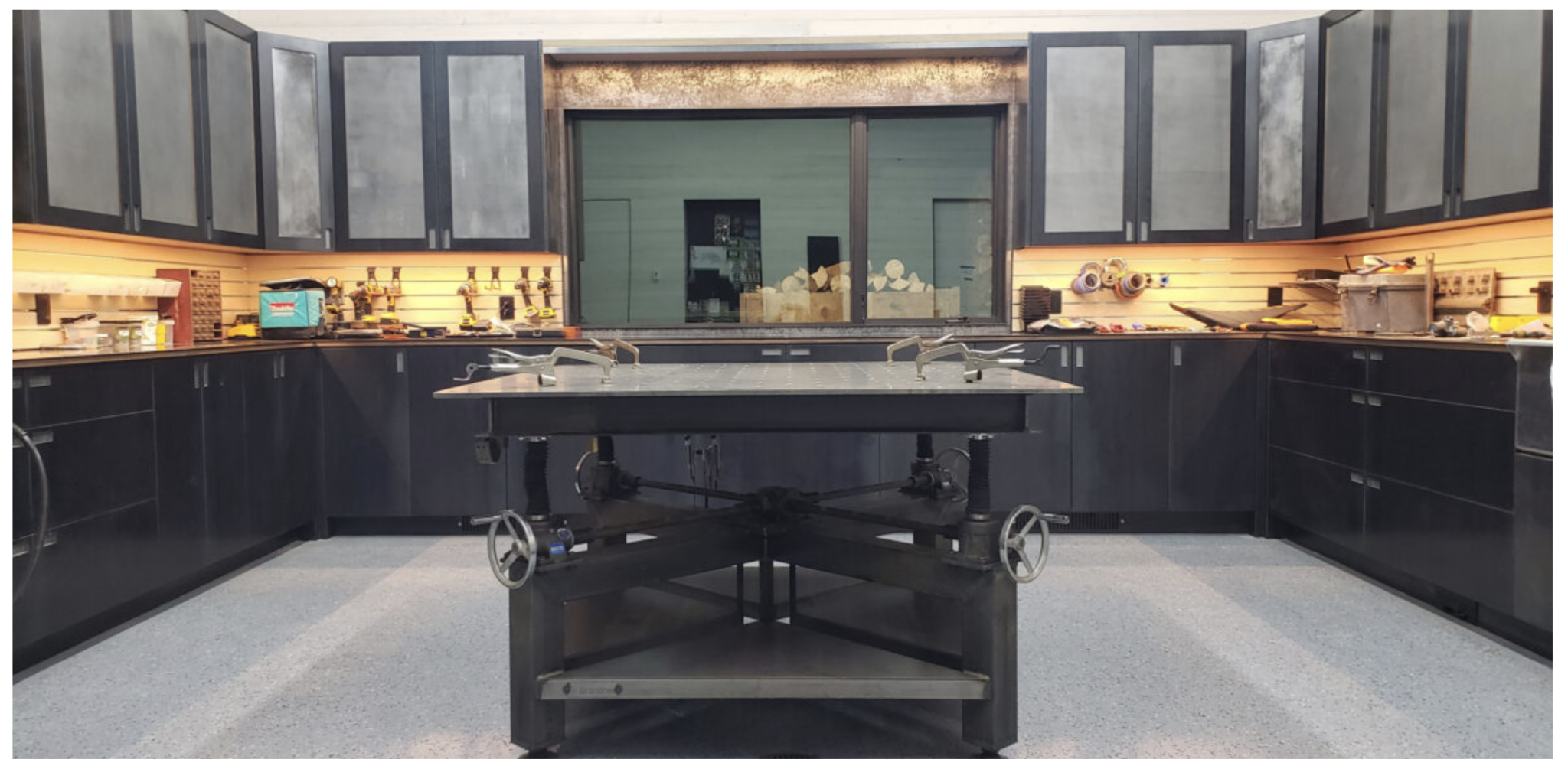
The thread starts the moment an engineer defines the product. In a connected shop, the 3D model is the single authoritative definition of the part — not a drawing that gets reinterpreted downstream. Capture design intent once, and everything after can inherit it instead of rebuilding it.
This is also where automation pays off first.
At Brandner Design, time per project dropped by 40%. How?
Brandner’s Best Practices/Key Takeaways:
- They enter data once and use it for the life of the project. Part, assembly, and project info entered at design kickoff flows into drawings, cut lists, and client deliverables without re-keying.
- Parametric configurations keep custom work from fragmenting. A parametric setup lets them generate "something unique for every customer" from the same model, so one-off projects stay variations on connected data instead of forking into disconnected files.
- One model serves the client AND the shop. "Everything we share with the client is what we use to manufacture." There are no parallel versions to drift apart between what's approved and what gets built.
- 3D PDFs eliminate the conversion break in the thread. Clients and installers review the actual model with no file conversion — "it's apples to apples" — so feedback lands against live design data, not stale exports.
- They use multibody parts and weldments to shrink the file count. Fewer files per project means less to keep in sync across many active jobs — part of how projects that took 20–30 hours now finish in as little as 12.
2. Data and Change Management — The Backbone That Keeps the Thread Unbroken
If design starts the thread, good data management is what stops it from fraying. This is the layer that guarantees one current version, controls how changes move, and lets teams beyond engineering pull from the same source.
Even custom one-off customer requests/changes across a whopping 9 million parts library doesn’t break Knapheide’s digital thread. How?
Knapheide’s Best Practices/Key Takeaways:
- They use a structured PDM workflow. Every job moves through the same controlled path from design to release — "SOLIDWORKS PDM helps by providing a structured workflow, and multiple transitions within workflows." — Marty Ohnemus, CAD Administrator
- Version history is non-negotiable. Custom and standard product live side by side, and changes never sever the link to earlier iterations: "We can make changes for the customer and go back to previous versions… It all speeds up the process." — Marty Ohnemus, CAD Administrator
- They automate the boring stuff. DriveWorks generates the drawings, BOMs, notes, and dimensions from design data instead of by hand.
- They recognize the scale simply REQUIRES automation. Without high-quality, connected data, the scale would be unmanageable. Hundreds of product models, thousands of customizable options, and about nine million parts to keep track of — a volume where anything not linked back to the model would immediately drift out of date.
3. Simulation — Testing the Thread Before You Commit
The cheapest change is the one you make on a computer instead of on the floor.
For some workflow changes, simulation is mandatory, not just a time and money saver.
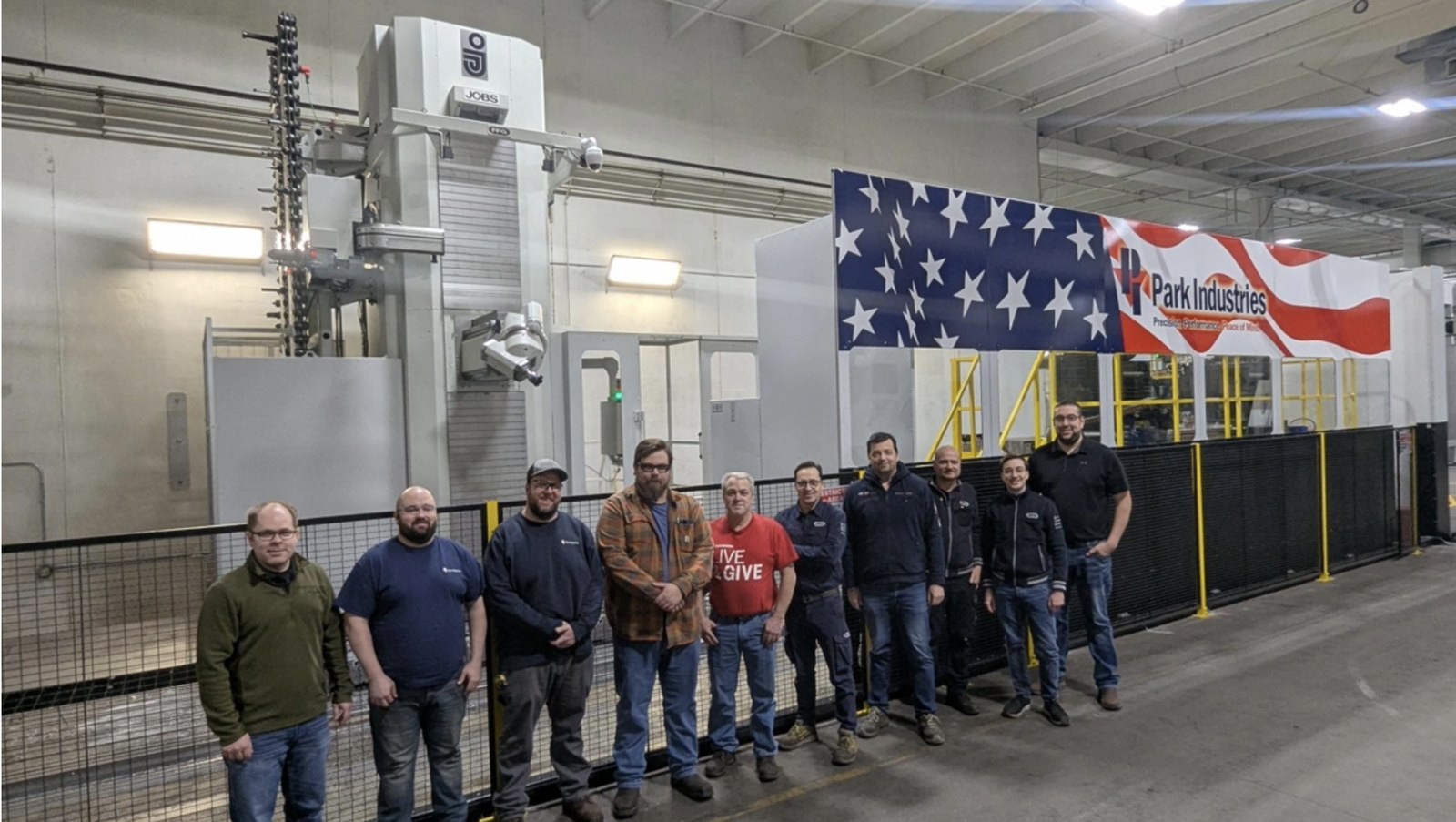
At Park Industries, the first cut is the only cut. How?
They machine parts on multimillion-dollar portal milling systems that span as much as 70 feet of travel, cutting parts up to 22 feet long.
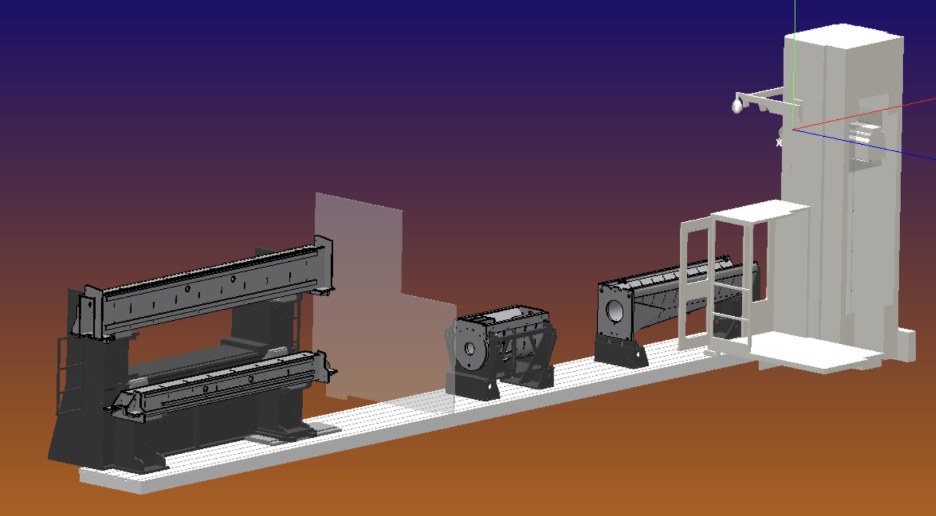
Running Eureka digital twins to prove out entire G-code programs offline eliminated one to two days of physical machine validation per complex job, and the shop now sees zero approach or collision surprises when running new programs.
"When you are dealing with machines of this scale, an oops is not a bad day, it is a bad quarter." — Doug Voight, Senior CNC Programmer
Simulation is also where you catch bottlenecks before they're built into the line.
Park Industries’ Best Practices/Key Takeaways:
- Validate against a digital twin before the machine ever moves. Eureka simulates the true machine path offline, so the program that runs is the program that was proven in simulation.
- One unbroken chain from model to machine. SOLIDWORKS and CAMWorks handle design and CAM programming that "integrates seamlessly with their custom automation architecture" — the same design data drives programming, simulation, and the portal mill.
- A standard data language across the whole fleet. Voight's A.C.E. (Adaptive Cutting Environment) system puts "unified probing language across all Fanuc-controlled portal mills" plus automated restart logic and tool life monitoring — every machine speaks the same language, so programs and knowledge stay portable across jobs.
- Iterate virtually, not on a multimillion-dollar machine. "The iteration time in the physical world would have tied the machine up for one to two days just to build the offsetting logic." — Doug Voight, Senior CNC Programmer. Net result: one to two days of physical validation eliminated per complex job.
- Connected data buys the confidence to attempt harder work. "I would not have dared attempt some of this logic without Eureka."
4. Manufacturing — Carrying Design Intent to the Machine
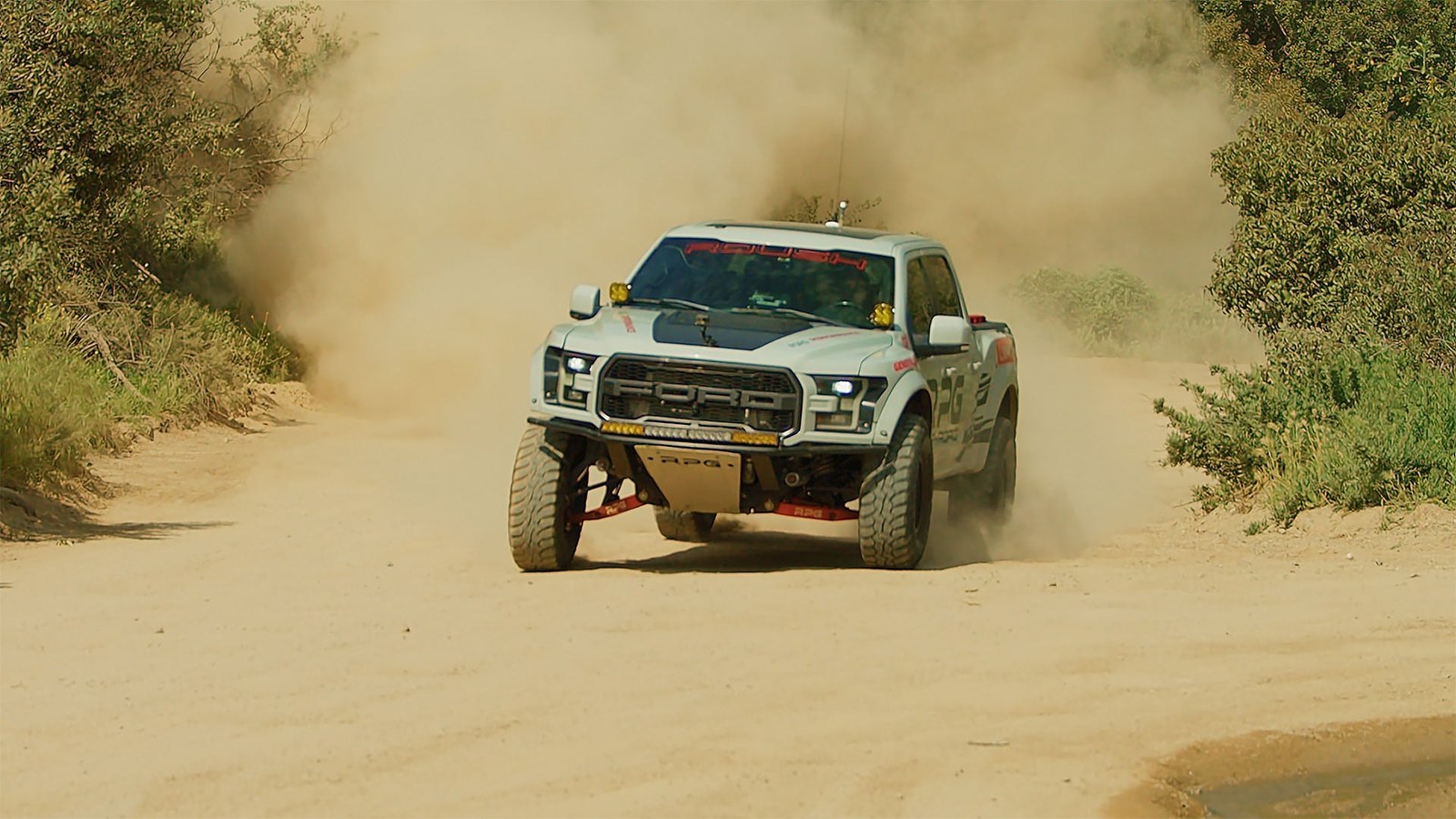
This is where a broken thread bites hardest: if design intent has to be re-drawn or reprogrammed before the floor can act, every change moves at the speed of the slowest manual step. Tight CAD-to-CAM integration lets a design change flow to a toolpath without starting over — the model updates, the program follows.
"We can simply go from design to manufacturing in an hour. That's what we've gotten SOLIDWORKS and CAMWorks down to." — Corey Kausch, President at RPG Offroad
RPG Offroad brought machining in-house the same way and cut its machining cycle from a month to four days, a reduction of more than 80%. That's the thread doing its job: fewer re-programs, more consistency, faster hand-offs. How?
RPG Offroad’s Best Practices/Key Takeaways:
- Unify CAD and CAM in one environment. When design and machining share a single model, an engineering change becomes an updated toolpath instead of a re-quote and an email chain. Done well, the gap between "designed" and "cutting chips" shrinks to almost nothing — RPG got it down to an hour.
- Bring critical processes in-house when outsourcing breaks the thread. Every handoff to an outside shop severs your data from your schedule. Owning the step that gates everything else is how RPG went from a month of lead time to four days — and reclaimed roughly $40K a month in outside labor while they were at it.
- Let the model do the programming. Automated feature recognition reads machining features straight off the design, so custom work starts from live data instead of a blank CAM setup. The takeaway: if your programmers rebuild what the model already knows, that's re-entry — automate it away.
- Use smarter toolpaths to protect your tooling budget. High-speed roughing strategies like VoluMill aren't just faster — RPG ran hundreds of parts on one end mill for a week and a half. Connected CAM data pays off in consumables, not just cycle time.
- Treat connected manufacturing as a moat, not a cost center. The endgame isn't efficiency for its own sake — it's making parts at a speed and scale that makes your competitors look at it and say "there's no way." A connected design-to-machine workflow is what lets a small team out-manufacture bigger shops.
5. Production — The Thread on the Floor, in Real Time
Everything upstream of this point is preparation. Production is where the thread either pays you back or not-so-quietly breaks — because the floor moves faster than any spreadsheet tracking it. When programs, models, and schedules live disconnected from the machines running them, every scale-up means trying to hire your way out of a data problem.
The payoff of a connected floor is simple: more parts through the same machines and fewer inventory surprises.
Speedway Motors grew its machine shop from 2 CNC machines to 19 and increased production by 300% — without the thread snapping. How?
In 2009 they integrated CAMWorks with SOLIDWORKS, replacing manual G-code writing with programming that flows straight from the model. That backbone carried the shop through 5-axis mills, Swiss lathes, a second shift, and a workforce that grew from 2 to 30.
“VoluMill high-speed machining drastically cuts down the length of cycle times, which enables us to mill more parts in less time. It also extends the life of a tool… CAMWorks solutions are helping us to boost productivity and reduce costs in our manufacturing operations.” — Lucas Prucha, CNC Department Supervisor, Speedway Motors
Speedway Motors’ Best Practices/Key Takeaways:
- Scale programming before you scale machines. Two machines on manual G-code was the ceiling. Programming generated from the model is what let 19 machines run without 19 programmers — if your floor can’t grow without a hiring spree, the constraint is your data flow, not your headcount.
- Keep model and program bi-directional. Speedway’s CAMWorks–SOLIDWORKS integration works in both directions, so prototype iterations update the program instead of restarting it — tight-tolerance parts stop being a re-programming tax.
- Attack cycle time and tool wear with smarter toolpaths. VoluMill high-speed machining cut cycle times and extended tool life across aluminum and steel — connected CAM data shows up in the consumables budget, not just the schedule.
- Growth is a bundle, not a button. The 300% didn’t come from software alone: it was connected programming plus new machines, a second shift, and 2→30 people. The thread doesn’t replace the floor — it’s what lets every addition actually multiply.
6. Make and Scale — Extending the Thread Beyond Your Walls
The thread doesn't stop at your existing machines. When you need a tool, a fixture, a prototype, or a replacement part fast, additive manufacturing turns a model straight into a physical part.
When demand spikes past your capacity, manufacturing as a service lets you upload a CAD file and get parts printed fast — paying for parts when you need them instead of buying machines that sit idle when demand cools. And 3D scanning runs the thread in reverse — bringing a physical part back into digital form for inspection or reverse engineering, so even legacy hardware can join the thread.
None of it works, though, unless the model carries everything an outside shop needs to build the part right the first time.
That’s exactly how one SOLIDWORKS-powered startup builds hardware.
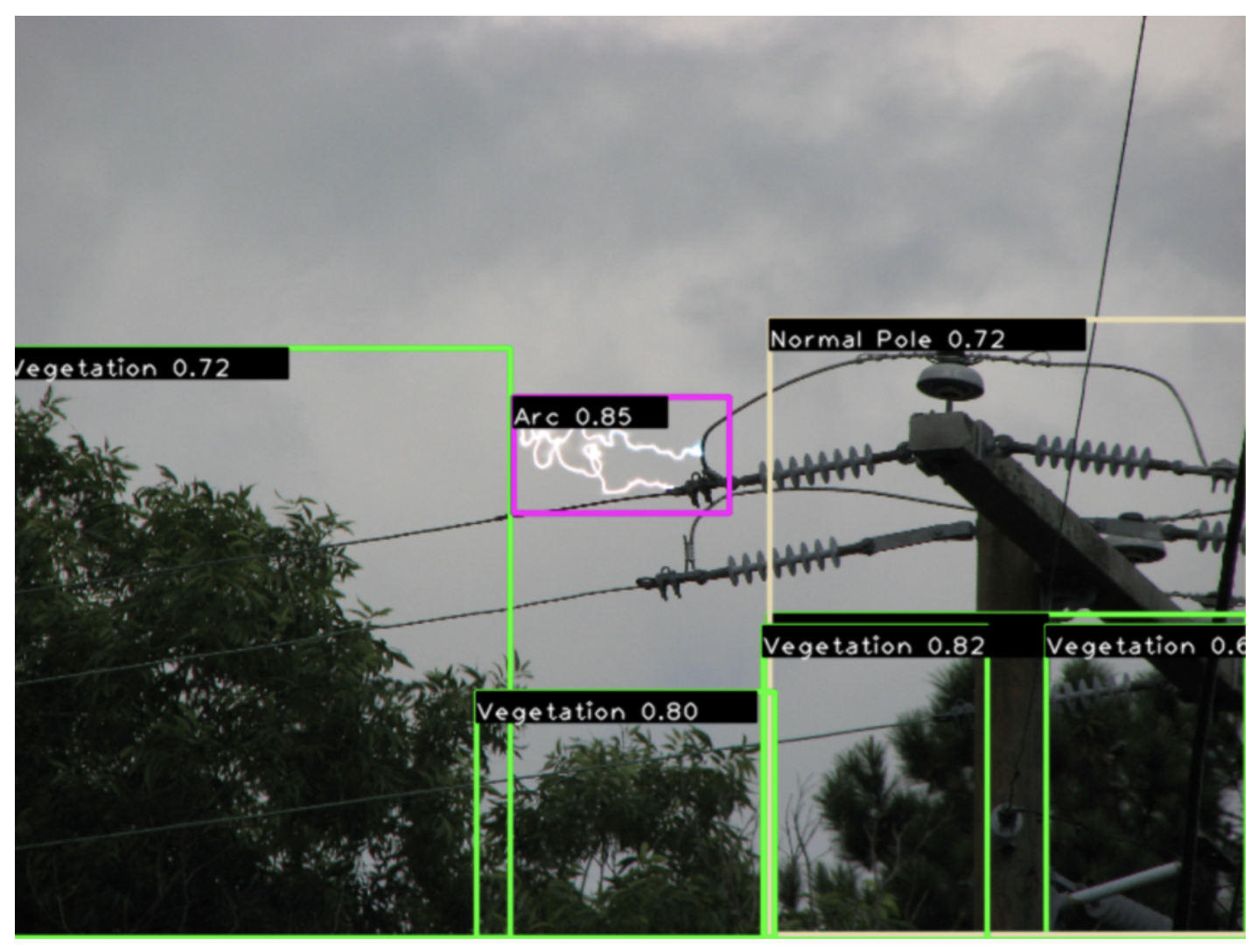
Green Grid’s AI inspectors watch utility lines 24/7, flag fire risks in under 30 seconds, and tell crews what to bring before they roll. How?
Their iSIU® units are complete assemblies — cameras that can see half a mile, thermal sensors, cellular or satellite connectivity, batteries, and weatherproof enclosures — all modeled in SOLIDWORKS, which lets the team run rapid what-if scenarios for part placement and generate precise, manufacturing-ready drawings for on-demand partners. One utility went from a two-sensor trial to deploying a full high-risk circuit after seeing the results.
“I can design a sheet-metal bracket, send the flat pattern to a partner, and receive a perfectly welded, powder-coated part days later. It’s still the fastest, most intuitive way to turn ideas into reliable hardware.” — Jeff Pickles, Co-Founder, Green Grid Inc.
Green Grid’s Best Practices/Key Takeaways:
- Make the model the contract with outside partners. A flat pattern sent from SOLIDWORKS comes back as a finished, powder-coated part in days — no drawings reinterpreted, no spec lost in translation. That’s the thread extending to shops you don’t own.
- Simulate hardest where field failures cost most. Their devices live on remote poles in harsh weather, so thermal and airflow analysis happens early and often — which, in Pickles’ words, “dramatically improves prototype maturity and reduces costly revisions.”
- Scale capacity. On-demand manufacturing let a small startup iterate like a big one — buy parts when demand spikes instead of machines that idle when it cools.
- One environment from napkin sketch to production. SOLIDWORKS has been their bridge “from napkin sketch to functional prototype” since 1998 — component selection, packaging, simulation, and manufacturing-ready drawings from a single model, so a small team never loses time to handoffs between tools.
The Digital Thread: Less Friction, Happier Humans
The entire point of the digital thread is reducing friction and getting out of your own way.
Manufacturers can then spend less time searching for information and more time making and building.
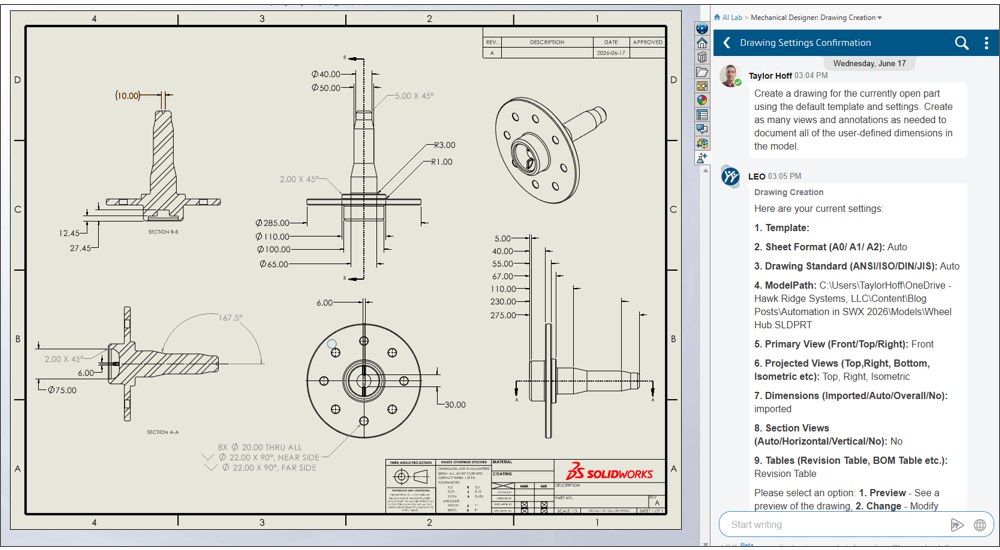
AI is the clearest example of that principle in action, and it's why connected data matters so much. Dassault Systèmes now ships AI virtual companions for SOLIDWORKS. AURA is the connector and explorer, surfacing knowledge from your platform data and from enterprise and web sources so engineers stop digging, and it can walk them through managing revisions and change.
SOLIDWORKS LEO is the engineering companion, focused on validation, manufacturing, and system integrity; LEO-powered drawing creation is available in beta with Cloud Services, and a prompt-driven PLM change action in 3DEXPERIENCE is on the roadmap. A third companion, MARIE, brings deep scientific and materials expertise, though it isn't included with standard SOLIDWORKS seats.
But there's a catch — garbage in, garbage out. AI running on disconnected data just automates the confusion faster. Connect the thread first, then let AI accelerate it.
As Manish Kumar, CEO of SOLIDWORKS at Dassault Systèmes, put it at 3DEXPERIENCE World 2026: "AI is just the multiplier, you are the value."
You Don't Weave the Whole Thread at Once
The most important thing to know about a digital thread is that it isn't all-or-nothing. Nobody connects their entire product lifecycle in a single project. You start where the pain is highest and let each win fund the next.
Actionable Insights:
- Build your data lake. Source, ingest, and validate your company data as a primary source for all company activities.
- Anchor the data. Get revision control right with PDM — one enforced current version. It's the biggest, fastest win and the foundation everything else hangs on.
- Connect the teams. Add a PLM layer when BOMs, changes, and non-engineering stakeholders need in — so the thread reaches beyond engineering.
- Extend to the floor. Push live models to production and add real-time visibility, then layer in simulation, CAD-to-CAM automation, and on-demand capacity where they pay off.
These strategies create momentum. A Business Assessment is the fastest way to find which stage is costing you most and sequence the rest around it.
Where Hawk Ridge Systems Fits
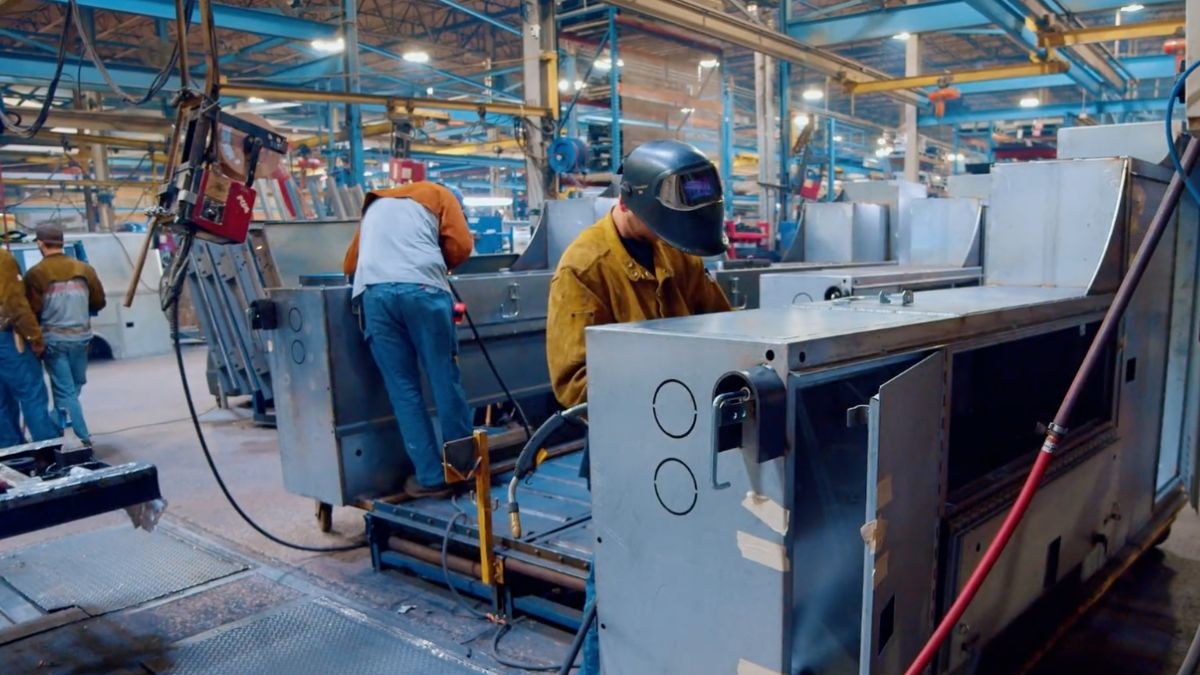
A digital thread is a capability you build, and the software is only part of it.
Hawk Ridge Systems has been doing design-to-manufacturing work since 1996, with 140+ engineers and 430+ combined certifications on staff, and has helped thousands of companies build stronger, more connected systems and workflows for manufacturing.
We don't just sell the platforms that help connect the thread — SOLIDWORKS, 3DEXPERIENCE, DELMIA, CAMWorks, and manufacturing as a service — we run the Business Assessments that find where your thread is cut, then back the fix with implementation, integration, data migration, and training so it actually sticks.
And if the bottleneck is people rather than tools — a PDM environment nobody has time to administer, or senior engineers stuck on setup and admin instead of product work — you don't have to hire for it. Our outsourced engineering services put specialists alongside your team on an ongoing basis: SOLIDWORKS CAD Admin and Data Management Admin Specialists, Process Improvement, Simulation Analyst, Visual Rendering, Technical Documentation, Electro-Mechanical Design, and Additive Manufacturing Specialists — filling resource gaps and mentoring your staff, so the thread stays maintained and your best people stay on the work that moves the business.
Start Weaving Your Thread
Wherever your data stops flowing today, that's your highest-leverage place to start — and you don't have to find it alone. Contact Us for a Business Assessment, or explore the data management and connected manufacturing solutions that carry the thread — or, if you're short on hands to run it, our outsourced engineering services.
Quick Answers/FAQ
What Is a Digital Thread in Manufacturing?
It's the continuous, connected flow of a product's data — designs, revisions, BOMs, simulations, toolpaths, and production records — across its entire product lifecycle, so every team and system works from one current source instead of scattered copies. It's a capability built on connected data, not a single product.
Is a Digital Thread the Same as a Digital Twin?
No. On the digital thread vs digital twin question: a digital twin is a virtual model of a specific thing (a part, machine, or factory line) kept in sync with the real one. The digital thread is the data flow that connects every stage of the lifecycle. Twins are the nodes; the thread is what runs between them — and it's what feeds each twin good data.
Do I Need the 3DEXPERIENCE Platform to Have a Digital Thread?
Not necessarily. You can start a thread with SOLIDWORKS PDM for CAD data and revision control, then extend it with PLM (including cloud options on the 3DEXPERIENCE platform) as more teams and processes need to connect. The platform makes a broad thread easier; it isn't a prerequisite to begin.
How Is a Digital Thread Different From Just Having PDM?
PDM is the anchor point — it controls files and revisions. A digital thread is the whole connected system: PDM plus PLM, CAM, simulation, and production data all sharing one source of truth across the lifecycle. PDM is where most manufacturers start building the thread.
Where Does the Digital Thread Start?
At design. The 3D model becomes the authoritative definition of the product, and every downstream stage inherits from it rather than reinterpreting it. That's why connected data management is the foundational step.
Is This Only for Big Manufacturers?
No — smaller shops often feel a broken thread faster, because one wrong-revision build or one stalled line is a bigger share of their capacity. The approach scales down: start with revision control and one real-time metric, and grow from there.
How Do We Start Building One?
Find your most expensive disconnect — usually revision control — and fix that first with PDM. Add PLM, real-time visibility, simulation, and CAD-to-CAM automation in the order your pain dictates. A Business Assessment helps you sequence it.
15 Best Practices From Engineers and Manufacturers
Every practice from the six customer stories above, in the order you'd build the thread — from first sketch to beyond your walls.
- Enter data once and use it for the life of the project.
- Use parametric configurations so custom work stays variations on connected data, not forked files.
- Serve the client and the shop from one model.
- Run every job through a structured PDM workflow.
- Treat version history as non-negotiable — changes should never sever the link to earlier iterations.
- Automate drawings, BOMs, notes, and dimensions from design data.
- Validate against a digital twin before the machine ever moves.
- Keep one unbroken chain from model to machine.
- Unify CAD and CAM in one environment.
- Bring critical processes in-house when outsourcing breaks the thread.
- Use smarter toolpaths to protect cycle time and tooling.
- Scale programming before you scale machines.
- Keep model and program bi-directional.
- Make the model the contract with outside partners.
- Keep one environment from napkin sketch to production.