LIMITED-TIME OFFER! Save Up to 28% on SOLIDWORKS Perpetual Licenses

Save Now
Hawk Ridge Systems

Step-by-Step Assembly Manuals

SOLIDWORKS Composer

Create step-by-step assembly manuals, detailed animations, high-quality vector and raster images, and interactive website content to streamline technical documentation and improve communication across projects.

From CAD Data to Polished Technical Documentation

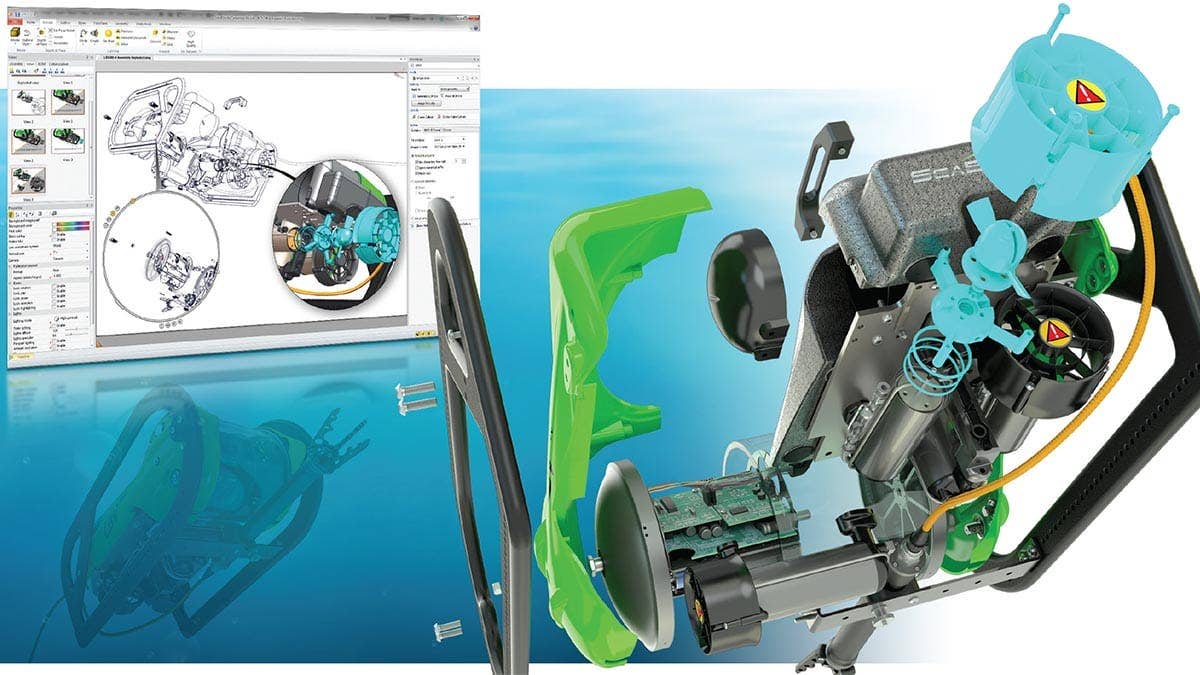
At its core, SOLIDWORKS Composer is a tool designed to take your 3D models and 2D images and create step-by-step PDF assembly instructions. However, it can be used for so much more than that.

With SOLIDWORKS Composer, you define your customer’s experience. If you need to provide assembly instructions for a boxed product, a printed PDF manual might be a good fit. If your products need assembly and detailed installation instructions, maybe an animated video is best. 

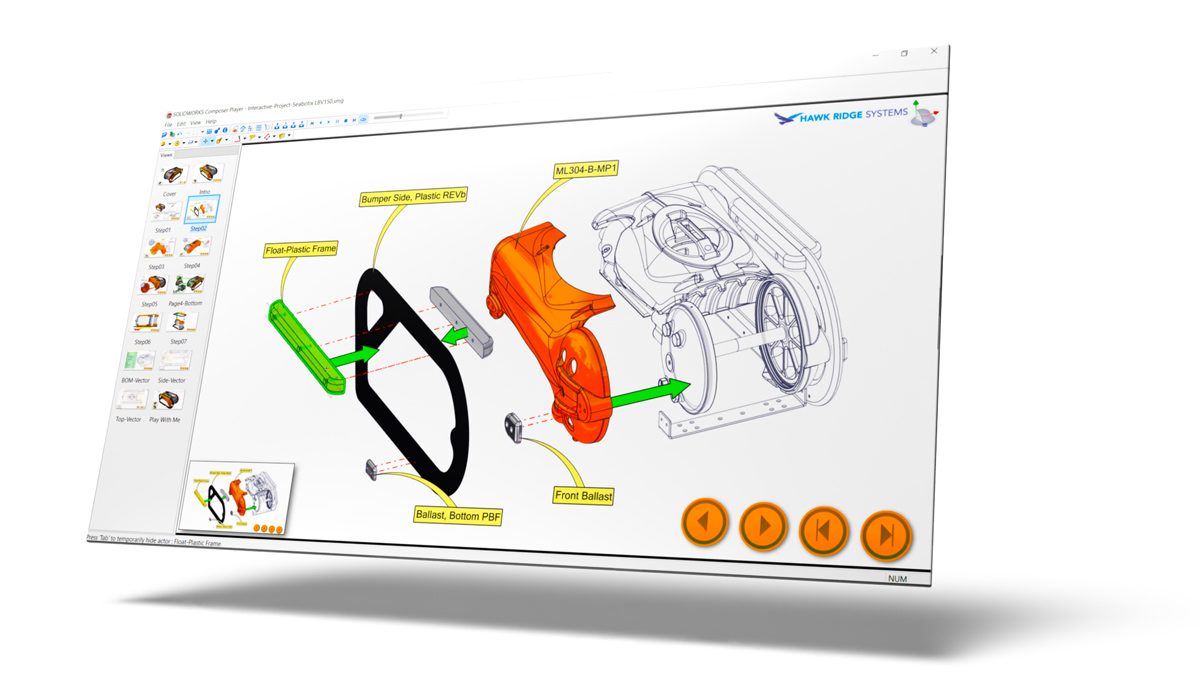
What if you are collaborating with a vendor or customer and need to provide a detailed 3D model with fully interactive instructions? In that case you can take all the above and combine it with an interactive 3D player that clearly lays out all the details with a combination of 3D and 2D content. SOLIDWORKS Composer can help you achieve all of this, while remaining associated to the SOLIDWORKS CAD model to ensure your documentation stays up-to-date with any CAD changes.


solidworks composer player view

Key Features & Benefits

CAD Format Support

SOLIDWORKS Composer supports a wide range of 3D CAD formats, including SOLIDWORKS, Pro/ENGINEER/Creo®, and Autodesk® Inventor, as well as neutral file formats such as STEP, IGES, and others.

Update Visual Content

Update all content seamlessly with the latest design changes, including geometry, Bill of Materials (BOM) tree, metadata, and more, ensuring your documentation is always up-to-date.

Faster Content Development

Create 2D and 3D graphical content in multiple formats: (JPG, BMP, TIF, PNG), vector images (SVG, EPS, SVGZ, CGM), videos (AVI), 3D interactive animations (3D PDF, HTML, SMG), and executable packages (ActiveX control).

Annotate Documentation

Easily add annotations (auto balloons, BOM table, arrows, and detail views) or change appearances (hide/show, transparency, and colors).

Document Processes

Develop detailed step-by-step procedures documentation and manuals demonstrating component assembly in incremental stages.

Create Animations

Create a manufacturing BOM independent of an engineering BOM. Customize parts lists and properties for each view.

Unlock Creativity and Efficiency with SOLIDWORKS Composer

SOLIDWORKS Composer revolutionizes technical communication, enabling seamless creation of stunning visual content from 3D CAD data. Empower your team to streamline documentation processes, enhance product understanding, and accelerate time to market.

Explore the possibilities with SOLIDWORKS Composer today!

Keep On Learning

Documentation Resources

Create Better Documentation, Faster

Create Better Documentation, Faster

Success Story: Caztek & Inspire Medical

Success Story: Caztek & Inspire Medical

Turn Your CAD Data Into Something Amazing

Turn Your CAD Data Into Something Amazing

Getting Started With SOLIDWORKS Visualize

Getting Started With SOLIDWORKS Visualize

Frequently Asked Questions

Engineering Success Together

Services & Customer Benefits

Technical Support

Specializing in Composer since 2009, we have some of the top SOLIDWORKS Composer experts in the industry. If you ever have a software problem or troubleshooting question, you are in good hands.

Unmatched Training

We offer a complete Composer training program that will get you up and running and creating detailed assembly documentation quickly. We offer live online and on-demand training options to fit your schedule.

Professional Services

We are here to assist you with live, one-on-one consulting. With our Composer Flight Plan, you receive dedicated time with one of our experts, tailored to address the specific topics you need.

Subscription Support

Whether you are looking for on-demand SolidProfessor training, access to the latest software releases, exclusive resources and offers, or just need expert support, we have a subscription option for you.