A steady-state flow simulation can waste time recalculating flow that has already settled. Flow Freezing in SOLIDWORKS Flow Simulation stops recalculating that settled flow so the solver can focus on the slower part — here, two gases mixing. In this test, freezing too early (at 50 iterations) was fastest but gave an inaccurate mixing result. Freezing at 100 iterations was 36% faster and stayed within 5% of the baseline. The lesson: Let the flow develop before you freeze it.
Why Steady-State Mixing Simulations Take So Long
In a mixing simulation, it may take much longer to determine the mixture concentration than it does for the flow field to become established. Recalculating the flow after that point can add significant calculation time without providing much additional information.
Flow Freezing in SOLIDWORKS Flow Simulation can help in these situations. By freezing the calculations for the pressure and velocity field, the solver can continue focusing on slower processes such as diffusion. In this example, the analysis solved 36% faster with less than 5% deviation from the baseline result.
Background: The Gas Mixer Study
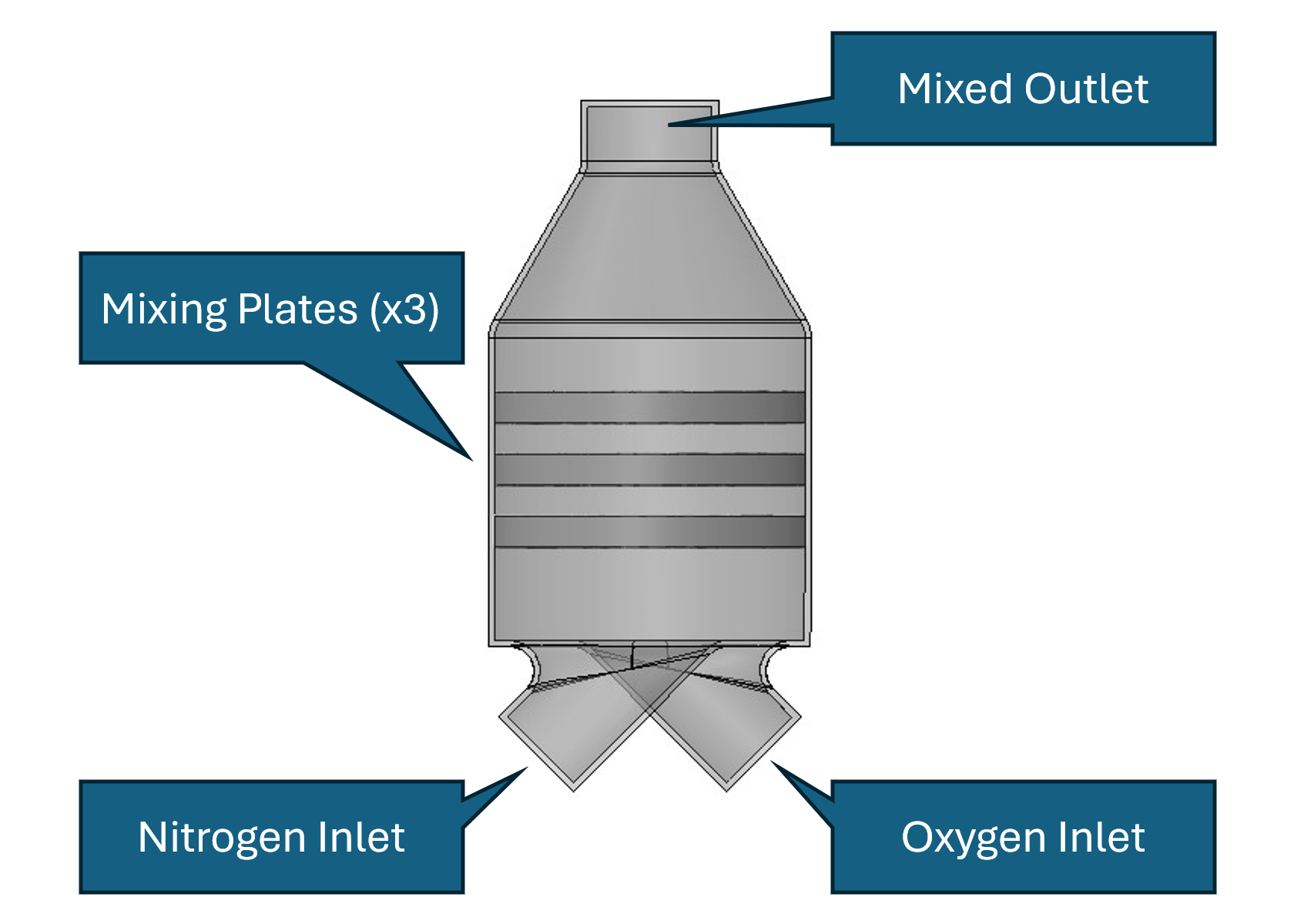
In the following study, a gas mixer is used to investigate how effectively two gases mix. Nitrogen and oxygen enter the mixer through separate inlets, combine as they travel through the mixer, and exit through a single outlet.
The goal is to determine how uniformly the gases are mixed at the outlet. The study also evaluates how Flow Freezing affects solve time and accuracy.
Simulation Setup
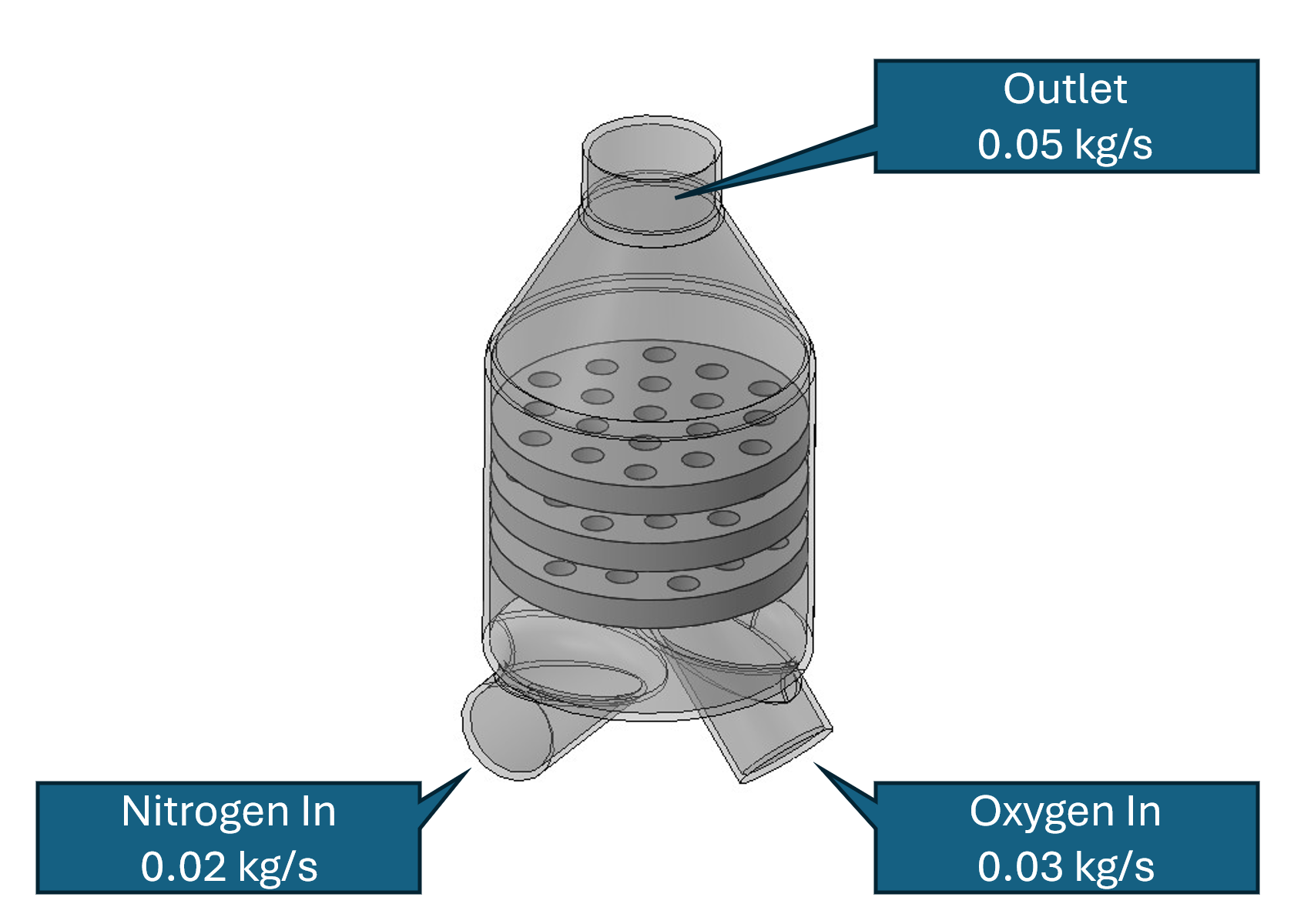
The gas mixer has two separate inlets. Oxygen enters at a mass flow rate of 0.03 kg/s, and nitrogen enters at 0.02 kg/s. The two streams mix as they travel through the mixer before leaving through the single outlet.
The objective of the simulation is to evaluate the quality of the mixing at the outlet. If the gases were perfectly mixed, the oxygen mass fraction would be 0.60 at every point across the outlet. In this mixer, however, some areas may contain more oxygen than others.
To quantify this variation with a single value, the oxygen mass fraction range is used. The range is the difference between the highest and lowest oxygen mass fraction at the outlet. A smaller range indicates a more uniform mixture, with an ideal range of 0 representing a perfectly mixed stream (the same gas concentration everywhere on the outlet face).
Flow Freezing Off: The Baseline
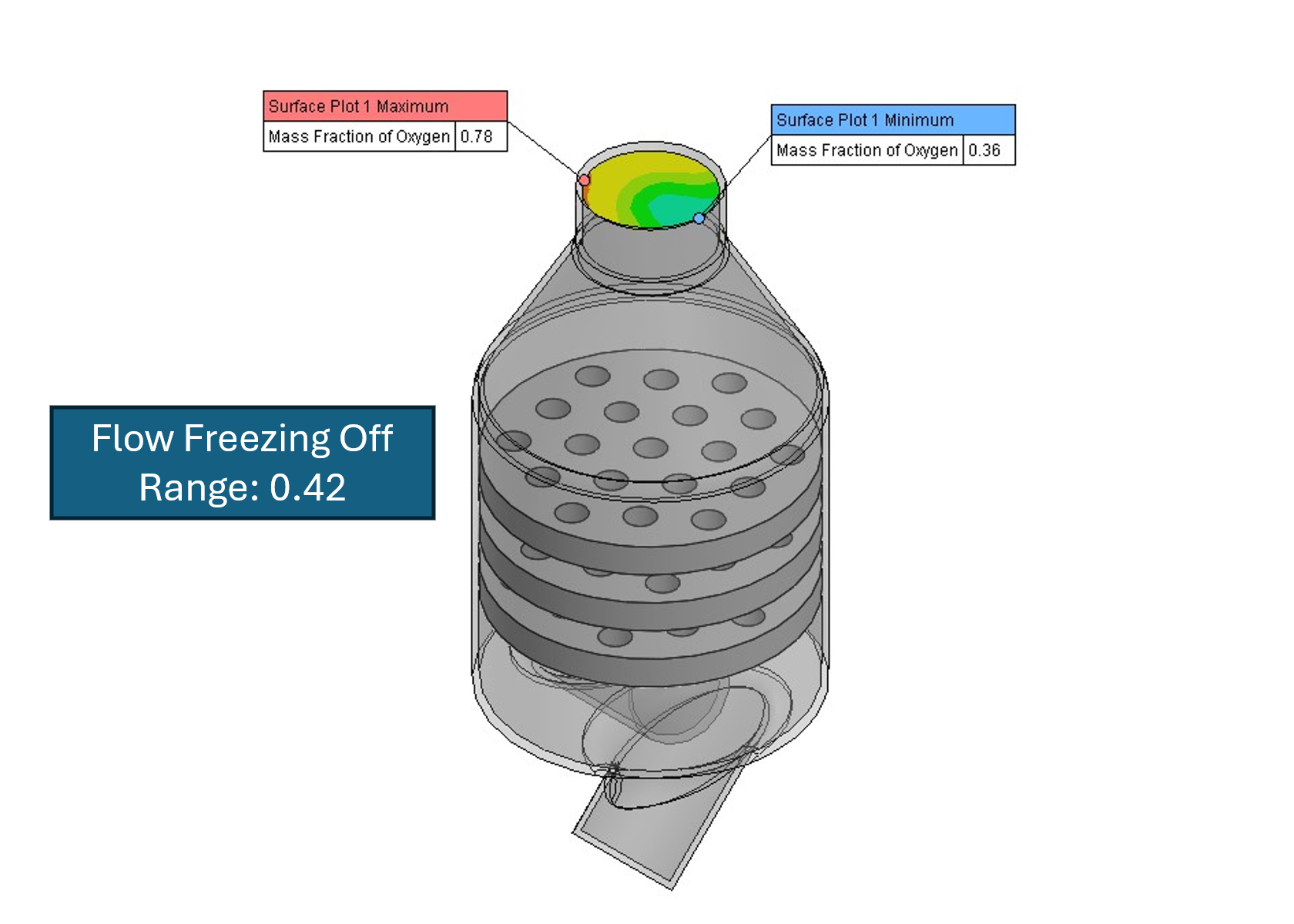
The first simulation was performed with Flow Freezing disabled, providing a baseline for comparison.
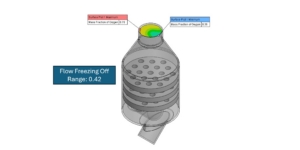
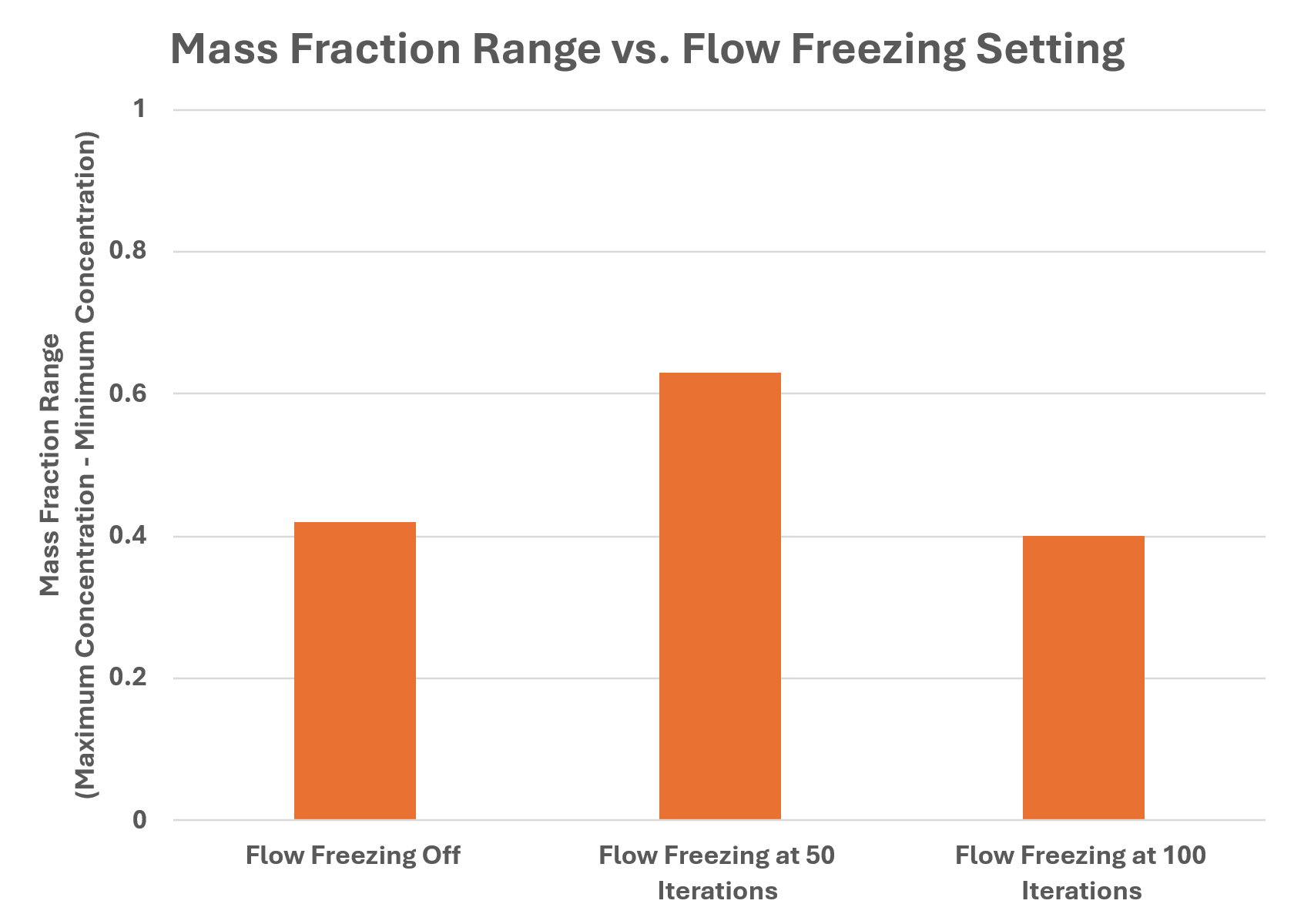
The calculation required 308 seconds of CPU time. The oxygen mass fraction at the outlet varied from 0.36 to 0.78, giving an oxygen mass fraction range of 0.42. The other two simulations are compared against this result.
Flow Freezing Starting at 50 Iterations
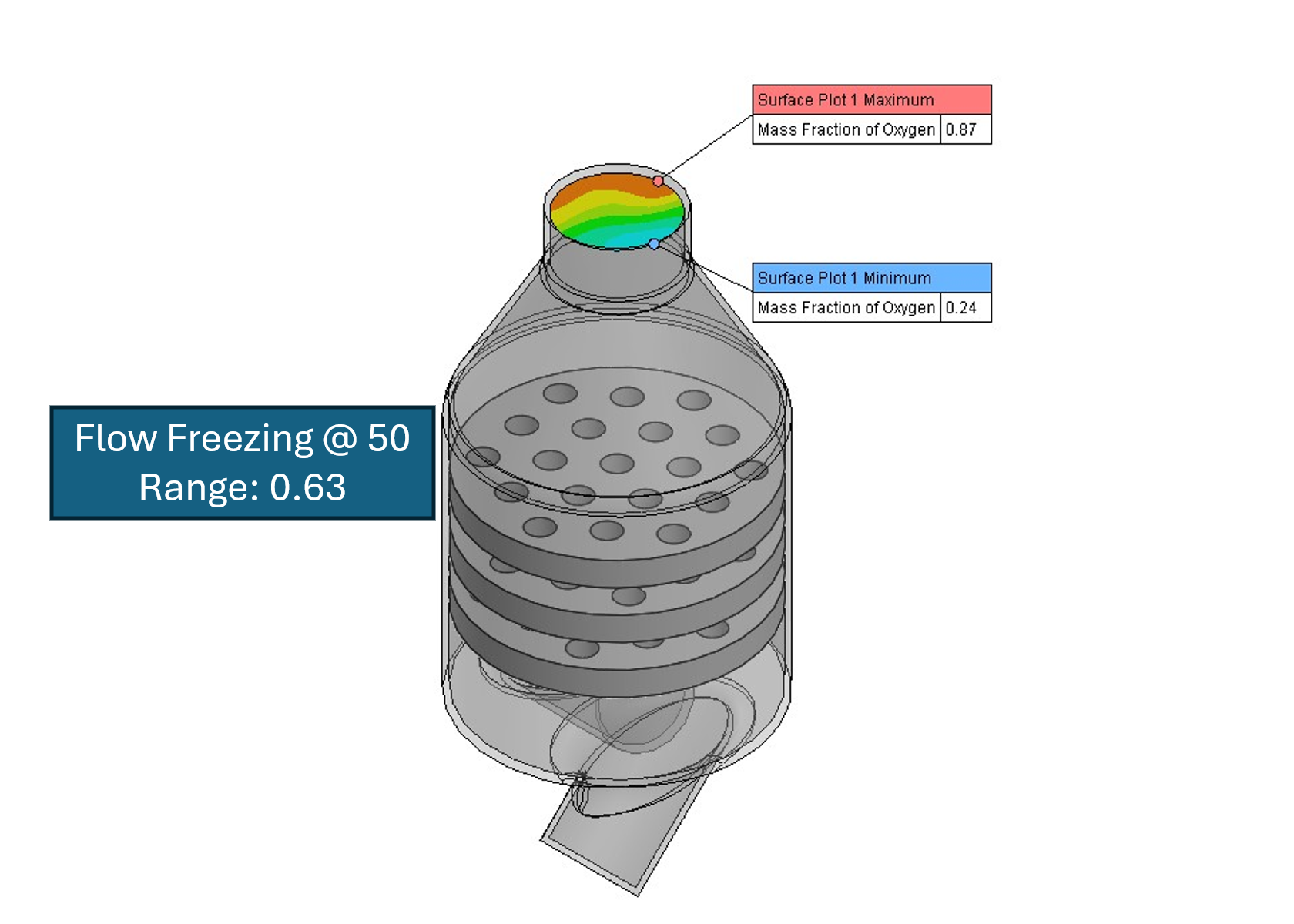
The second simulation used Permanent Flow Freezing, with freezing starting at 50 iterations.
The calculation required 133 seconds of CPU time, making it approximately 57% faster than the simulation without Flow Freezing. The oxygen mass fraction range, however, changed from 0.42 in the baseline case to 0.63, a 50% deviation.
Any significant difference in the oxygen mass fraction range compared with the baseline indicates that the flow may have been frozen before it had developed sufficiently.
Flow Freezing Starting at 100 Iterations
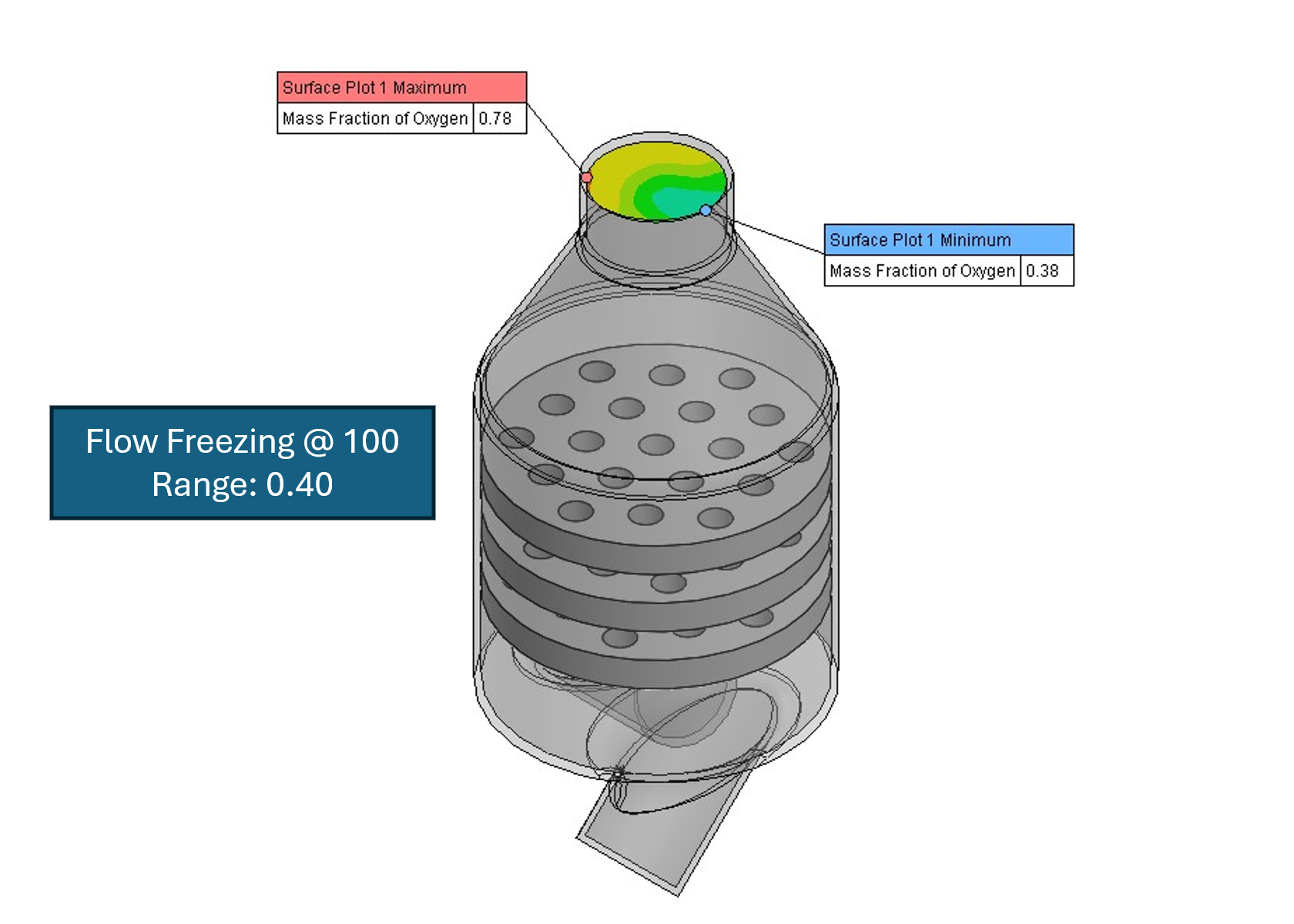
The third simulation also used Permanent Flow Freezing, but the flow was allowed to develop for 100 iterations. The calculation required 198 seconds of CPU time, making it approximately 36% faster than the 308-second baseline.
The oxygen mass fraction range was 0.40, compared with 0.42 in the baseline case — a deviation of less than 5%. This suggests that allowing the flow field more time to develop before freezing can provide a better balance between calculation time and maintaining the baseline mixing result.
What About Periodic Flow Freezing?
Permanent Flow Freezing works well when the velocity field can remain fixed. In some cases, however, the velocity field still needs to respond to changes in temperature or species concentration, as in natural convection.
In these situations, Periodic Flow Freezing can be used. Instead of freezing the flow permanently, Periodic Flow Freezing recalculates the velocity field at regular intervals. The user specifies the number of iterations for which the flow is frozen and the number of iterations for which it is recalculated. This can be useful when the flow changes more quickly than the temperature or concentration field but still needs to be updated periodically.
Conclusion: Let the Flow Develop Before Freezing It
The gas mixer example demonstrates how Flow Freezing can reduce the calculation time of a steady-state mixing simulation.
Without Flow Freezing, the baseline calculation required 308 seconds. Starting Permanent Flow Freezing at 50 iterations reduced the CPU time to 133 seconds, but the resulting oxygen mass fraction range was significantly different from the baseline. Starting Flow Freezing at 100 iterations required 198 seconds but produced results much closer to the baseline study.
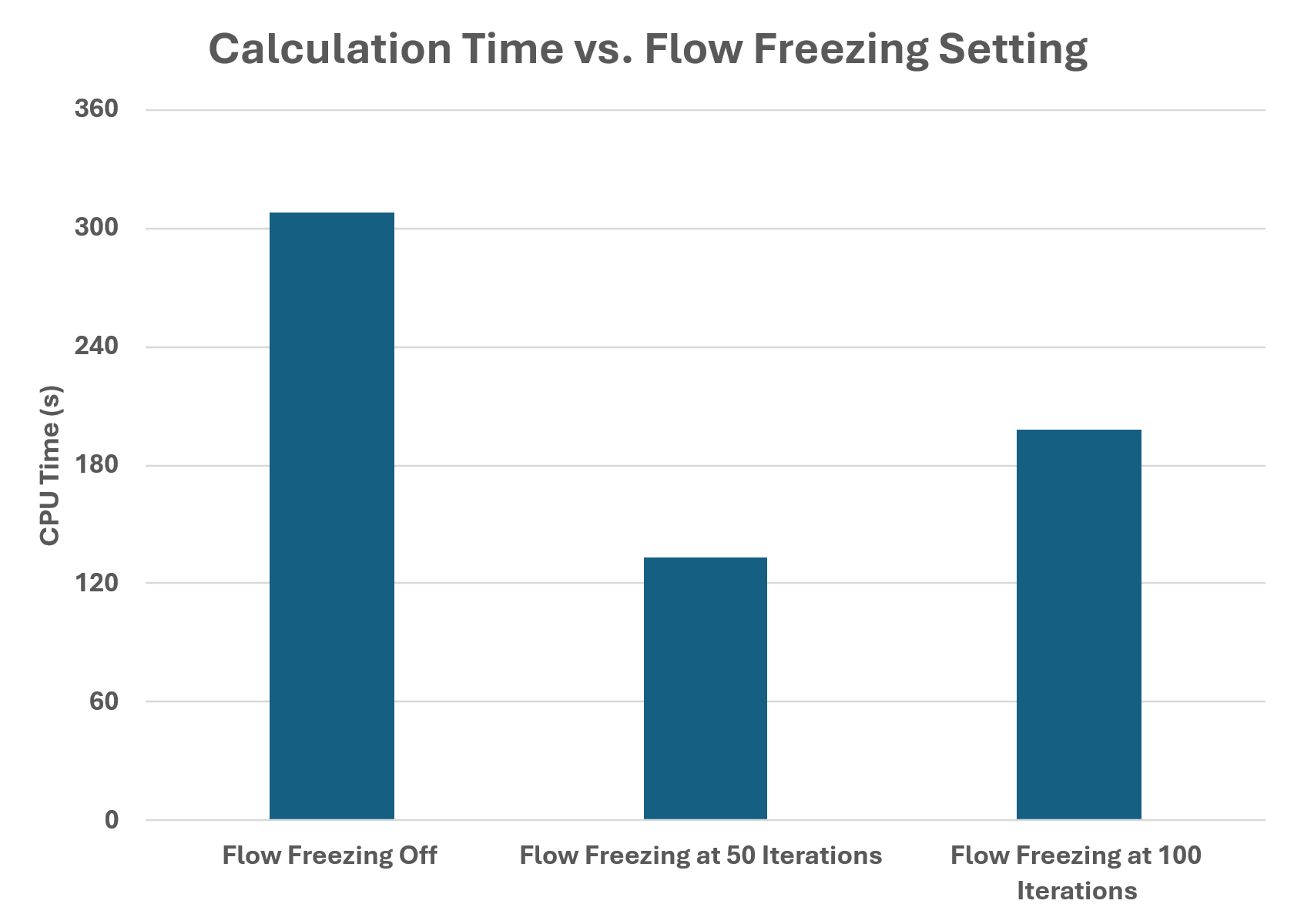
The results show that there is a balance between calculation time and when the flow is frozen. Freezing too early may save more time, but the flow field may not yet be sufficiently developed.
When using Flow Freezing, it is therefore important to allow the flow to develop before freezing it. Finding the appropriate starting point may require testing different values for the specific simulation.
For steady-state mixing problems where the flow develops faster than the concentration field, Flow Freezing can provide a useful way to reduce calculation time while still allowing the slower mixing process to reach its final state.
Flow Freezing works in transient studies, too. For a transient example, see Speeding Up Transient Simulations with Flow Freezing, which applies Permanent Flow Freezing to a hammer cooling study.
Have questions about using Flow Freezing in your own simulations? Contact us to talk with Hawk Ridge Systems.
Frequently Asked Questions
What is Flow Freezing in SOLIDWORKS Flow Simulation?
Flow Freezing freezes the calculations for the pressure and velocity field once the flow has developed, so the solver can continue focusing on slower processes such as diffusion. It helps when the flow field becomes established much sooner than the mixture concentration.
How much time did Flow Freezing save in the gas mixer example?
The baseline study without Flow Freezing required 308 seconds of CPU time. Permanent Flow Freezing starting at 50 iterations required 133 seconds, approximately 57% faster, and starting at 100 iterations required 198 seconds, approximately 36% faster.
Can freezing the flow too early affect accuracy?
Yes. Starting Flow Freezing at 50 iterations changed the oxygen mass fraction range from 0.42 in the baseline case to 0.63, a 50% deviation. Starting at 100 iterations gave a range of 0.40, less than 5% deviation. This suggests that giving the flow more time to develop before freezing it provides a better balance between calculation time and accuracy.
When should Flow Freezing start?
Allow the flow to develop before freezing it. Freezing too early may save more time, but the flow field may not yet be sufficiently developed. Finding the appropriate starting point may require testing different values for the specific simulation.
Where do you turn on Flow Freezing?
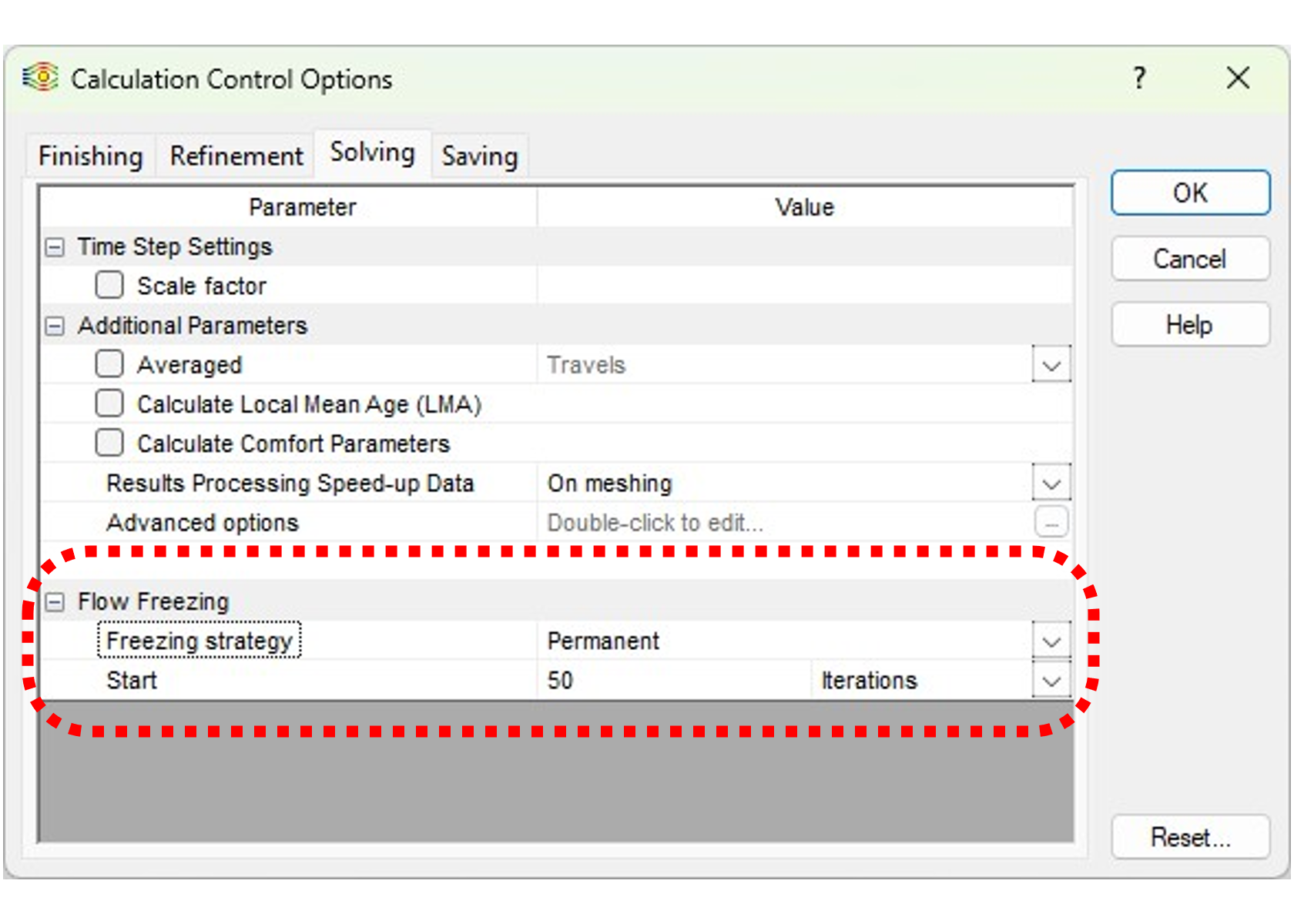
Go to Calculation Control Options > Solving. In the gas mixer example, the freezing strategy was set to Permanent, with freezing starting at 50 or 100 iterations.
When is Periodic Flow Freezing a better choice?
Periodic Flow Freezing is useful when the velocity field still needs to respond to changes in temperature or species concentration, as in natural convection. It recalculates the velocity field at regular intervals, and the user specifies the number of iterations for which the flow is frozen and the number of iterations for which it is recalculated.